

Support our independent tech coverage. Chrome Unboxed is written by real people, for real people—not search algorithms. Join Chrome Unboxed Plus for just $2 a month to get an ad-free experience, access to our private Discord, and more. Learn more about membership here.
START FREE TRIAL (MONTHLY)START FREE TRIAL (ANNUAL)
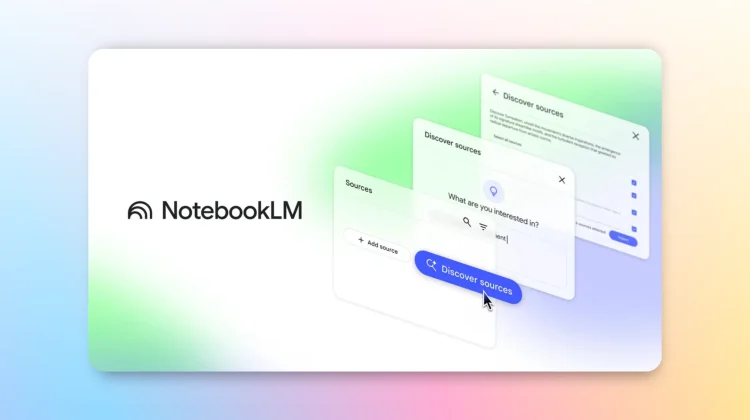
NotebookLM is continuing to evolve, and the latest update promises to significantly streamline the way users gather, organize and understand information. To that end, Google has announced the new Discover Sources feature, allowing users to directly pull relevant web content into their notebooks. This update will have a massive impact on the process of understanding and working with complex topics and large data sets.
Up to this point, NotebookLM users were limited to manually uploading source materials. While effective, this process could be time-consuming, especially when dealing with broad subjects requiring diverse perspectives. The new Discover Sources feature addresses this limitation by automating the initial research phase.
Here’s how it works: users simply input a description of their desired topic, and NotebookLM’s underlying AI, powered by Gemini, springs into action. Within seconds, the system analyzes a vast array of web sources, filtering and selecting the most pertinent ones. Up to ten recommended sources are then presented, each accompanied by a concise summary explaining its relevance to the user’s inquiry.
This is far more than just a simple search engine integration. NotebookLM goes a step further by integrating these discovered sources seamlessly into its existing suite of tools. Users can leverage features like Briefing Docs, FAQs, and Audio Overviews with the newly imported material. The original sources also remain accessible within the notebook, facilitating in-depth reading, chat-based questioning, and the use of NotebookLM’s citation and note-taking capabilities as well.
For those new to NotebookLM, Google has included an “I’m Feeling Curious” button. This feature generates sources on a random topic, providing a quick demonstration of the source discovery agent’s capabilities. It’s a playful way to explore the tool’s potential. Here’s how to give it a go (you can see it operating in the video above, too):
- Navigate to notebooklm.google.com
- Open an existing notebook
- Locate the Sources panel and click the Discover button
- Enter a description of your topic of interest
The roll-out has already begun, and is expected to reach all NotebookLM users within approximately one week. For reference, our couple Gemini Advanced accounts still don’t have access just yet, so hang tight. Google says you should see it by mid-week next week.
SUBSCRIBE TO UPSTREAM
Get Chrome Unboxed delivered straight to your inbox
Upstream is our flagship, curated newsletter with the top stories, most click-worthy deals, giveaways, and trending articles from Chrome Unboxed sent directly to your inbox a few times a week. Join 31,000+ subscribers.

