


Support our independent tech coverage. Chrome Unboxed is written by real people, for real people—not search algorithms. Join Chrome Unboxed Plus for just $2 a month to get an ad-free experience, access to our private Discord, and more. Learn more about membership here.
START FREE TRIAL (MONTHLY)START FREE TRIAL (ANNUAL)
The new NFL season is almost here, and YouTube and YouTube TV are ready to make the gameday festivities even better with NFL Sunday Ticket’s new features for the upcoming season! There are quite a few new additions to the watching experience, so let’s jump right in.
Fantasy Football Integration
With the new Fantasy View, you can connect your NFL Fantasy or Yahoo Fantasy account and track your fantasy players right on the big screen. No more switching between apps or devices to check on your team’s performance.
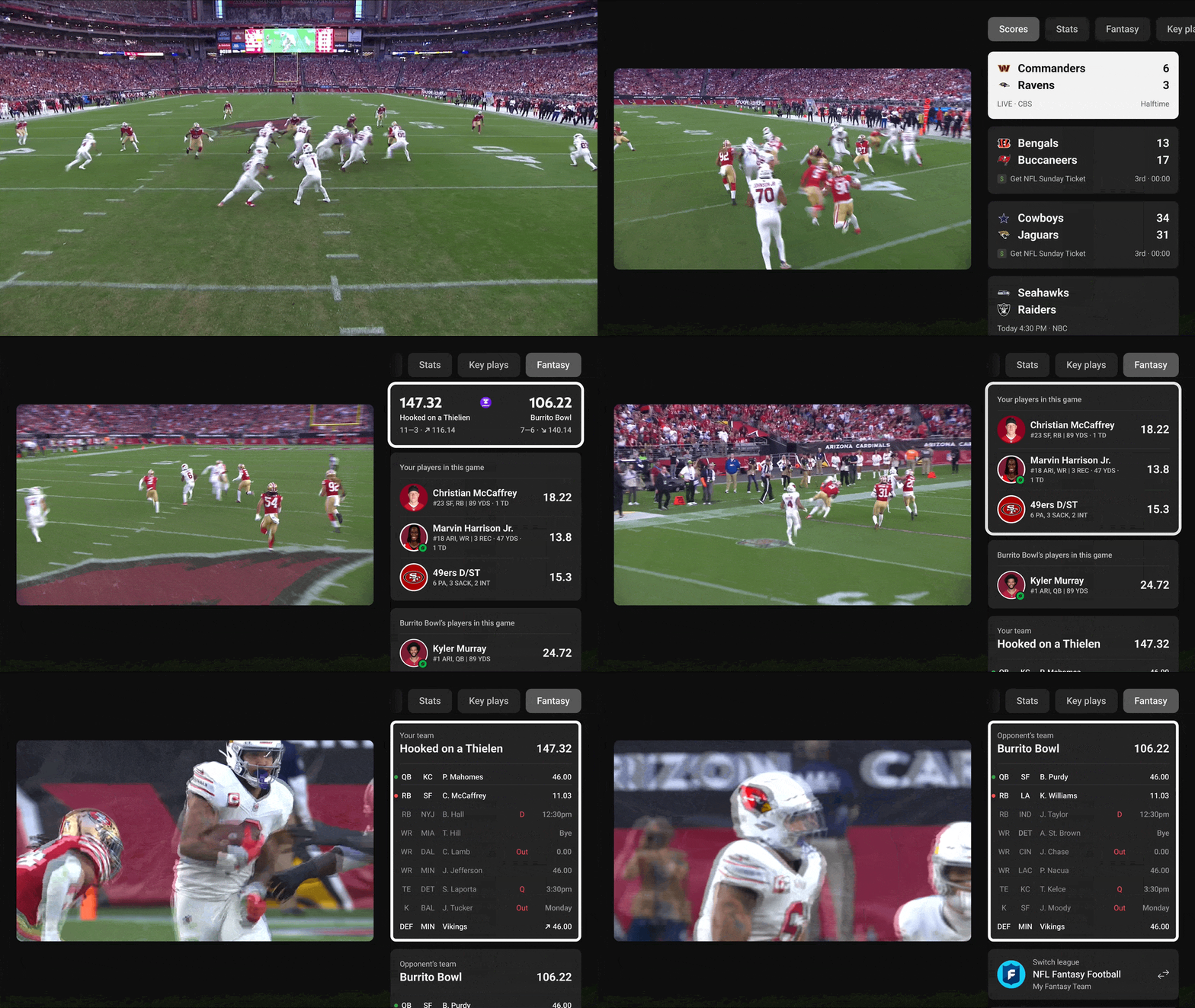
Fantasy View is available on both TVs and mobile devices for YouTube TV subscribers. To connect your account, just head to the ‘Sports’ tab in your account settings on your mobile device. For those watching on YouTube, Fantasy View will be rolling out on mobile devices, tablets, and the web later this season. Additionally, fantasy users will soon see key plays and multiview combinations tailored specifically to their fantasy lineups.
Enhanced Multiview
Want to watch multiple games at once? Multiview is now fully customizable, allowing you to create the perfect viewing combination. NFL Sunday Ticket subscribers can build any multiview with two, three, or four NFL Sunday Ticket games. YouTube TV Base Plan members can also create their preferred multiviews with their local NFL games from select stations.
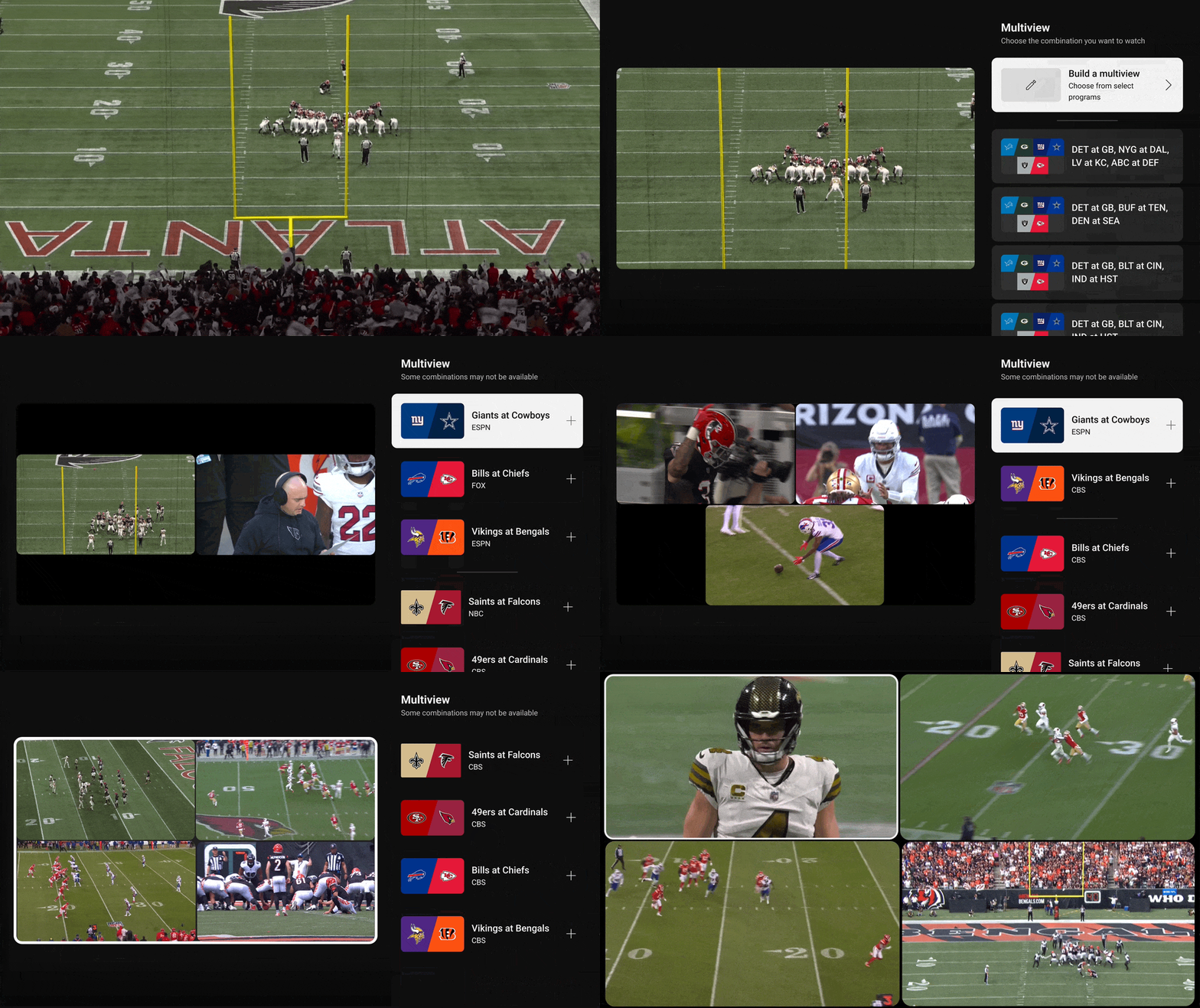
Multiview is currently available on TVs, mobile devices, and tablets for YouTube TV members. For NFL Sunday Ticket subscribers on YouTube, multiview will be available on all devices at the start of the season, so you can watch multiple games at once from the very first kickoff.
New Video Player Experience on YouTube TV
Earlier this year, YouTube launched a new design for those watching on the big screen, and now it’s coming to YouTube TV just in time for the NFL season! This enhanced video player allows you to interact with the game without interrupting the action. Check live stats, catch key plays, monitor your fantasy team, and build your multiviews – all while keeping your eyes on the game.
And there’s more…
Those were the big updates, but there are a few other additions to help round out the viewing experience for all NFL Sunday Ticket subscribers.
- Spoiler Mode: Hide scores for specific teams so you don’t see any results before you’re ready.
- Advanced Playback Controls: YouTube TV members can reduce broadcast delays for a more live experience in the 3-dot menu while watching.
- Jump to Last Channel: Quickly switch between channels to catch all the action simply by long-pressing the Select or OK button on the remote.
NFL Sunday Ticket is not a cheap service by any stretch of the imagination, but it is only getting better each year that YouTube has control over it. These new features will only make Sunday football that much better, and I’m sure I’m not the only one excited to start leveraging most of these starting next week.
SUBSCRIBE TO UPSTREAM
Get Chrome Unboxed delivered straight to your inbox
Upstream is our flagship, curated newsletter with the top stories, most click-worthy deals, giveaways, and trending articles from Chrome Unboxed sent directly to your inbox a few times a week. Join 31,000+ subscribers.

