
• Skip to main content
  • Skip to primary sidebar
  • Deals
  • Features
  • Guides
  • Chromebooks
  • Videos
  • Podcast
  • More +
    • Reviews
    • Unboxing
    • Upcoming Devices
    • Chromebook Plus
    • Chrome
    • ChromeOS
    • Chrome OS Flex
  • Search
  • Sign Up
  • Log In
Chrome Unboxed – The Latest Chrome OS News

Chrome Unboxed - The Latest Chrome OS News

A Space for All Things Chrome, Google, and More!

  • Deals
  • Features
  • Guides
  • Chromebooks
  • Videos
  • Podcast
  • More +
    • Reviews
    • Unboxing
    • Upcoming Devices
    • Chromebook Plus
    • Chrome
    • ChromeOS
    • Chrome OS Flex
  • Search
  • Sign Up
  • Log In

“Swipe To Switch” Wallpapers Coming To Chromebooks

July 11, 2018 By Gabriel Brangers View Comments

Support our independent tech coverage. Chrome Unboxed is written by real people, for real people—not search algorithms. Join Chrome Unboxed Plus for just $2 a month to get an ad-free experience, access to our private Discord, and more. Learn more about membership here.
START FREE TRIAL (MONTHLY)START FREE TRIAL (ANNUAL)
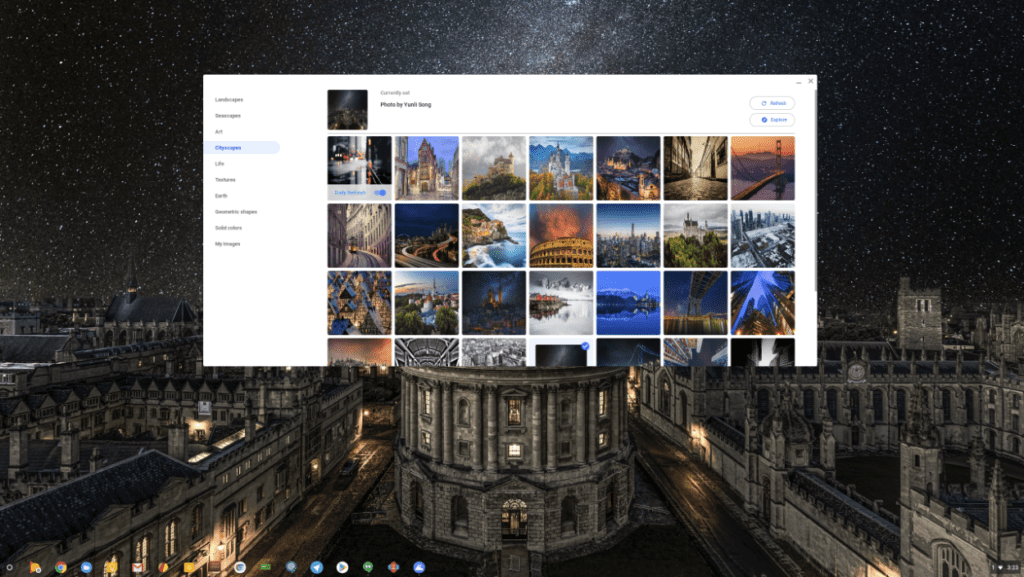
More fresh news from François Beaufort and the world of Chrome OS. As tablets and detachables become more prevalant, touch-friendly features and Android-centric UIs are making themselves at home in the Chromebook ecosystem.

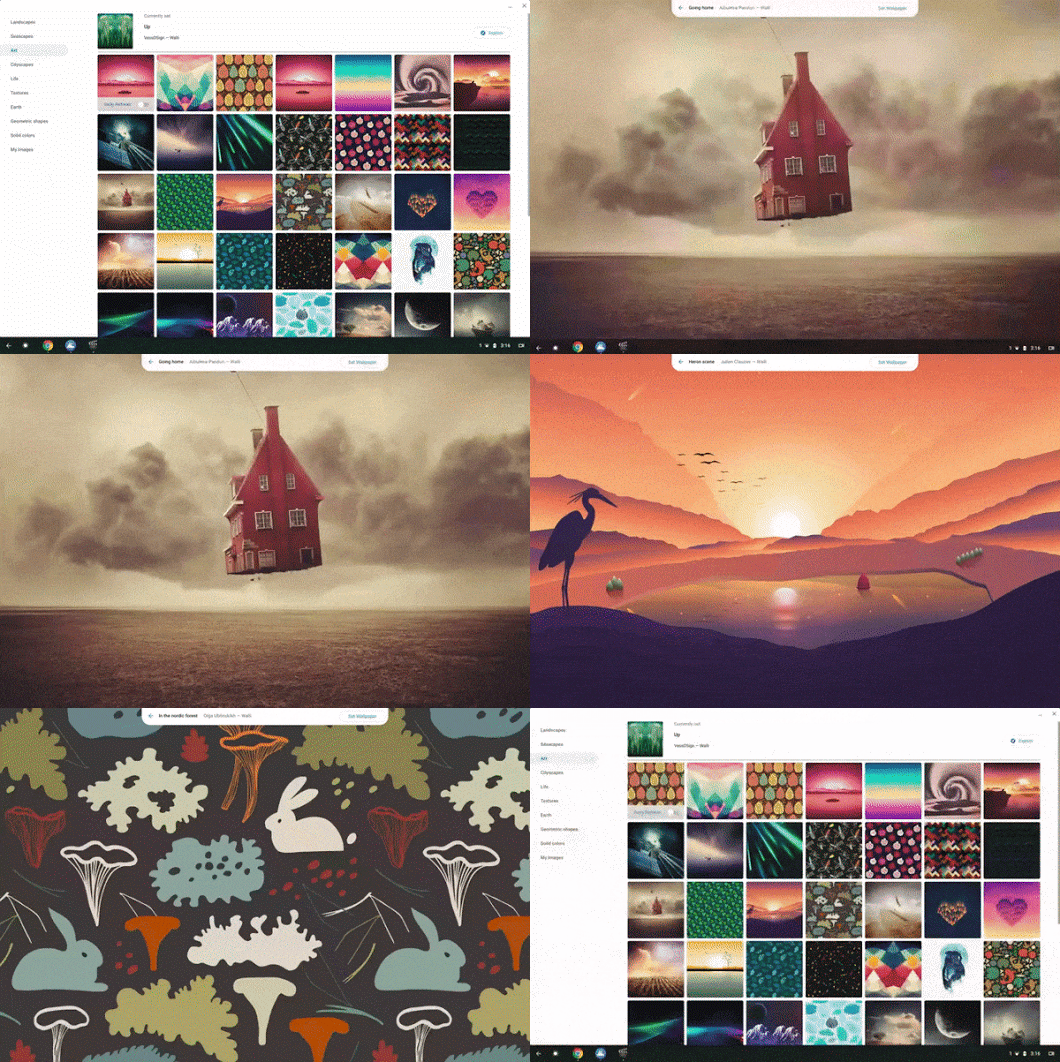
The refreshed wallpaper picker for Chrome OS is still behind a flag in the Stable channel but developers are already tweaking the Android-style selector to make it more friendly to tablet users.
Xremove ads
Image credit: François Beaufort

In the Canary channel of Chrome OS, users can now open the wallpaper picker and, when in tablet mode, swipe left or right to cycle through the selections. Once the picker is opened, selecting a background image will open a full-size preview that is swipeable.

I tested this out on the Samsung Chromebook Pro and apart from a little lag in transition, it worked flawlessly. With the wallpaper picker sitting in the Stable channel, I wouldn’t be surprised if this feature finds its way there in the near future. I don’t recommend heading to Canary just to check this out but if you happen to be in the experimental channel, give it a try. It’s pretty cool.

Featured Videos

Xremove ads

This new swipe feature along with things like new Android shortcuts may not seem groundbreaking but they are much-needed fine tuning in order for Chrome OS to take full advantage of emerging form-factors like the HP Chromebook x2 and Acer Chromebook Tab 10.

Source: Chromium repository via François Beaufort

Xremove ads

Filed Under: ChromeOS, News, Preview

About Gabriel Brangers

Lover of all things coffee. Foodie for life. Passionate drummer, hobby guitar player, Web designer and proud Army Veteran. I have come to drink coffee and tell the world of all things Chrome. "Whatever you do, Carpe the heck out of that Diem" - Roman poet, Horace. Slightly paraphrased.

Primary Sidebar

Xremove ads

Deals

Pixel Buds Pro 2 running

I still love the Pixel Buds Pro 2 and they are $60 off right now

By Joseph Humphrey
March 13, 2026

The Lenovo Chromebook Slim 3 is the one to get, starting at just $139 right now

By Robby Payne
March 6, 2026

The best Chromebook deals today

By Robby Payne
March 6, 2026

The fantastic $599 deal on the Samsung Galaxy Chromebook Plus has returned

By Robby Payne
February 25, 2026

There are some great Pixel 10a pre-order offers right now: Here are my 2 favorite deals

By Joseph Humphrey
February 25, 2026

More Deals

Xremove ads

Reviews

Acer Chromebook Plus Spin 514 Review: Kompanio Ultra power in a convertible

By Robby Payne
December 24, 2025

My review after 6 weeks with the Lenovo Chromebook Plus 14 [VIDEO]

By Robby Payne
August 11, 2025

One week with the best small Android tablet you can buy, and I’m sold

By Robby Payne
May 9, 2025

Best Chromebooks of 2024 [VIDEO]

By Robby Payne
November 28, 2024

Samsung Galaxy Chromebook Plus Review: Samsung is back! [VIDEO]

By Robby Payne
October 28, 2024

More Reviews

Xremove ads

Guides

This Chromebook trackpad shortcut is definitely not new, but is blowing my mind

By Robby Payne
March 11, 2024

How to reduce broadcast delay on YouTube TV to stop live spoilers

By Robby Payne
December 8, 2023

Windows PC keyboard and Chromebook

How to use a Windows keyboard with a Chromebook

By Joseph Humphrey
December 8, 2023

How reset and revert your Chromebook to the previous version of Chrome OS

By Robby Payne
November 29, 2023

My Chromebook Plus features disappeared: here’s how I fixed it

By Robby Payne
November 24, 2023

More Guides

TWITTER · FACEBOOK · INSTAGRAM · YOUTUBE · EMAIL · ABOUT

Copyright © 2026 · Chrome Unboxed · Chrome is a registered trademark of Google Inc.
We are participants in various affiliate advertising programs designed to provide a means for us to earn fees by linking to affiliated sites.

PRIVACY POLICY