

Support our independent tech coverage. Chrome Unboxed is written by real people, for real people—not search algorithms. Join Chrome Unboxed Plus for just $2 a month to get an ad-free experience, access to our private Discord, and more. Learn more about membership here.
START FREE TRIAL (MONTHLY)START FREE TRIAL (ANNUAL)
 Over the course of many years, Google has slowly and steadily ventured deeper into the content game through the Google Play Store.
Sure, this is where we get our beloved Android apps, but Google Play has become a one-stop shop for almost all my media purchases at this point. That is a huge step from a few years ago when I purchased video from Amazon, music from iTunes, and books from Barnes & Noble.
Without really thinking much about it, I now have a large Google Play Books library, maintain most purchases and video rentals in Google Play Movies, and keep a monthly subscription with Google Play Music. I can’t even remember when I made those switches, but I stayed put once I did.
Few Missing Pieces
Google has been, up to this point, missing a couple pieces of the content pie: original content and audiobooks.
They are making some great stuff on YouTube Red (Mind Field, anyone?), but the volume and quality of unique content pale in comparison to the likes of Amazon, Hulu, and Netflix. Perhaps that content is in the works? Maybe, or maybe not.
What we’re here to talk about today is Google’s inclusion of audiobooks in Google Play. While not a serial audiobook listener (I much prefer to read), I do enjoy a book or two a year during menial tasks like yard work or long trips in the car. In those times, I love having a book to listen too but absolutely hate the hoops Audible puts you through to listen to books. Sure, there are ways to purchase one book at a time, but they really try their best to get you into that monthly plan. Somehow, I always end up with that setup and then have to turn around and cancel.
With Google now offering audiobooks in Google Play, I can snag a single book pretty quickly and be listening without navigating any monthly plans or other setups. Just like purchasing a standard book, I select it and the Google Play Books app handles the playback. No additional apps or accounts needed.
Available Everywhere
Additionally, these audiobooks fall under the standard family policies, allowing all your family accounts to access the content if you allow it. Android, Chrome OS and iOS users all have access to these books from any connected device as well.
In addition to that, the Google Assistant has full access to the audiobooks for playback, too. A simple Hey, Google and you can be listening to your book. In the car, in your headphones, from your Chromebook: your book is with you wherever you need it to be.
Cool Features
The basics are all here. You can speed up playback up to 2X speed, set sleep timers, and your current position in the book is synced across all devices.
Google has also leveraged a bit of machine learning to parse out chapter titles in place of time stamps. So, instead of serving up times, the app actually shows you the titles of the chapters in the book it has pulled from the audio. Pretty cool and useful stuff!
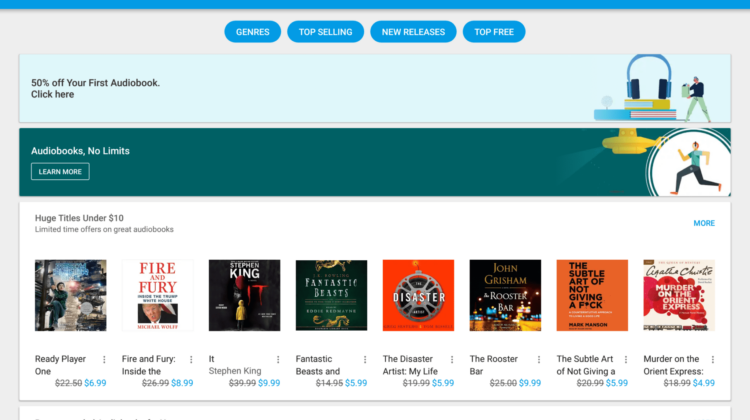
Lastly, Google is offering a 50% discount on your first audiobook purchase to grease the wheels a bit. So, head over to the Play Store and take advantage of the offer. If you are like me, get a book you may want to read down the road and save it for a rainy day. At 50% off, you’ll be glad you did!
Source: The Keyword

