
• Skip to main content
  • Skip to primary sidebar
  • Deals
  • Features
  • Guides
  • Chromebooks
  • Videos
  • Podcast
  • More +
    • Reviews
    • Unboxing
    • Upcoming Devices
    • Chromebook Plus
    • Chrome
    • ChromeOS
    • Chrome OS Flex
  • Search
  • Sign Up
  • Log In
Chrome Unboxed – The Latest Chrome OS News

Chrome Unboxed - The Latest Chrome OS News

A Space for All Things Chrome, Google, and More!

  • Deals
  • Features
  • Guides
  • Chromebooks
  • Videos
  • Podcast
  • More +
    • Reviews
    • Unboxing
    • Upcoming Devices
    • Chromebook Plus
    • Chrome
    • ChromeOS
    • Chrome OS Flex
  • Search
  • Sign Up
  • Log In

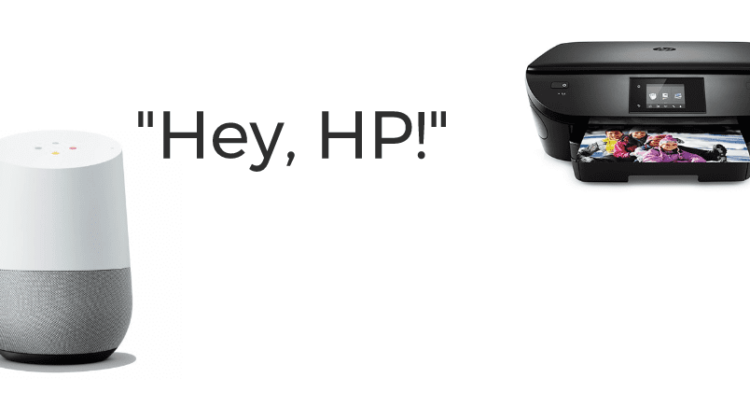
Google Home Can Print. Wait, What?

November 1, 2017 By Gabriel Brangers View Comments

Support our independent tech coverage. Chrome Unboxed is written by real people, for real people—not search algorithms. Join Chrome Unboxed Plus for just $2 a month to get an ad-free experience, access to our private Discord, and more. Learn more about membership here.
START FREE TRIAL (MONTHLY)START FREE TRIAL (ANNUAL)


Okay, I really don’t know how long this has been a thing but for me, I just discovered it today. Google just published an extensive list of partner products that work with the Home smart-speaker line and on that list is “HP Print.”

Before you get too excited, the functionality here is somewhat limited and requires a couple requirements on your part.

Xremove ads

Obviously, you will need to own a Google Home, Home Mini or the soon-to-launch Home Max. Next, you’ll need an internet connection but if you own a Google Home device I’m going to assume you have that one covered.

Next, your printer will have to be of the HP variety and support printing via the HP Print App on your Android or iOS device. That’s it. Now you just need to connect your Google Home to your printer.

Featured Videos

Xremove ads

If you haven’t registered your printer with Google Cloud Print, find details on doing that here.

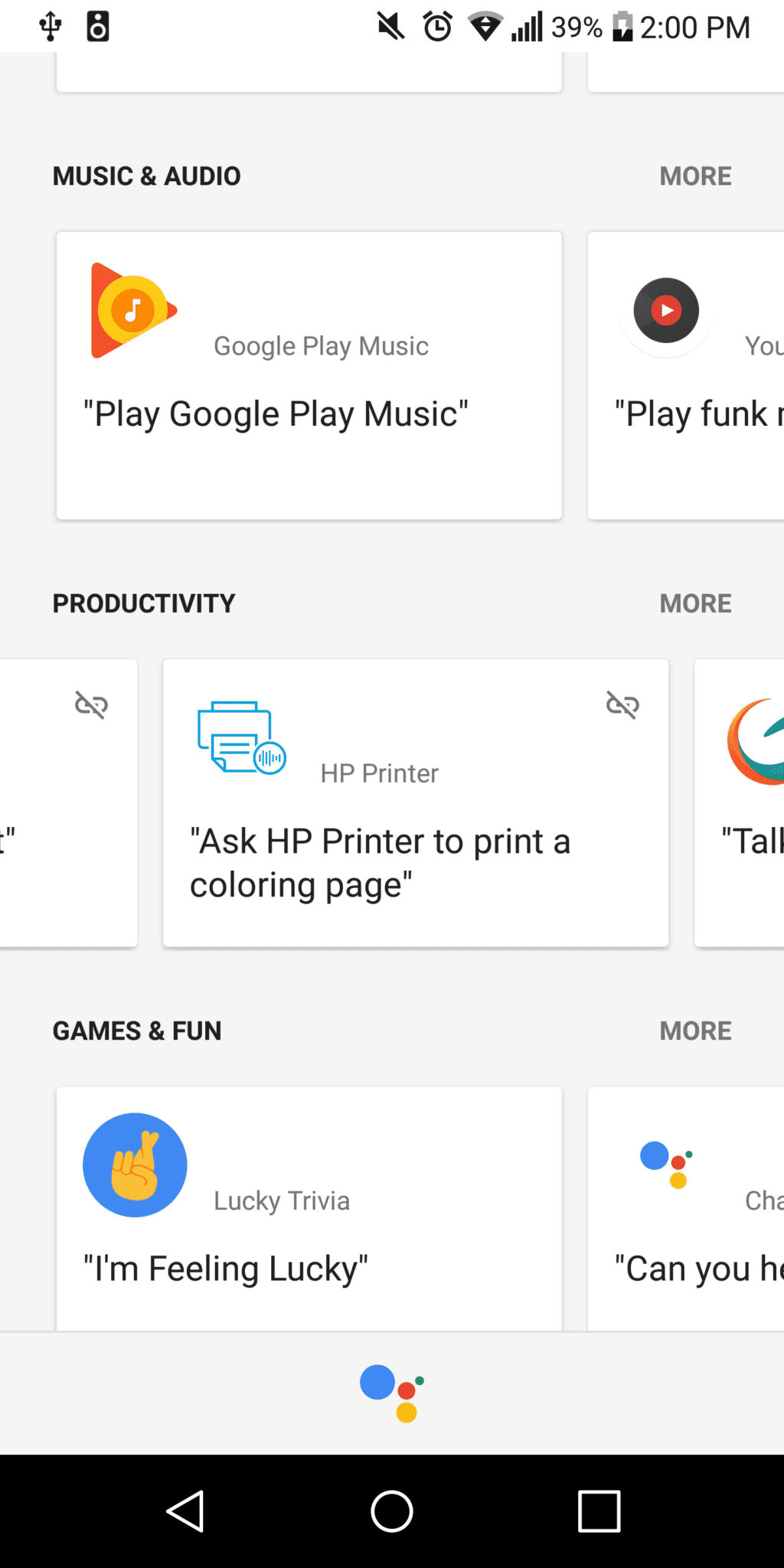
Now, open the Google Home or Assistant app on your mobile device and from the settings menu tap “explore.” Scroll down a bit and you should see a productivity section. Swipe across until you see something that looks like this.
Xremove ads

You’ll notice the link icon in the top right corner has a strike through it. Click that icon and connect the HP Print app to the Google Assistant.
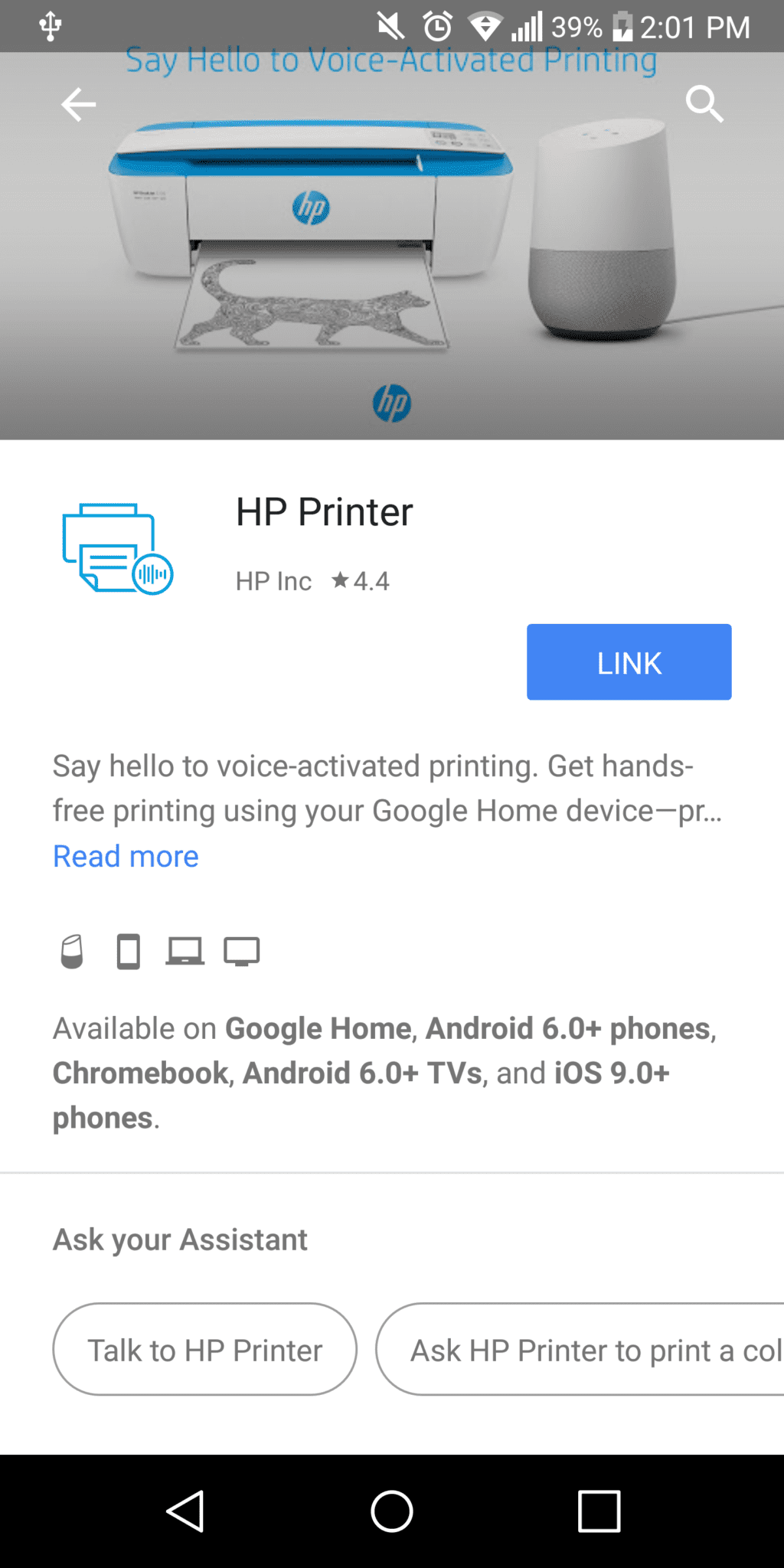
Now your Google Home can talk to your HP printer. But, what kind of things can you print?

Xremove ads

If you were hoping to tell Google Home to print some spreadsheets for this mornings presentation, I’m sorry to tell you it ain’t happening. Currently, this feature has a small number of preset capabilities and printing local files isn’t one of them.

While the list is somewhat short, the printing options can be useful as well as entertaining.


For the planner, you can say “Hey Google, ask HP Printer to print my calendar for this month.” You can also print a weekly calendar. Especially helpful if you’re sports parents.

For the kids, the options get a bit more robust. Need some paper to do a little homework? “Hey Google, ask HP Printer to print narrow-rule notebook paper.”

Xremove ads

Looking for some fun ways pass the time? Ask Google Home to print a Crayola coloring page or some Bingo cards.

All-in-all, these features are fun and family-friendly. It may not help your workflow but the added functions and connectivity are helping round out Google Home’s ever-growing resumé.

For a full list of printing options, head over to HP’s support page at the link below.

Print with Google Home and HP

Xremove ads

Filed Under: Apps, Google Assistant, News

About Gabriel Brangers

Lover of all things coffee. Foodie for life. Passionate drummer, hobby guitar player, Web designer and proud Army Veteran. I have come to drink coffee and tell the world of all things Chrome. "Whatever you do, Carpe the heck out of that Diem" - Roman poet, Horace. Slightly paraphrased.

Primary Sidebar

Xremove ads

Deals

The touchscreen Lenovo Chromebook Slim 3 is a steal at under $200

By Robby Payne
March 16, 2026

Google TV Streamer and Remote held in front of a wall-mounted TV

The premium Google TV Streamer 4K is back down to $80

By Joseph Humphrey
March 16, 2026

The best Chromebook deals today

By Robby Payne
March 16, 2026

Pixel Buds Pro 2 running

I still love the Pixel Buds Pro 2 and they are $60 off right now

By Joseph Humphrey
March 13, 2026

The Lenovo Chromebook Slim 3 is the one to get, starting at just $139 right now

By Robby Payne
March 6, 2026

More Deals

Xremove ads

Reviews

Acer Chromebook Plus Spin 514 Review: Kompanio Ultra power in a convertible

By Robby Payne
December 24, 2025

My review after 6 weeks with the Lenovo Chromebook Plus 14 [VIDEO]

By Robby Payne
August 11, 2025

One week with the best small Android tablet you can buy, and I’m sold

By Robby Payne
May 9, 2025

Best Chromebooks of 2024 [VIDEO]

By Robby Payne
November 28, 2024

Samsung Galaxy Chromebook Plus Review: Samsung is back! [VIDEO]

By Robby Payne
October 28, 2024

More Reviews

Xremove ads

Guides

This Chromebook trackpad shortcut is definitely not new, but is blowing my mind

By Robby Payne
March 11, 2024

How to reduce broadcast delay on YouTube TV to stop live spoilers

By Robby Payne
December 8, 2023

Windows PC keyboard and Chromebook

How to use a Windows keyboard with a Chromebook

By Joseph Humphrey
December 8, 2023

How reset and revert your Chromebook to the previous version of Chrome OS

By Robby Payne
November 29, 2023

My Chromebook Plus features disappeared: here’s how I fixed it

By Robby Payne
November 24, 2023

More Guides

TWITTER · FACEBOOK · INSTAGRAM · YOUTUBE · EMAIL · ABOUT

Copyright © 2026 · Chrome Unboxed · Chrome is a registered trademark of Google Inc.
We are participants in various affiliate advertising programs designed to provide a means for us to earn fees by linking to affiliated sites.

PRIVACY POLICY