


Support our independent tech coverage. Chrome Unboxed is written by real people, for real people—not search algorithms. Join Chrome Unboxed Plus for just $2 a month to get an ad-free experience, access to our private Discord, and more. Learn more about membership here.
START FREE TRIAL (MONTHLY)START FREE TRIAL (ANNUAL)
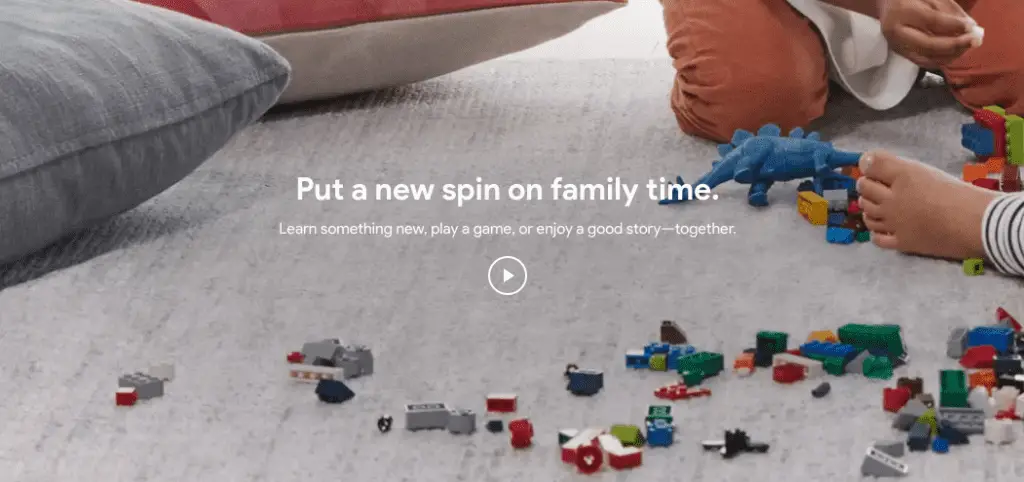 Last night, right after dinner, I thought it would be a great time to play a few games with the family. Let’s face it: our lives are hectic and busy, and this time of year only gets worse.
Family events, work dinners, holiday shopping, school programs, etc. simply drain away simple time at home with the family.
So, when the opportunity arises, I love doing fun stuff with the kids; especially if we get to involve a little tech in the mix. Don’t get me wrong, I’m a sucker for a good game of Jenga, but as new features roll out to Google Assistant, I’m quite keen to give them a go.
So, instead of pulling out an analog board game, we opted to try out a few of the new games on our Google Home.
There Are A Bunch
First off, there are a bunch of these. Depending on your family’s size, ages, and interest levels, you may only be able to try a few before everything devolves.
For us, we took a stab at 3 games and spent the majority of time on a particular one.
Here’s the list of all the new things you can try, though:
Learn
- Hey Google, play Talk Like a Chef
- Hey Google, talk to CK-12
- Hey Google, play Space Trivia
- Hey Google, talk to Study.com
- Hey Google, help me with my homework
- Hey Google, talk to Trivia Showdown
- Hey Google, talk to Math Showdown
- Hey Google, talk to Everyday Heroes
- Hey Google, play Talk Like an Astronaut
- Hey Google, talk to Sporcle Junior
- Hey Google, talk to Planet Quiz
- Hey Google, talk to Quizizz Student
- Hey Google, play Animal Trivia
Play
- Hey Google, talk to Mystery Animal
- Hey Google, play Musical Chairs
- Hey Google, what’s my Justice League superhero?
- Hey Google, play Mickey Mouse Adventure
- Hey Google, play Sports Illustrated Kids Trivia
- Hey Google, play Freeze Dance
- Hey Google, play What’s Your Planet?
- Hey Google, play What’s Your Inner Animal?
- Hey Google, play What Fruit Are You?
- Hey Google, play What’s Your Nickname?
- Hey Google, play Sound Pet
- Hey Google, play This or That
- Hey Google, play Guess the Sound
- Hey Google, play Lucky Trivia for Families
- Hey Google, play Family Sports Trivia
- Hey Google, play World Foods Trivia
- Hey Google, talk to Tricky Genie
- Hey Google, talk to Voice Tic Tac Toe
- Hey Google, talk to Ding Dong Coconut
Imagine
- Hey Google, tell me the story of The Tired Alien
- Hey Google, tell me the story of The Not-So-Scaredy Cat
- Hey Google, tell me a story
- Hey Google, play Strangest Day Ever
- Hey Google, tell me the story of The Chef Who Loved Potatoes
- Hey Google, talk to Story Champ
- Hey Google, play Jungle Adventure
- Hey Google, talk to PlayKids Junior
- Hey Google, talk to Short Bedtime Story
As I said above, we only tried three of these in the span of nearly an hour, but one of the games we stayed on for quite some time was Mystery Animal, which is little more than 20 questions. Somehow, playing it with Google Home adds a bit of a cool factor and we went though 6 rounds of guesses before we finally won.
Additionally, we tried the Mickey Mouse Adventure (the 3-year-old’s favorite) and Lucky Trivia for Families. Both of these were fun, but after so many rounds of Mystery Animal, the kids were getting a bit tuckered out.
We Should Do This Again
Overall, it was a fun little space in the evening for us. I don’t feel like we’ve really even scratched the surface of what enjoyment could be had with all these new games, but I assume that by the time we’ve even come close to exhausting it, there will be a whole new slew of activities to enjoy via Google Assistant.
One other big win? Since these are all Assistant-driven activities, you can use them and enjoy them anywhere you can call up the Assistant. Your phone, your Chromebook (Pixelbook for now) or any other Assistant-enabled device will do. Just say “Hey Google” and you are on your way.

