


Support our independent tech coverage. Chrome Unboxed is written by real people, for real people—not search algorithms. Join Chrome Unboxed Plus for just $2 a month to get an ad-free experience, access to our private Discord, and more. Learn more about membership here.
START FREE TRIAL (MONTHLY)START FREE TRIAL (ANNUAL)
Last week, Chrome OS 62 started rolling out to many users and with it came a few behind-the-scenes changes. Probably the most important being a fix for the dreaded KRACK vulnerability plaguing WPA protocols across millions of devices that use the protocol for WIFI access. We’ll cover the other changes later today but right now, we want to share what appears to be a pretty annoying bug affecting Google’s new Pixelbook and other Chromebooks.
The latest update to the Stable channel of Chrome OS came with a caveat. An unspecified number of Android-enabled Chromebooks would see a delay in receiving the latest version, 62.
Devices with the Play Store, as well as AOpen Chromebase Commercial and AOpen Chromebox Commercial will be rolling out over the next few days.
Chrome Releases
That was a week ago and as of today, the Samsung Chromebook Pro and Acer Chromebook R11 on my desk are still sitting on version 61 of Chrome OS. I’m pretty sure there are other Play Store capable Chromebooks out there in the same situation. Not a big deal, really. Since the advent of the Play Store on Chrome OS, we have seen many fragmented releases for who knows how many reasons.
Google’s Pixelbook, however, updated to Chrome OS 62 recently and exposed a bug that looks to be affecting a growing number of users. For devices with access to the Play Store, Chromebooks are deemed “Certified” for Android apps just like mobile devices. If you open the Play Store, click the hamburger menu and go to settings you will see this certification at the bottom of the screen.
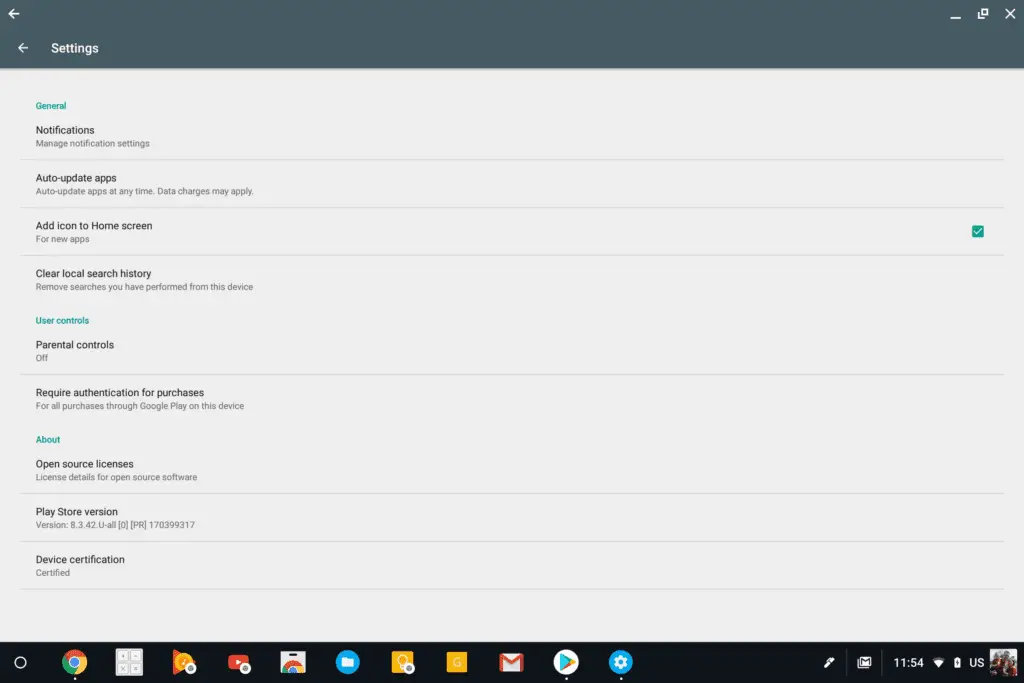
Here’s where things go a tad awry. The Pixelbook by Google updated to Chrome OS 62 shortly after its release date this week. When it did, the Chromebook is now showing as “Uncertified” under the Play Store settings. For devices like the Samsung Pro or Acer R11 that are still on version 61, this problem has yet to arise. However, switching to the Beta channel of Chrome OS and version 62 causes the same “uncertified” branding on my Pro and R11. That isn’t unusual or unexpected in the Beta or Developer channel as they are experimental but in the Stable channel, this is a real issue.
Clicking on the “uncertified” label brings you to a Google Support page with the following dialog:
Your Chromebook is currently running some certification tests.
This usually happens when your device installs the latest beta or developer software. As a result, some of your Android apps and features might not work until the tests are done.
Problem is, the Pixelbook and likely other Chromebooks are getting this message in the Stable channel and they shouldn’t. Users are starting to report the issues in the newly launched Pixelbook forum and a Bug Report has been started in the CRBug tracker.
Here’s the biggest issue with a device being “uncertified.”
- Uncertified devices may not be secure.
- Uncertified devices may not get Android system updates, or app updates.
- Google apps on uncertified devices aren’t licensed and may not be real Google apps.
- Apps and features on uncertified devices may not work correctly.
- Data on uncertified devices may not back up securely.
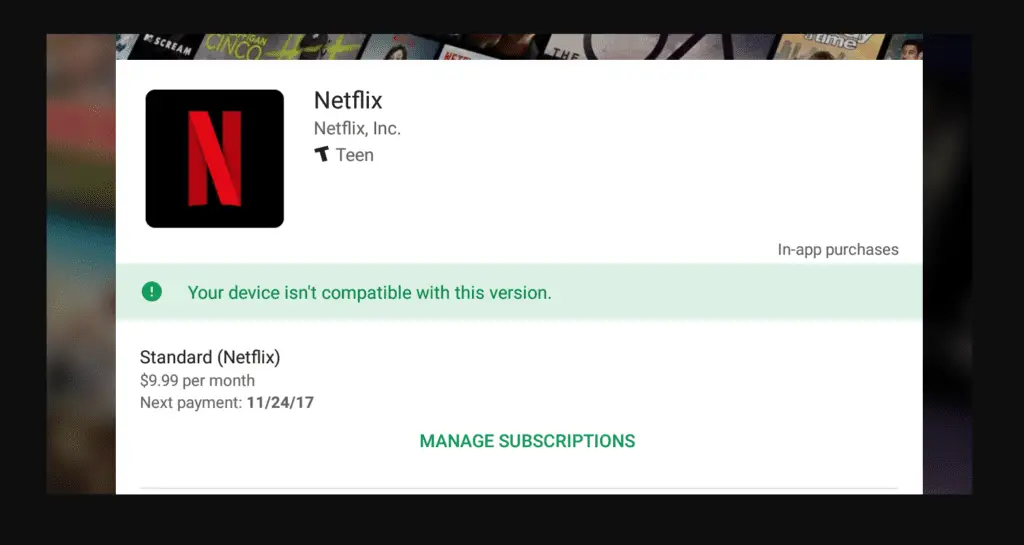
Not secure, not supported and incompatible with countless apps and that’s the problems that are starting to bear their ugly little heads. Most of this mess started when one user reported that the Netflix app was showing his Pixelbook as an incompatible device. After some tinkering, I found that a number of my Chromebooks were being affected in a similar way when moving to version 62 of Chrome OS either on Beta or Stable. Devices listed as uncertified and a number of previously compatible apps nowhere to be found.
In the grand scheme of things, this is probably not an alarming problem but it does present itself as a bump in the road for Google who is marketing the Pixelbook like crazy. Just today, Product Management Director Matt Vokoun published a blog post highlighting ten ways the Pixelbook stands out among other devices.
One of those features just happens to be the ability to run the Netflix Android App and download movies for later viewing. This new bug may or may not be a security issue but it sure does have the potential to be a PR nightmare for the Pixelbook as Google continues to eye the consumer segment.
Here’s how you can help.
If you are experiencing the same or similar issues, go the the bug report and share information with developers. system logs and screenshots can help identify the problem more quickly and hopefully zip this one up before it gets out of hand. You can star the bug report and recieve updates as they are posted.

