

• Skip to main content
  • Skip to primary sidebar
  • Deals
  • Features
  • Guides
  • Chromebooks
  • Videos
  • Podcast
  • More +
    • Reviews
    • Unboxing
    • Upcoming Devices
    • Chromebook Plus
    • Chrome
    • ChromeOS
    • Chrome OS Flex
  • Search
  • Sign Up
  • Log In
Chrome Unboxed – The Latest Chrome OS News

Chrome Unboxed - The Latest Chrome OS News

A Space for All Things Chrome, Google, and More!

  • Deals
  • Features
  • Guides
  • Chromebooks
  • Videos
  • Podcast
  • More +
    • Reviews
    • Unboxing
    • Upcoming Devices
    • Chromebook Plus
    • Chrome
    • ChromeOS
    • Chrome OS Flex
  • Search
  • Sign Up
  • Log In

Loss of Pulse detection for Pixel Watch 3 is rolling out to users in the US

April 9, 2025 By Robby Payne View Comments

Support our independent tech coverage. Chrome Unboxed is written by real people, for real people—not search algorithms. Join Chrome Unboxed Plus for just $2 a month to get an ad-free experience, access to our private Discord, and more. Learn more about membership here.
START FREE TRIAL (MONTHLY)START FREE TRIAL (ANNUAL)

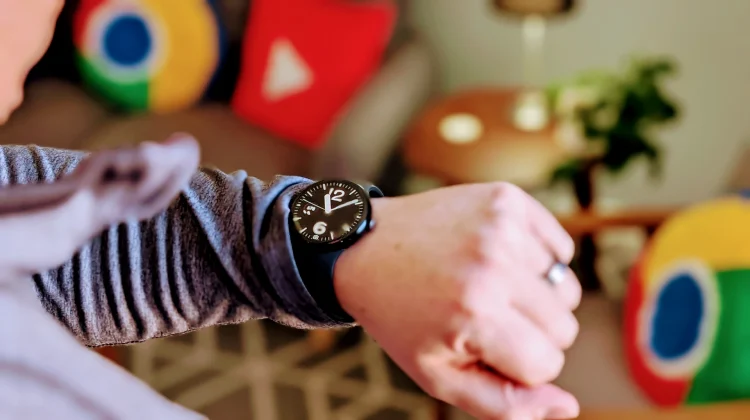
Right on the heels of the recent April 2025 OTA update and the introduction of Scam Detection features, Google is now rolling out the promised Loss of Pulse Detection to users in the United States. This feature, which launched in Europe last year, required and has now received clearance from the Food and Drug Administration (FDA) for its US debut.

Loss of Pulse Detection leverages the Pixel Watch 3’s sophisticated multipath heart rate monitor, alongside other sensors and what Google describes as a “multi-check, AI-based algorithm.” Its purpose is to identify potential instances where a user’s heart may have stopped beating, which could occur due to events like cardiac arrest, respiratory or circulatory failure, overdose, or poisoning.

Xremove ads

Similar to the existing Fall Detection and Car Crash Detection systems, Loss of Pulse Detection will first prompt the wearer if it suspects such an event. If the user doesn’t respond or show any motion, the watch will automatically contact emergency services. Critically, it will provide responders with the user’s location and details about the detected situation, potentially shaving off vital seconds in a critical emergency.

To get this feature up and running, users will need to ensure a couple of things are up-to-date. First, the Personal Safety app on the Pixel Watch 3 itself needs to be on version 2025.03.19.x or newer (check the Play Store on your watch). Second, the Pixel Watch companion app on your paired phone should be updated to version 3.4 or later. Once those prerequisites are met, navigate within the phone app to Safety & emergency > Loss of Pulse Detection to begin the setup process.

Featured Videos

Xremove ads

Google has confirmed the roll-out begins today, April 9th, 2025, and will expand to all eligible Pixel Watch 3 devices in the US over the coming weeks. It’s important to note the official disclaimer from Google: “Loss of Pulse Detection may not detect every instance of a loss of pulse and is not intended for users with pre existing heart conditions or those who require cardiac monitoring. It does not diagnose or treat any medical condition or provide follow-up care.” While a powerful safety net, it’s not a replacement for medical-grade cardiac monitoring or diagnosis.

SUBSCRIBE TO UPSTREAM

Get Chrome Unboxed delivered straight to your inbox

Upstream is our flagship, curated newsletter with the top stories, most click-worthy deals, giveaways, and trending articles from Chrome Unboxed sent directly to your inbox a few times a week. Join 31,000+ subscribers.

SUBSCRIBE HERE!

Filed Under: New & Upcoming Features, News, Pixel Watch

About Robby Payne

As the founder of Chrome Unboxed, Robby has been reviewing Chromebooks for over a decade. His passion for ChromeOS and the devices it runs on drives his relentless pursuit to find the best Chromebooks, best services, and best tips for those looking to adopt ChromeOS and those who've already made the switch.

Primary Sidebar

Xremove ads

Deals

How to get 50% off YouTube Premium for a full year with Google One

By Robby Payne
April 16, 2026

The Pixel 10a just dropped to $449, but here’s why you should buy the Pixel 10 instead

By Joseph Humphrey
April 13, 2026

Save up to $200 on the two best Chromebooks on the market

By Robby Payne
April 13, 2026

The best Chromebook deals today

By Robby Payne
April 13, 2026

You can grab the battery-powered Nest Doorbell for just $129.99 right now

By Joseph Humphrey
April 11, 2026

More Deals

Xremove ads

Reviews

Acer Chromebook Plus Spin 514 Review: Kompanio Ultra power in a convertible

By Robby Payne
December 24, 2025

My review after 6 weeks with the Lenovo Chromebook Plus 14 [VIDEO]

By Robby Payne
August 11, 2025

One week with the best small Android tablet you can buy, and I’m sold

By Robby Payne
May 9, 2025

Best Chromebooks of 2024 [VIDEO]

By Robby Payne
November 28, 2024

Samsung Galaxy Chromebook Plus Review: Samsung is back! [VIDEO]

By Robby Payne
October 28, 2024

More Reviews

Xremove ads

Guides

This Chromebook trackpad shortcut is definitely not new, but is blowing my mind

By Robby Payne
March 11, 2024

How to reduce broadcast delay on YouTube TV to stop live spoilers

By Robby Payne
December 8, 2023

Windows PC keyboard and Chromebook

How to use a Windows keyboard with a Chromebook

By Joseph Humphrey
December 8, 2023

How reset and revert your Chromebook to the previous version of Chrome OS

By Robby Payne
November 29, 2023

My Chromebook Plus features disappeared: here’s how I fixed it

By Robby Payne
November 24, 2023

More Guides

TWITTER · FACEBOOK · INSTAGRAM · YOUTUBE · EMAIL · ABOUT

Copyright © 2026 · Chrome Unboxed · Chrome is a registered trademark of Google Inc.
We are participants in various affiliate advertising programs designed to provide a means for us to earn fees by linking to affiliated sites.

PRIVACY POLICY