


Support our independent tech coverage. Chrome Unboxed is written by real people, for real people—not search algorithms. Join Chrome Unboxed Plus for just $2 a month to get an ad-free experience, access to our private Discord, and more. Learn more about membership here.
START FREE TRIAL (MONTHLY)START FREE TRIAL (ANNUAL)
Last month, Lenovo unveiled its latest flagship Chromebooks in the form of a 13.3″ 2-in-1 and a 14″ clamshell. Both devices come rocking Intel’s 11th Gen Tiger Lake CPUs and a variety of configurations to fit just about any need or use case. As we already knew, the convertible Chromebook is little more than a slightly refreshed version of last year’s popular Chromebook Flex 5 but the new iteration will offer up some serious performance gains thanks to the 11th Gen CPUs. Presumably, the higher-end configurations of the Flex 5i will eventually turn up on Lenovo.com, Amazon, and Costco but the base model has just arrived at Best Buy and you can get your hands on it now.
Before you go grabbing your wallet, let’s take a look at the details of this device. Like last year’s model, Lenovo has opted to go with 4GB of RAM for the base model. While this is enough RAM for casual use, we still feel strongly that “flagship” Chromebooks should be equipped with no less than 8GB. I would argue that even 6GB would be a decent fit for a budget-friendly device with the latest CPUs from Intel but what do I know. Thankfully, Intel’s Tiger Lake processors have enough horsepower to mostly offset that lack of 8GB of RAM. This particular model comes bearing the 11th Gen Intel Pentium Gold 7505 CPU and while we’ve yet to benchmark this chip ourselves, it appears to be on par with the 10th Gen Core i3 from last year’s Chromebooks. That’s a pretty beefy CPU and I’d bet that most casual users will find it ample enough for daily use.
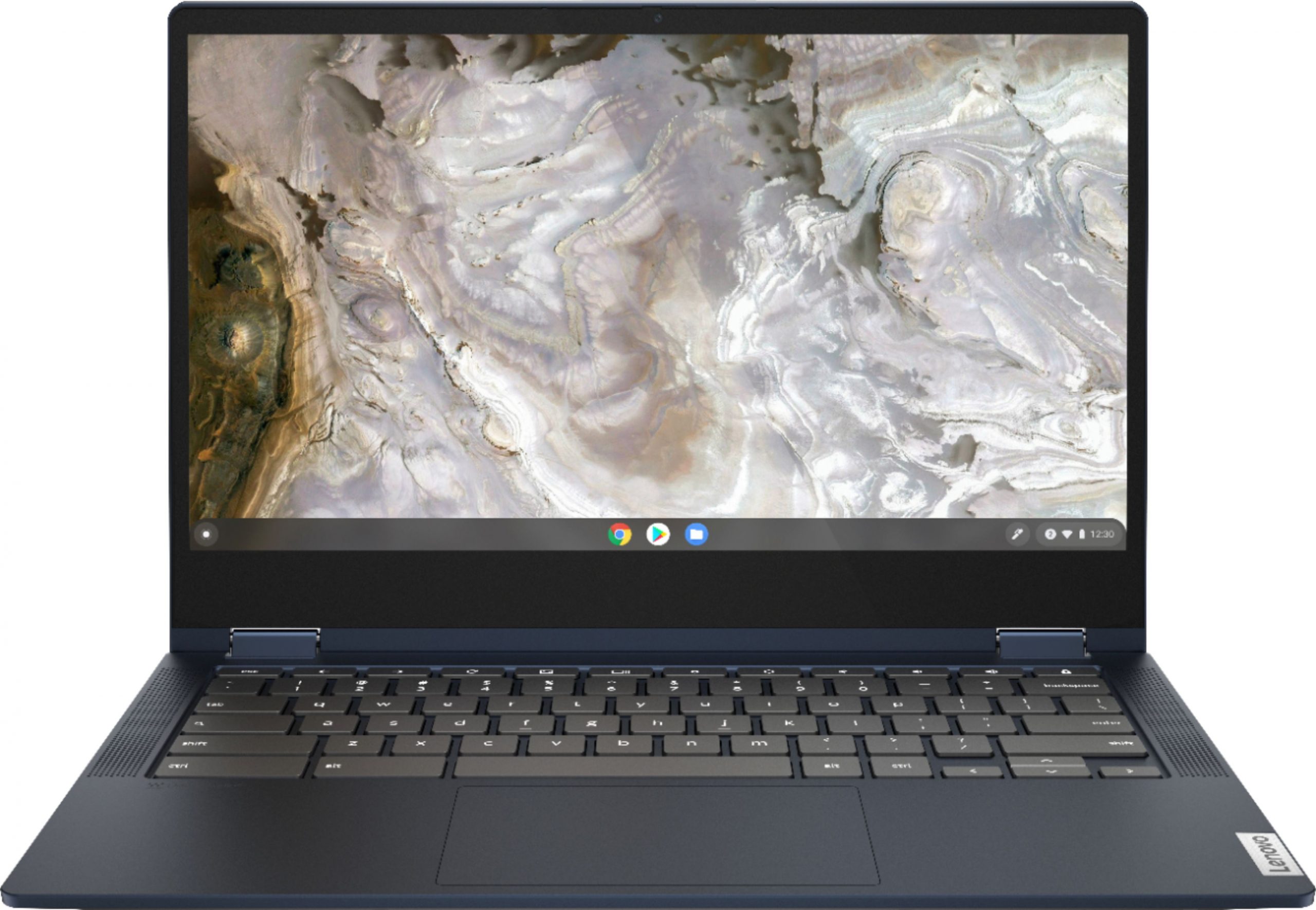
All of the above is forgivable and as I said, this Chromebook will have enough processing power to satisfy the average user. That said, I do have some nits to pick. First, the screen. I had really hoped that Lenovo would update the display and this Chromebook and at the very least, go with a 300 nit panel. The new 14″ model has a 300 nit display and I feel that any devices that are being sold at or near the “premium” should have 300 nits at the bare minimum. Sadly, it appears that all configurations of the Lenovo Flex 5i will come with the same 250 nit display used in the previous model. Now, it isn’t a horrible screen. The colors are really good and when you’re in the right lighting, it looks great. It’s simply too dim for a device that’s designed to be a portable productivity machine.
My other issue with this Chromebook? It only has 32GB of storage. Knock of the 7 or so GB taken by Chrome OS and you are going to rapidly run out of space once you enable Android and save a few photos or other files. 64GB Lenovo! This Chromebook will easily have enough oomph to run some Linux applications but there’s hardly enough space on the hard drive to allot precious storage to the Linux container. You throw in Borealis, a.k.a. Steam on Chrome OS, and you’re out of space in a heartbeat. In my humble opinion, 32GB shouldn’t even be an option unless we’re talking Chromebooks that retail for less than $200. Just sayin’.
Anyway, that’s my rant. At the end of the day, this appears to be a decent device. Still, I’d hold off on pulling the trigger. This model retails for $419 and it is as bare-bones as it comes. We know that a Core i3 version is coming that will have 8GB of RAM and 128GB of storage. Yes, it will cost a bit more but the $549 price tag on the higher-end model will be well worth forking over some extra cash. The Core i3 is a monster and the extra RAM and storage are a must for anyone wanting a premium Chrome OS experience. Besides that, you know this thing will go on sale from time to time and you’ll be able to get all those tasty internals for under $500 and that’s a deal worth waiting for. You can see the all-new Chromebook Flex 5i over at Best Buy and we’ll keep you posted on when new models arrive.
Lenovo Chromebook Flex 5i at Best Buy
SUBSCRIBE TO UPSTREAM
Get Chrome Unboxed delivered straight to your inbox
Upstream is our flagship, curated newsletter with the top stories, most click-worthy deals, giveaways, and trending articles from Chrome Unboxed sent directly to your inbox a few times a week. Join 31,000+ subscribers.

