

Support our independent tech coverage. Chrome Unboxed is written by real people, for real people—not search algorithms. Join Chrome Unboxed Plus for just $2 a month to get an ad-free experience, access to our private Discord, and more. Learn more about membership here.
START FREE TRIAL (MONTHLY)START FREE TRIAL (ANNUAL)
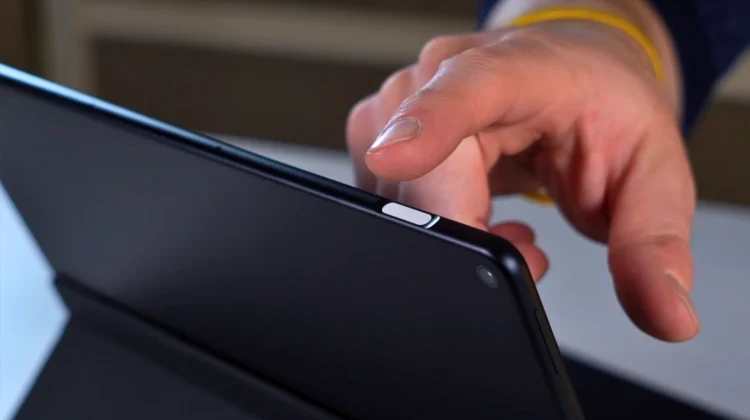
As we approach the actual release of ‘Sapphire’ – the highly anticipated, Lenovo-built Chromebook tablet with some decidedly Google-y features – this device just keeps getting better. Over the past few weeks, we’ve slowly unpacked a hardware story that feels like a combination of Pixelbook and Pixel Slate, and every new discovery from the Chromium repositories confirms that ‘Sapphire’ is likely the flagship ChromeOS will ride into the upcoming Android Kernel changeover. Today, I’ve come across yet another premium addition: a fingerprint scanner integrated directly into the power button.
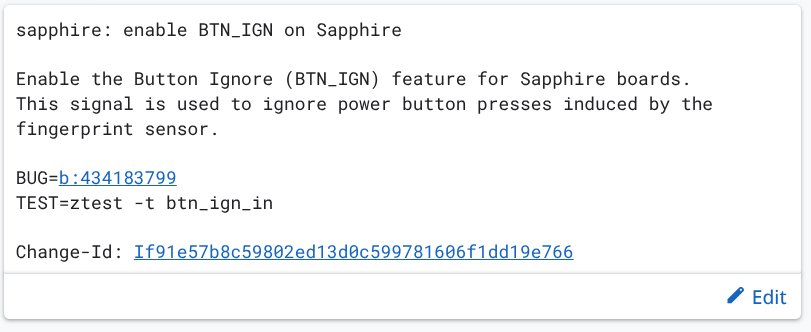
As you can plainly see in the Gerrit commit above, we have clear mention of a side-mounted fingerprint sensor housed within the power button assembly. For a device that is increasingly looking like a pro-level tablet, this biometric security is a necessary addition, providing a seamless way to unlock the device or verify identity without fumbling with a PIN on a massive 13-inch screen. And it just happens to be the exact way the Pixel Slate handled fingerprint unlock as well.
Why ‘Sapphire’ is a big deal
If you’re just catching up on the ‘Sapphire’ story, here is a quick refresher on why this specific device is capturing so much attention:
- The Manufacturer: We recently confirmed that Lenovo is the company behind the curtain. Given their recent work on the Chromebook Plus 14, they are the perfect team to carry the Google-inspired design torch.
- The Powerhouse: It is powered by the MediaTek Kompanio Ultra, a chip designed to offer top-tier performance with elite-tier battery life: exactly what you want in a high-end detachable.
- The Display: We’ve found evidence pointing toward a larger 13-inch BOE display, putting this device in direct competition with the 13-inch iPad Pro and Surface Pro.
- The “Google” Aesthetic: ‘Sapphire’ also features a signature four-color light bar, a design nod once reserved for Google’s own hardware.
- The Accessories: ‘Sapphire’ will include a wirelessly recharging, magnetic stylus that docks directly to the tablet.
Pro-grade biometric solution
The transition to a side-mounted fingerprint scanner is a classic design move for high-end tablets. It keeps the bezels clean while offering a natural point of contact as you pick up the device. This choice further highlights Lenovo’s commitment to a premium user experience that doesn’t cut corners on convenience or security.
As we look toward the “Aluminium” era of ChromeOS—Google’s project to transition the platform to the Android kernel—having hardware like ‘Sapphire’ is vital. It provides a high-fidelity, touch-optimized canvas for the next generation of apps and services. With its huge screen, magnetic pen, and now integrated fingerprint security, ‘Sapphire’ is shaping up to be the most complete ChromeOS tablet ever built.
SUBSCRIBE TO UPSTREAM
Get Chrome Unboxed delivered straight to your inbox
Upstream is our flagship, curated newsletter with the top stories, most click-worthy deals, giveaways, and trending articles from Chrome Unboxed sent directly to your inbox a few times a week. Join 31,000+ subscribers.

