

Support our independent tech coverage. Chrome Unboxed is written by real people, for real people—not search algorithms. Join Chrome Unboxed Plus for just $2 a month to get an ad-free experience, access to our private Discord, and more. Learn more about membership here.
START FREE TRIAL (MONTHLY)START FREE TRIAL (ANNUAL)
There’s a good chance that you or someone you know has a child that loves playing Roblox. With nearly 180 million accounts and roughly 12 million monthly active users, someone in your circle likely plays a game inside the ever-expanding Roblox world. We talked recently in a post and in our latest podcast about the importance of Roblox on Chromebooks and why it is we feel Roblox has done the entire Android-on-Chromebook experience right.
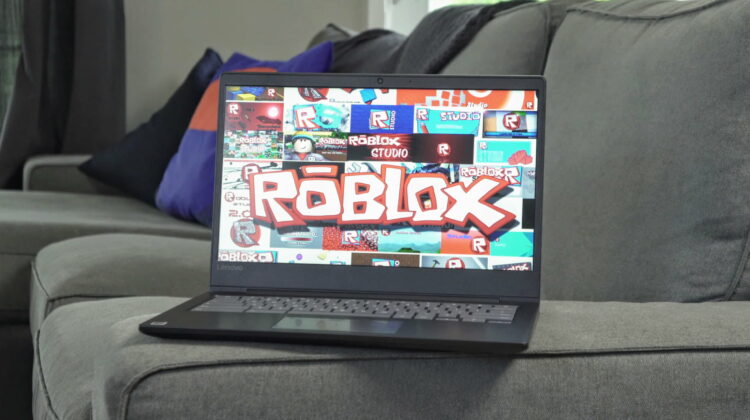
Today, however, we want to highlight a Chromebook we purchased recently that fits firmly into the low-budget Chromebook category, yet handles Roblox with aplomb. We’ll get to the reasons for that, but what you need to know right off the bat is Lenovo Chromebook S330 can be bought at Walmart right now for $169 and, for the money, you are getting a pretty decent overall Chromebook and a very good Roblox machine.
The Quick Review
While we didn’t really feel the need to fully review this device, I do want to run down the specs and point out some highlights and low-lights:
- MediaTek 8173 ARM Processor
- 4GB RAM
- 32GB eMMC Storage
- 14-inch 1366×768 TN display
- 1 – USB Type C port
- 1 – USB Type A port
- Full-sized HDMI port
- Headphone/Mic jack
If you are looking at this list and aren’t really impressed, it’s not just you. This is a spec sheet from a couple years ago for a couple reasons. First, this device has been around for a little while and second, the baseboard is the same as the Acer R13 we reviewed nearly 2.5 years ago. Because of this, there are no fancy new features, no fingerprint sensors, no convertible chassis, no active stylus, and no backlit keys. And though it is older, the end of life isn’t until June of 2022, so you’ll get a full three years of updates.
What we’re honestly getting here is the most standard Chromebook setup there is: a motherboard, screen, keyboard, trackpad, and speakers in a shell. And, you know what? It is pretty decent to use.
The keyboard is nice to type on and the trackpad is WAY better than a $169 should ever expect to have. The inside of the Chromebook is a nice, soft-touch plastic that feels great under your palms and the outer plastic is textured in a way where it doesn’t feel ridiculously cheap and seems like it could take a beating.
We’ll talk performance in a second, but the main place it falls down is the screen. Make no mistake, this screen is as bad as they come. Washed out colors, insanely-bad viewing angles and a resolution that is far too low for the size of the screen all culminate in what we’ve all come to expect in cheap laptops. It’s a shame, really, because just a slightly better screen would make this Chromebook so much easier to recommend to a huge audience. The only way to make it less painful is by plugging in a second screen and not forcing yourself to look at it all the time.
For kids, though, screens don’t tend to be that big of a deal. My 8-year-old daughter is sharp and a tad picky, yet I’ve never once heard her comment or complain about color accuracy or viewing angles on a Chromebook. Honestly, not once. While I want better screens across the board even for cheaper devices, the counter argument that kids just don’t care that much about such things is growing equally strong in my head, so for the Lenovo S330, I’m almost tempted to give it a pass just because of the price and the target audience.
If we do that – if we look past the awful screen – I can think of few tech devices you can buy for this little money and still be able to use them for actually getting some stuff done.
Now, About Roblox
As I said earlier, with the MediaTek 8173, you aren’t going to be breaking any speed records with this Chromebook. Basic tasks are fine and a few tabs here and there will be handled with ease. Push too many taxing apps, however, and you will absolutely be met with some slow down. Where this Chromebook shines and comes to life is when you fire up an Android app you feel doesn’t have a chance of running well: and then it does.
You see, ARM chips are what power your phone and tablets and app developers write their software with this in mind, especially on Android. When an app is made for a particular processing architecture, it makes sense that it would run more efficiently there. This is 100% the case with the Lenovo S330. Though it may struggle when pushed even slightly with Chrome OS, this machine can really run some Android games well. We fired up a few and continued to be impressed by the rendering and framerates we saw. Games like Alto’s Odyssey and Roblox ran smoothly and without issue.
With Roblox taking the additional steps to make sure Chromebook users could interface with the game with just a keyboard and mouse/trackpad, the experience of playing this game on the Lenovo S330 was surprisingly great compared with the overall experience of just working on the device alone. We never ran into any compatibility issues, no crashes, and framerates stayed nice and high throughout the handful of games we sampled.
Letting my daughter loose on the machine, she didn’t register any complaints either. The processor wasn’t and issue, the screen wasn’t a gripe, and the keyboard/trackpad was plenty for her to control any game she normally would play on her phone or tablet.
Buy The Lenovo Chromebook S330 at Walmart
In short, this thing was a Roblox champion, and we wanted to highlight it because of the price, the ease of purchase (Walmart is everywhere, right?), and the high amount of use this Chromebook could get in many homes simply due to the price tag. The price of this Chromebook hasn’t moved much over the last year, so I don’t think you need to rush to buy it, but we’ve included the link to it if you just need a Chromebook around the house that your Roblox-playing kids will end up loving.
SUBSCRIBE TO UPSTREAM
Get Chrome Unboxed delivered straight to your inbox
Upstream is our flagship, curated newsletter with the top stories, most click-worthy deals, giveaways, and trending articles from Chrome Unboxed sent directly to your inbox a few times a week. Join 31,000+ subscribers.

