
Support our independent tech coverage. Chrome Unboxed is written by real people, for real people—not search algorithms. Join Chrome Unboxed Plus for just $2 a month to get an ad-free experience, access to our private Discord, and more. Learn more about membership here.
START FREE TRIAL (MONTHLY)START FREE TRIAL (ANNUAL)
I had a moment earlier today that reminded me exactly why item trackers exist in the first place: I walked out the door, headed out for the day, and left my backpack sitting right by the entryway at home. At this point, I was just lucky that I had left a Googlebook at the office charging and am using it until lunch.
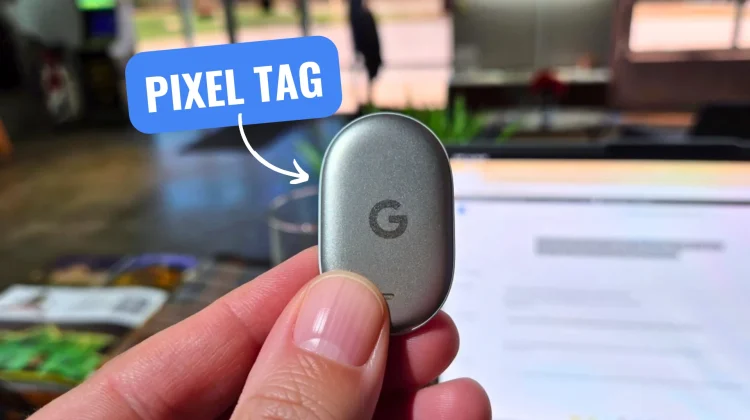
That’s what makes my initial setup of the new Pixel Tag feel way more personal. I really could have used this thing today and it would have saved me a trip back home.
Google has been building out its refreshed Find Hub ecosystem for a while now, but what everyone has really been waiting for is first-party tracker hardware that feels as polished and native as an AirTag. After pulling the Pixel Tag out of the packaging and walking through the quick and simple onboarding, I can comfortably say the setup experience alone sets the right tone for what this accessory needs to be.
Pairing is ridiculously fast and completely painless
If you’ve paired a set of Pixel Buds or modern Fast Pair accessories with an Android phone over the past couple of years, you already know how smooth Google’s proximity detection has become. The Pixel Tag takes full advantage of that.
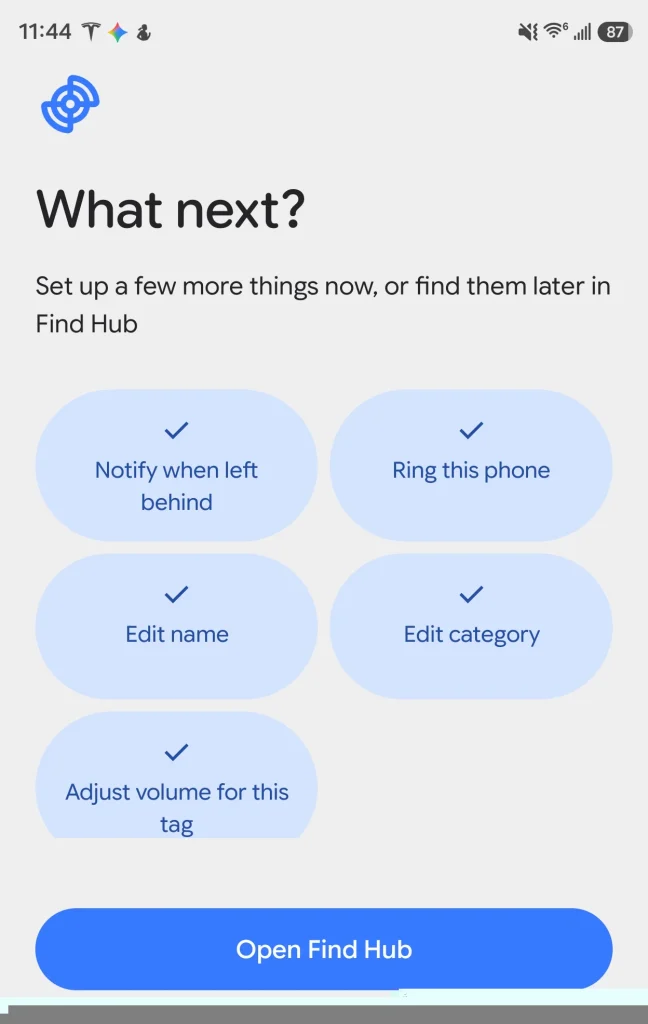
The moment I brought it near my phone, a pairing prompt popped up on screen almost instantly. There was no hunting through system settings, no fiddling with pairing buttons hoping a tiny LED flashes the right pattern, and no second-guessing whether the Bluetooth radio was awake. My phone saw it immediately, I tapped to connect, and the system walked me right into adding it to Google Find Hub in just a couple of straightforward steps.
That’s all it really has to be, right? A tracker is the kind of utility gadget you want to configure in sixty seconds and never stress about again until you actually misplace something. Google nailed the friction-free onboarding here.
Solid features ready for daily bag duty
Beyond the seamless setup, the feature set on paper and in early use hits all the marks you’d expect from a flagship tracker in 2026. You’re getting tight integration with the expanded Find Hub crowd-sourced network, precise nearby ringing, separation alerts, and robust privacy protections to prevent unwanted tracking.
For me, the immediate destination is simple: this little tracker is going straight into my daily gear bag. If it saves me from walking out the door empty-handed like I managed to do this morning, it has already earned its keep. We’re going to put the Pixel Tag through its paces over the next week to see how reliable the out-of-home network pings and range really are, so stay tuned.
SUBSCRIBE TO UPSTREAM
Get Chrome Unboxed delivered straight to your inbox
Upstream is our flagship, curated newsletter with the top stories, most click-worthy deals, giveaways, and trending articles from Chrome Unboxed sent directly to your inbox a few times a week. Join 31,000+ subscribers.

