

Support our independent tech coverage. Chrome Unboxed is written by real people, for real people—not search algorithms. Join Chrome Unboxed Plus for just $2 a month to get an ad-free experience, access to our private Discord, and more. Learn more about membership here.
START FREE TRIAL (MONTHLY)START FREE TRIAL (ANNUAL)
We’ve been tracking a handful of new MediaTek-powered devices and we have a suspicion that HP could possibly be refreshing the company’s 11-inch Chromebook x2 detachable. While that may still be happening, HP has just announced two new Chromebooks out of the blue, and one of them happens to be an x360 convertible that’s powered by the never before seen MediaTek Kompanio 1200 SoC. The new Chromebook is already available on HP’s website with a few upgrade options and the starting price is $469.99. Let’s take a closer look at the all-new HP Chromebook x360 13b.
HP Chromebook x360 13b 13.3″
The first thing to note about this new convertible from HP is the 13.3″ display. This is a bit of a departure from HP’s normal ChromeOS offerings that have always come in the form of just about every other display size except 13.3. No real beef there. Lenovo has done very well with that 1920×1080 13.3-inch display with its very popular Chromebook Flex line. Still, it’s unique for HP so I feel that it’s worth mentioning. The single-screen option is a 13.3″ FullHD touch panel that comes in at 250 nits of brightness which has become almost synonymous with HP consumer Chromebooks. You know how we feel about 250-nit displays so I’ll save you my rant.
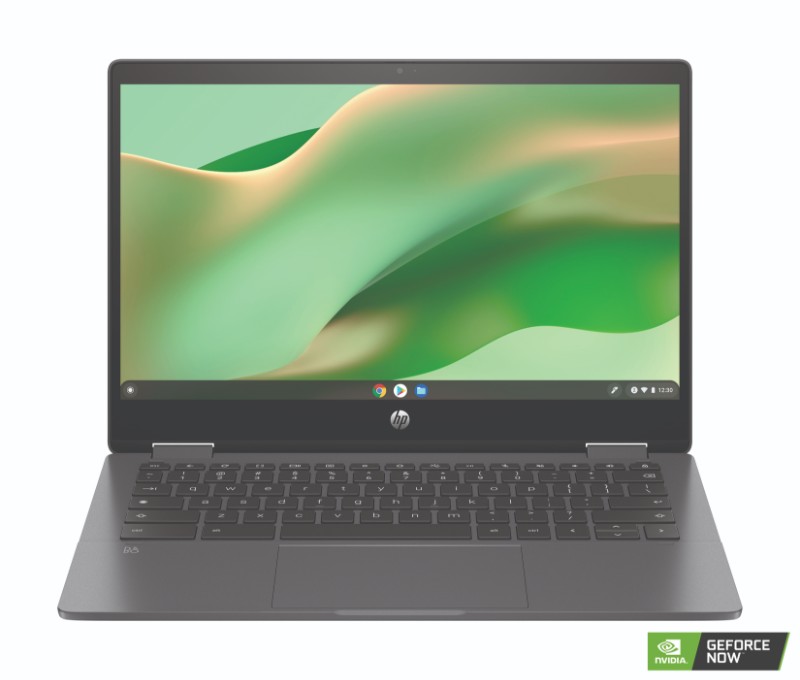
Around the outside, this ChromeOS 2-in-1 is very unassuming with a “Mica Silver” finish that looks more like charcoal from the press images. The keyboard looks to have a relatively low profile and the bezels aren’t enormous but they aren’t exactly slim, either. Speaking of the keyboard. That is one of the few upgrades offered on the current “customizable” model available on HP’s website. You can upgrade to a backlit keyboard for $30 which, in my opinion, is worth every penny. Port selection is pretty standard fare with 2 x USB-C ports, a single USB A port, and a MicroSD card slot.
We love to see MicroSD card readers on Chromebooks but it’s somewhat ironic in this case because the base storage for this build is 128GB and it happened to be NVMe. That’s unusual because this faster storage type is usually reserved for higher-end models. This is also one of the upgradeable features of the new HP Chromebook x360 13c. You can double the storage to 256GB for a mere $30. Again, totally worth it. Now. I’m not sure what the lower part of the device or the trackpad is made of but HP stated that the lid is comprised of recycled aluminum. There’s also some reclaimed Ocean plastic which may be what’s in the trackpad. On to the most important feature of this new Chromebook. The internals.
The HP Chromebook x360 13b is powered by the MediaTek 1200 SoC which MediaTek briefly compared to an Intel Core i3 CPU. That’s a bold claim but until we get our hands on one, we won’t be able to verify any benchmarks. Still, the MediaTek 1380 that powers the Acer Chromebook Spin is going toe-to-toe with a 10th Gen Intel Core i3 and that’s an impressive feat, to say the least. If this 1200 SoC is anywhere in the realm of performance of the MediaTek 1380, this HP should perform handsomely.
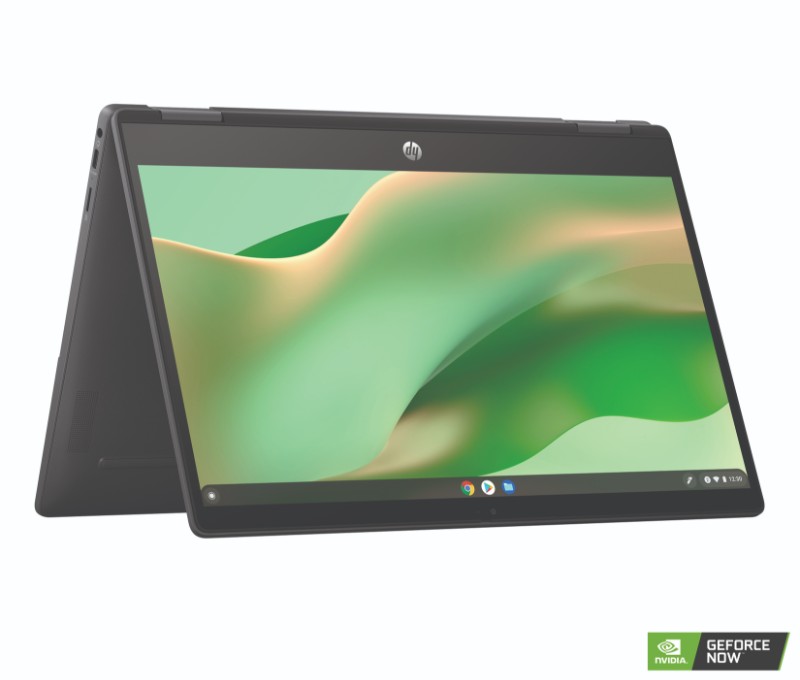
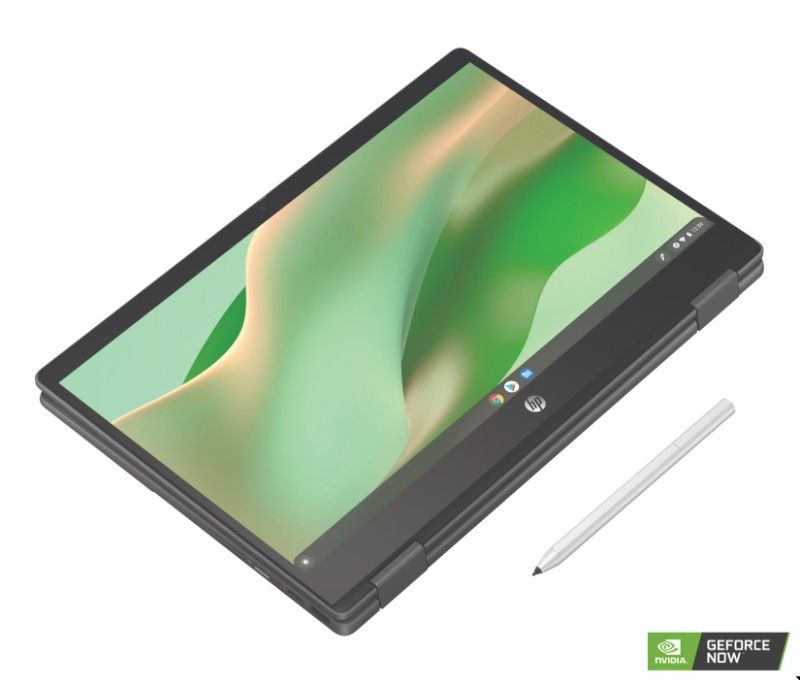
That said, this Chromebook does have one shortcoming in its current form. The model available on HP’s website is equipped with a scant 4GB of RAM. The processor may be ample but we all know that 4GB of RAM can be a stumbling block for ChromeOS devices. For casual use, it should be just fine but it is difficult to look at any Chromebook with 4GB as a productivity machine. Anyway, here are some pictures of the new HP Chromebook x360 13b. Have a look and then, I’ll share some good news about this Chromebook.
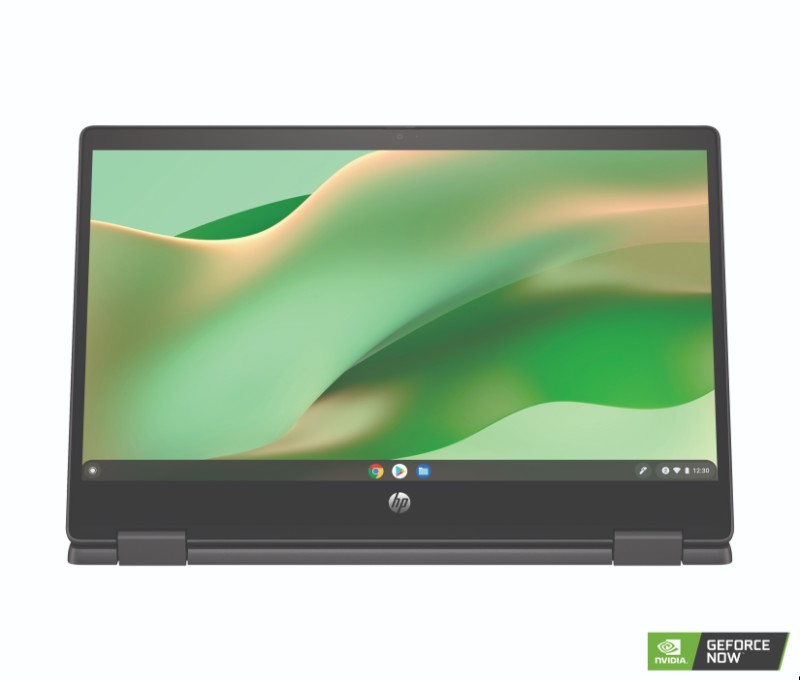
More models are on the way
We were first made aware of this new HP last week but have been waiting on HP to officially release the device before sharing the specifics. That’s mainly because we weren’t sure exactly what the specs were going to be. According to a landing page on HP’s website, the Chromebook x360 13b would offer up to a MediaTek 1380 SoC and up to 8GB of RAM. The current model doesn’t but our spec list from HP clearly states that these are options for the Chromebook. It is possible that HP will release another customizable SKU and equally feasible that an 8GB version with the MediaTek 1380 could randomly show up at Best Buy since that’s where most OEMs send their flagship consumer devices. If and when it arrives, I would expect it to be priced similarly to the Acer 513 at around $600. If it has the upgraded SoC, extra RAM, and storage, it will be well worth the money. Now, HP just needs to work on getting brighter displays on these devices.
HP Chromebook x360 13b Key Specs
- ChromeOS
- MediaTek 1200 or MediaTek 1380 SoC
- Up to 8GB LPDDR4x RAM
- Up to 256GB PCIe NVMe storage
- 13.3″ FHD IPS touch display 250 nits
- HP Wide Vision 720p HD camera with temporal noise reduction and privacy shutter
- Audio by B&O Dual speakers with HP Audio Boost
- 2 x USB-C
- 1 x USB-A
- MicroSD
- Audio jack
- Wi-Fi 6 and Bluetooth 5.2
- Up to 16-hour battery life
- Mic mute hotkey
HP Chromebook 15.6″
The other Chromebook to come out of today’s announcement comes in the form of a 15.6″ clamshell that’s powered by Intel’s small-core Jasper Lake CPUs. These low-powered processors were once the bane of the Chromebook works but Intel’s recent advancements in power and performance have made them formidable options for even productivity-minded devices. The new HP Chromebook 15.6″ will offer either a dual-core N4500 CPU or the more powerful N6000 Pentium Silver. For now, the N4500 is the only available option on HP’s website and it comes equipped with 4GB of RAM and 64GB of eMMC storage.
The only options you can upgrade on this particular model are the screen and the Wi-Fi card. The base model display is a 250-nit 1366×768 HD panel but you can upgrade all the way to a FullHD BrightView touch display for an additional $90. Since Intel’s Jasper Lake CPUs don’t support Wi-Fi 6 on their own, this Chromebook is equipped with Wi-Fi 5 but you can upgrade to Wi-Fi 6 for only ten bucks. You can also upgrade to a backlit keyboard for $10 which seems really inexpensive and I’d definitely go that route if I were buying this thing.
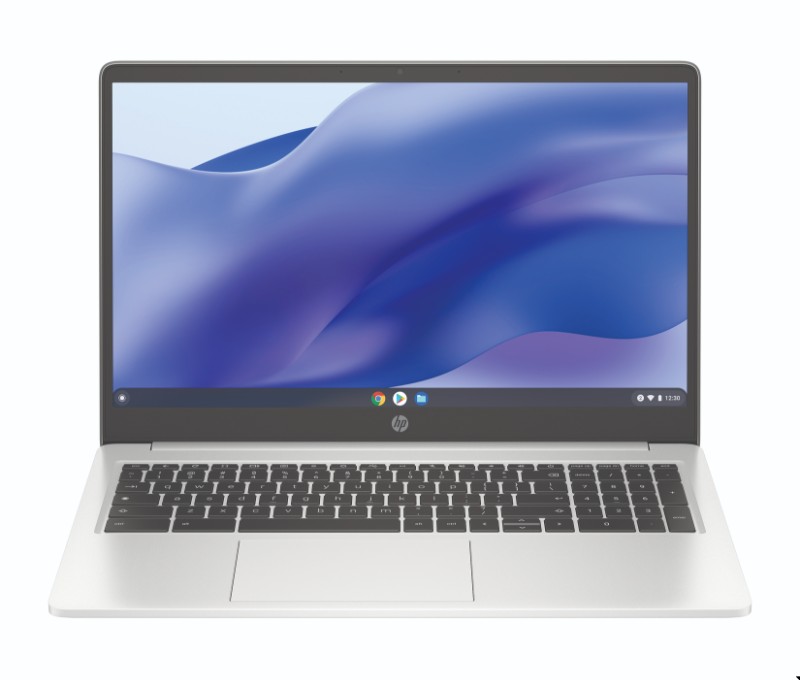
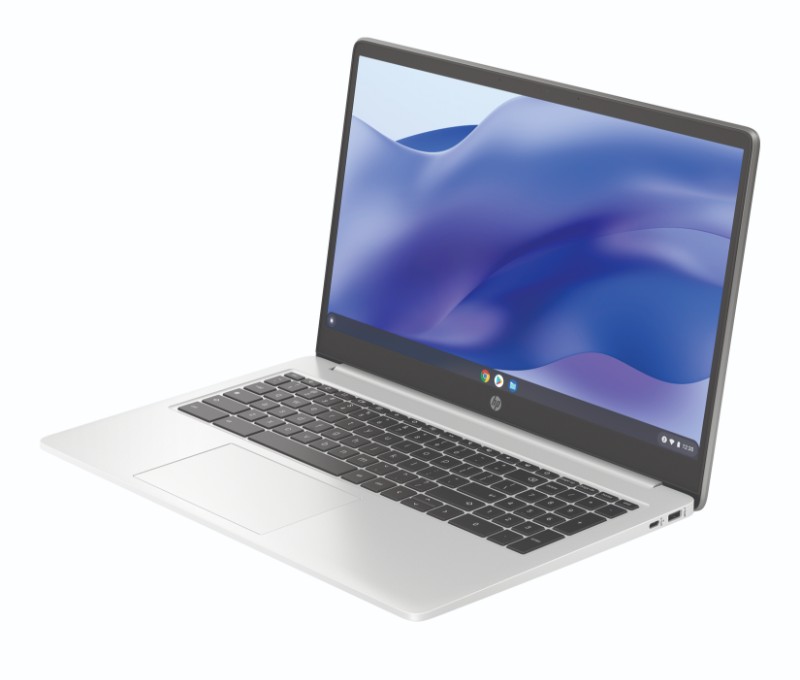

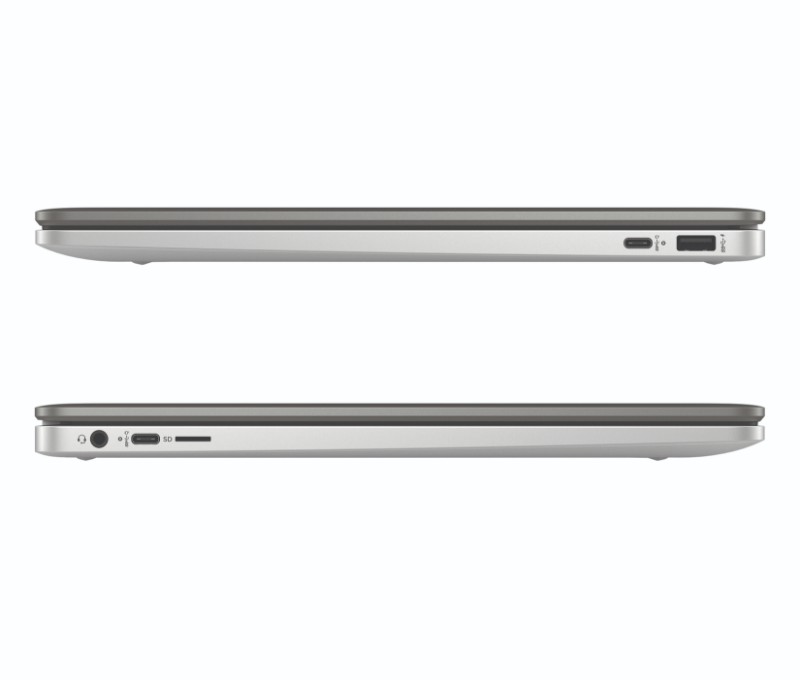
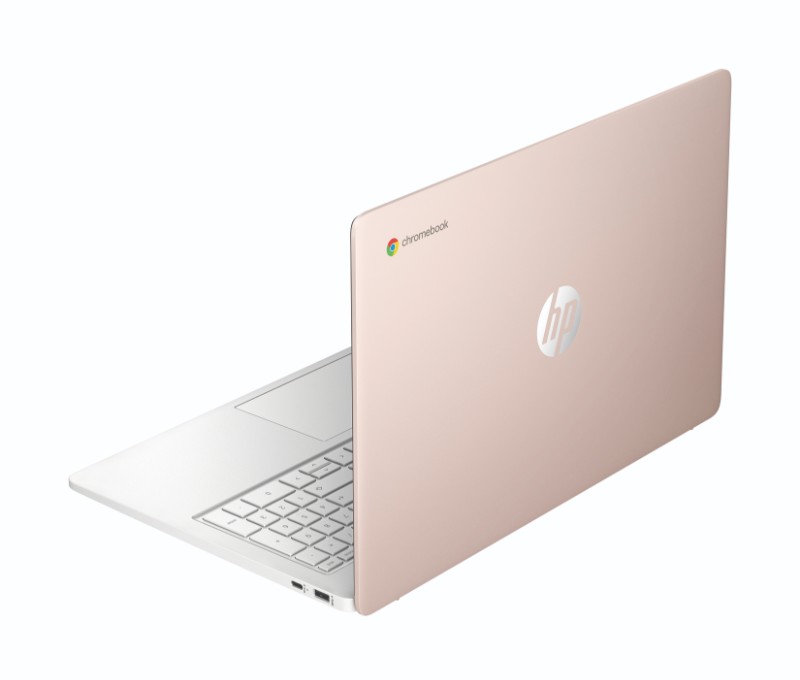
There will be an 8GB/128GB version of this Chromebook at some point but that will likely be for the Pentium model. Again, it will probably show up at Best Buy if I had to wager a bet. The HP Chromebook 15 will also come in three snazzy colors that are reminiscent of the old-school HP Chromebook 11. There’s Mineral Silver, Forest Teal, and Pale Rose Gold. You can purchase the base model of the 15.6″ HP Chromebook on HP’s website now for a starting price of $329.99.
SUBSCRIBE TO UPSTREAM
Get Chrome Unboxed delivered straight to your inbox
Upstream is our flagship, curated newsletter with the top stories, most click-worthy deals, giveaways, and trending articles from Chrome Unboxed sent directly to your inbox a few times a week. Join 31,000+ subscribers.

