

Support our independent tech coverage. Chrome Unboxed is written by real people, for real people—not search algorithms. Join Chrome Unboxed Plus for just $2 a month to get an ad-free experience, access to our private Discord, and more. Learn more about membership here.
START FREE TRIAL (MONTHLY)START FREE TRIAL (ANNUAL)
So, we got an email for Cory T. last week and I have to admit, I was a little bit skeptical when he told me he had an old Galaxy phone S-pen lying around and was using it on his Samsung Chromebook Plus V2.
Before you cut me off, yes, any S-pen should technically work on a Chromebook equipped with an EMR-compatible display. That’s not what left me scratching my head.
If you have an old S pen with a button (the Chromebook version doesn’t have the button) you can use it and have the same features as the Pixelbook pen.
Cory T.
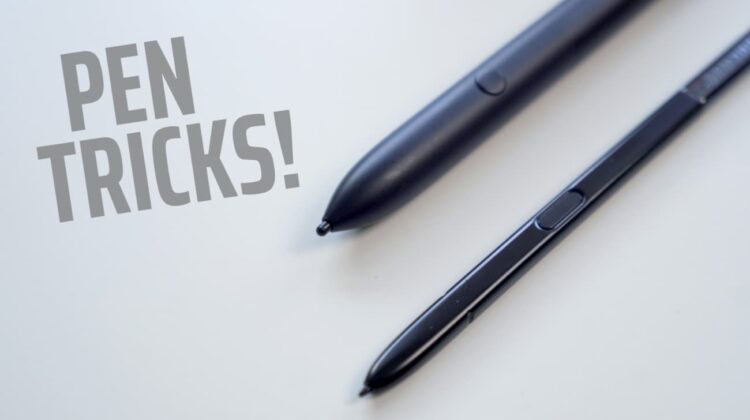
So, for the sake of good ole’ fashioned R&D, I ordered an S-pen from Amazon. This particular one was made for the Galaxy S8 but from the looks of it, any S-pen will do.
*Note: I said Galaxy S5, I meant Note 5.
Currently, the Pixelbook Pen is the only stylus with “official” Assistant support and technically speaking, the Assistant isn’t available on non-Google devices, yet. We’ll cover that in a minute.
The Pixelbook pen and the stylus for the HP Chromebook x2 are the only two active styli available in the Chrome OS ecosystem at the moment. Other pen-equipped devices utilize the more-passive EMR tools that passed power to the pen using a magnetic field that the stylus then interprets using built-in sensors.
Samsung’s S-pen is equipped with a button that interacts with the digitizer in a device’s display and triggers a specific function. On Chromebooks with EMR compatible displays, users have to click the stylus tool menu on the shelf to access the Assistant and then highlight objects on the screen for the Assistant to interpret.
The button on the S-pen appears to act as a shortcut for that function. While this isn’t an earth-shattering feature, it would save substantial amounts of time for users who find themselves utilizing their styli and Google’s Assistant on a regular basis.
Caveats
There are a couple of catches to this trick. The S8 S-pen I purchased is slightly smaller than the original pen in the Chromebook Pro/Plus so I don’t recommend garaging it inside of the device. It tends to get stuck and you’ll have to smack the Chromebook to get it out. That said, other models of the S-pen or even third-party styli may be a better fit. This is just the one I bought for testing.
Second, you’ll have to enable the Assistant on your Chromebook to use this feature right now. The usual warnings apply here because it requires turning on an experimental flag. Do so at your own risk. Thankfully, the flag is already in the Stable channel so it won’t take much to flip it back if you need to.
Simply head to chrome://flags/#enable-native-google-assistant on your Chromebook, flip it to enabled and restart your browser. You should now be greeted by a prompt to turn on Ok, Google.
Third, and most importantly, you MUST have a device that supports an EMR stylus. Off of the top of my head, that means a Samsung Chromebook Pro/Plus, Acer Spin 11 or 13, Acer Tab 10, Dell Inspiron 14, Lenovo 500, CTL Tx1 or ASUS’ Chrome tablet. If your Chromebook doesn’t support EMR, this will not work so please, don’t drop $$$ on a stylus if it doesn’t. It won’t work.
I got the S8 stylus for around $16 but you can find them for as little as $9 if you go with the Note 5 pen. Theoretically, any EMR stylus with a button could pull this off. If you happen to have one handy, try it out and drop a comment below if it works.
Shop S-pens On AmazonSpecial thanks to Cory T. for sending us this tip!

