

Support our independent tech coverage. Chrome Unboxed is written by real people, for real people—not search algorithms. Join Chrome Unboxed Plus for just $2 a month to get an ad-free experience, access to our private Discord, and more. Learn more about membership here.
START FREE TRIAL (MONTHLY)START FREE TRIAL (ANNUAL)
With the idea of Chromebook Plus now being a full 8 months old at this point, most people have become fairly comfortable with the idea of the whole thing. Simply put, Chromebook Plus offers a hardware spec that helps ensure a more-level user experience across the board.
And that spec consists of an Intel Core i3 or better, at least 8GB of RAM, 128GB of storage, and a 1080p webcam and screen or better. And for the purposes of this particular post, those last few spec requirements are pretty crucial.
Part of the Chromebook Plus experience is predicated on AI that makes certain portions of the user experience a bit better. For instance, when in any video call, Chromebook Plus offers multiple camera add-ons that can blur your background, add an AI-generated background, improve your lighting, and likely more down the road. Those features are contingent on Google being able to control the cameras that get the thumbs up for Chromebook Plus models, and this becomes very important when considering something as wide open as a Chromebox.
The Chromebox-Chromebook Plus conundrum
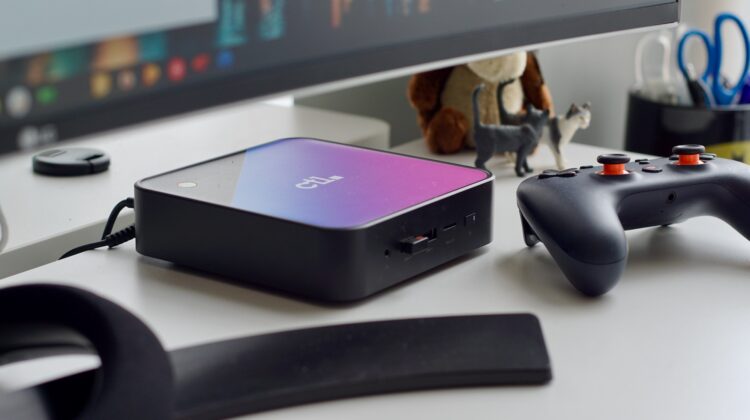
So, when we move the realm of Chromeboxes, I’m hoping you already see the issue that quickly arises. With part of the Chromebook Plus promise being all about both a display and camera that can deliver quality features, you realize in a hurry that this becomes an issue with Chromeboxes.
While there are tons of Chromebox devices out there that easily meet and far exceed the Chromebook Plus internal hardware spec, there’s no way Google can regulate the display or webcam portion of those devices, and that becomes a pretty big issue in terms of new Chromebook Plus features.
You see, if Google promises Chromebook Plus can deliver on fun features like a blurred background on your camera at a device level, they need to be 100% certain that a machine branded Chromebook Plus can accomplish the task. And with a Chromebox, there’s no way to guarantee the hardware a user chooses to implement will be up to the task.
If – as a consumer – I have a Chromebox Plus that I expect to do all the fun stuff I see in a Chromebook Plus, and then attach my webcam I’ve used for 15 years to it, I’m likely going to be let down. When that camera simply can’t provide the necessary input to pull off the Chromebook Plus tricks I was promised, my expectations will not be met, and I’ll walk away with a sour taste in my mouth about the entire “Plus” branding.
To a lesser extent, this applies to the screen as well, and I’m sure the ChromeOS team is well aware of the fact that Chromeboxes get plugged into horrible displays on a likely-regular basis. Again, at no fault of the machine itself, the “Plus” experience is degraded immediately because of a hardware choice that doesn’t land in Google’s purview.
Unlikely to change for now
And this is precisely why we don’t have Chromebook Plus branding on Chromeboxes right now. I don’t know this for fact, but my guess is we won’t see this change in the near future. In order to deliver on their promises, Google would have to come up with some other way to refer to AI features and other non-display/non-camera goodies that come to Chromebook Plus specifically for capable Chromeboxes. How they brand that or how they tackle this issue is beyond me right now, but it feels like something they’ll have to address at some point.
As more features show up for Chromebook Plus devices that don’t rely on a camera or screen, more Chromebox users are going to keep wondering exactly why their very-powerful device isn’t getting the latest, greatest stuff from Google. It’s not a problem I would want to have to solve, but it is one that is 100% going to need a solution at some point. Maybe it becomes Chromebox Plus. Maybe not. I honestly haven’t a clue on how to sidestep this sort of thing. I just know Google has to solve it before long.
SUBSCRIBE TO UPSTREAM
Get Chrome Unboxed delivered straight to your inbox
Upstream is our flagship, curated newsletter with the top stories, most click-worthy deals, giveaways, and trending articles from Chrome Unboxed sent directly to your inbox a few times a week. Join 31,000+ subscribers.

