


In a repeat of what we saw happen last month, the ChromeOS team is gracing us once again with release notes a bit ahead of the scheduled update to ChromeOS 134. I, for one, absolutely love this; and a succinct list of UI changes that go above and beyond the expected security updates and bug fixes is always welcome – especially before the update actually arrives.
The expected availability of ChromeOS 134 is set for Monday, March 17th, 2025 and we hope to see this update begin trickling out on that date. However, it could happen a bit before or after that date as well, and some of the features being highlighted may take even more time to actually appear. So, be a bit patient with the update as usual, and let’s take a look at the new stuff that’s on the way.
GIF Support in Quick Insert
I wrote a quick post yesterday about whether or not people are using the new Quick Insert feature at all, and I wish I knew that this feature was on the way before that. Though this one is a small addition, the introduction of GIF support within Quick Insert will be the thing that makes me remember it is there from here on out.
Users will soon be able to directly insert GIFs into their messages and documents without needing to navigate away from the Quick Insert menu. It will greatly streamline the process of adding dynamic content anywhere you want, and it’s a feature I can see myself leveraging constantly once it arrives.
Isolated Web Apps for Kiosk Mode
ChromeOS 134 is bringing support for Isolated Web Apps (IWAs) in kiosk mode. This is a pretty big step forward in the versatility and security of ChromeOS for enterprise deployments.
For those unfamiliar, IWAs are designed to be more secure and offer deeper system integrations. Now, administrators managing Chrome Enterprise devices can leverage IWAs for kiosk and digital signage setups, all configured directly through the Admin console. This means a more robust and flexible platform for businesses and organizations relying on ChromeOS for their public-facing displays and dedicated workstations.
Slow Keys for Accessibility
Accessibility remains a key focus for ChromeOS, and the introduction of Slow Keys is yet another addition to that commitment. This new feature is specifically designed to assist users with limited dexterity, providing a much-needed tool for more accurate typing.
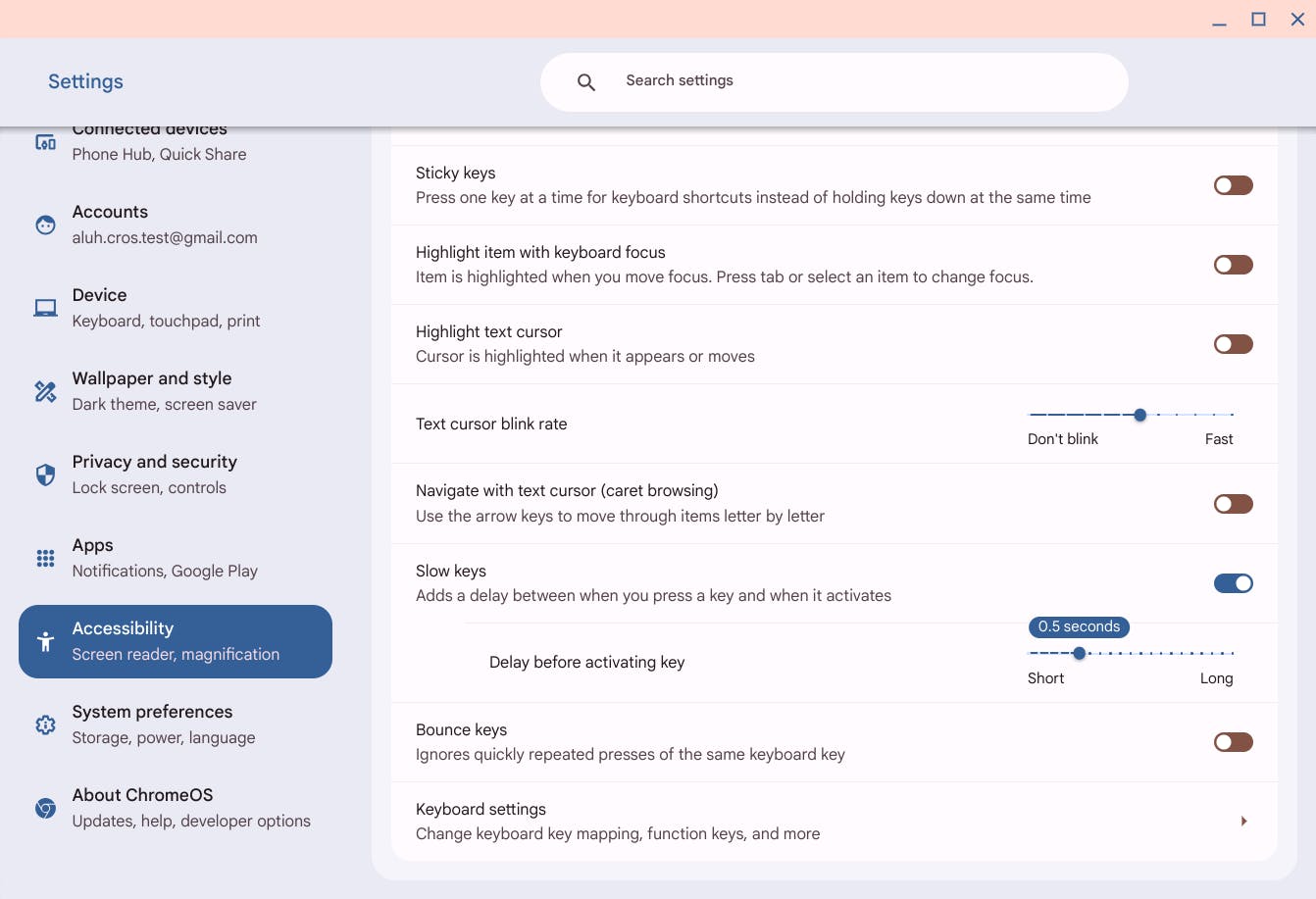
By introducing a configurable delay, Slow Keys ensures that keys must be held down for a set duration before being registered, effectively preventing accidental keystrokes. This will be particularly beneficial for individuals with tremors, arthritis, or other conditions affecting fine motor skills.
Content Transfer Tool
Looking ahead to March 2025, graduating students and other EDU-managed users will gain access to an updated content transfer tool. This new application simplifies the process of migrating data from school accounts to personal Gmail accounts.
With support for Docs, Sheets, Slides, and Gmail content, students can seamlessly transition their important files. School administrators will have the ability to pin the tool to the shelf, send notifications, and even schedule reminders, ensuring students are well-informed and encouraged to utilize this feature.
Again, I want to stress that this new update and the new features are scheduled for March 17th, but those dates can fluctuate a bit. Assuming the update rolls out as scheduled on Monday, I know I’m really hoping to see the GIF tool in Quick Insert for sure, but some of these things need a server-side trigger to appear. Be patient, and the new additions will be on your device before you know it.
Join Chrome Unboxed Plus
Introducing Chrome Unboxed Plus – our revamped membership community. Join today at just $2 / month to get access to our private Discord, exclusive giveaways, AMAs, an ad-free website, ad-free podcast experience and more.
Plus Monthly
$2/mo. after 7-day free trial
Pay monthly to support our independent coverage and get access to exclusive benefits.
Plus Annual
$20/yr. after 7-day free trial
Pay yearly to support our independent coverage and get access to exclusive benefits.
Our newsletters are also a great way to get connected. Subscribe here!
Click here to learn more and for membership FAQ

