

Support our independent tech coverage. Chrome Unboxed is written by real people, for real people—not search algorithms. Join Chrome Unboxed Plus for just $2 a month to get an ad-free experience, access to our private Discord, and more. Learn more about membership here.
START FREE TRIAL (MONTHLY)START FREE TRIAL (ANNUAL)
As we discussed earlier this week, Better Together features aren’t working between Googlebook and newer Android 17 Samsung devices just yet. Rather than let our early testing stall while waiting on an update from Samsung, I temporarily shelved my usual daily driver and moved my SIM card into a Pixel 11 Pro XL.
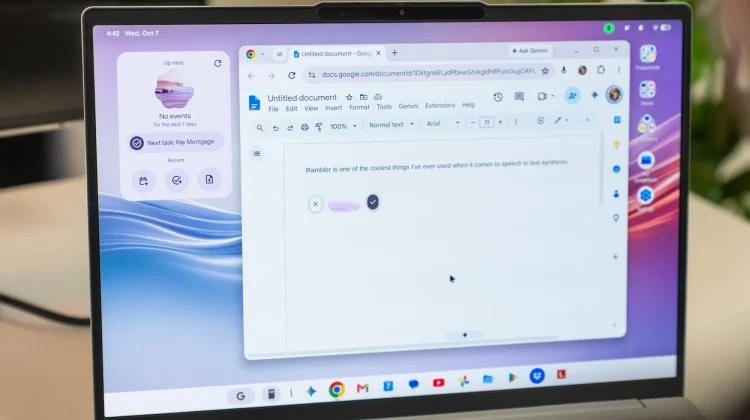
I made the jump primarily to test cross-device app streaming, instant tethering, and unified notifications on all the new Googlebooks. But along the way, I’ve started leaning all the way into a truly standout that has completely changed how I type on both devices: Google’s new Rambler feature.
I don’t say this lightly: Rambler is legitimately the biggest leap forward in speech-to-text input I can remember since really getting into tech well over a decade ago.
Speech-to-text that actually understands how we talk
Traditional voice dictation has always come with caveats. Whether on a phone, laptop or tablet, you generally have to talk like a bit of a robot to make your messages actually make sense. You pause awkwardly, deliberately enunciate every syllable, and verbally say things like “comma,” “period,” and “new line” just to avoid a chaotic wall of run-on text.
Rambler throws that entire paradigm out the window.
Powered by Google’s on-device Gemini intelligence, Rambler doesn’t just listen for phonetic sounds; it understands conversational context, sentence structure, and intent in real time. You can ramble, hesitate, say “um,” change your train of thought mid-sentence, and correct yourself out loud; and Rambler seamlessly cleans up the syntax, strips out the filler words, and delivers clean, punctuated, natural prose right onto the page.
It feels less like classic speech-to-text and more like speaking directly to an attentive editor who translates your messy, spoken thoughts into polished written communication.
A game-changer on the Googlebook desktop
While having Rambler baked into Gboard on the Pixel 11 Pro XL makes replying to text messages on the go an absolute breeze, experiencing it natively inside Googlebook OS is where the real magic happens.
When sitting at a laptop, muscle memory usually dictates keeping your fingers glued to the keyboard. But over the last couple of days, I’ve found myself leaning heavily on Rambler for all kinds of desktop tasks:
- Blasting Through Email Replies: Answering complex emails used to mean typing out several paragraphs. Now, I tap the dictation shortcut, talk through my response conversationally, and watch Rambler output clean, ready-to-send sentences.
- Rapid-Fire Messaging: Triaging Google Messages and chat threads takes a fraction of the time. You can speak at a normal, rapid pace without worrying about typos or misplaced punctuation.
- Capturing Raw Notes and Brain Dumps: When drafting ideas or jotting down first impressions of hardware, being able to talk naturally without pausing to structure bullet points is wildly liberating.
It integrates so naturally into daily desktop workflows that I suspect it won’t take long before I completely forget what it was like to compute without it.
The unexpected ecosystem hook
Testing Googlebook with a Pixel 11 Pro XL has created a bit of a personal dilemma. As much as I miss my Samsung Galaxy Z Fold 8, Rambler is so transformative that it makes going back to a phone without it genuinely tough to swallow.
If you just got your hands on a launch-day Googlebook this week, stop typing your quick messages and fire up Rambler. It isn’t just another AI bullet point on a spec sheet; it is one of those rare, genuinely useful features that redefines everyday tasks while computing.
SUBSCRIBE TO UPSTREAM
Get Chrome Unboxed delivered straight to your inbox
Upstream is our flagship, curated newsletter with the top stories, most click-worthy deals, giveaways, and trending articles from Chrome Unboxed sent directly to your inbox a few times a week. Join 31,000+ subscribers.

