

Support our independent tech coverage. Chrome Unboxed is written by real people, for real people—not search algorithms. Join Chrome Unboxed Plus for just $2 a month to get an ad-free experience, access to our private Discord, and more. Learn more about membership here.
START FREE TRIAL (MONTHLY)START FREE TRIAL (ANNUAL)
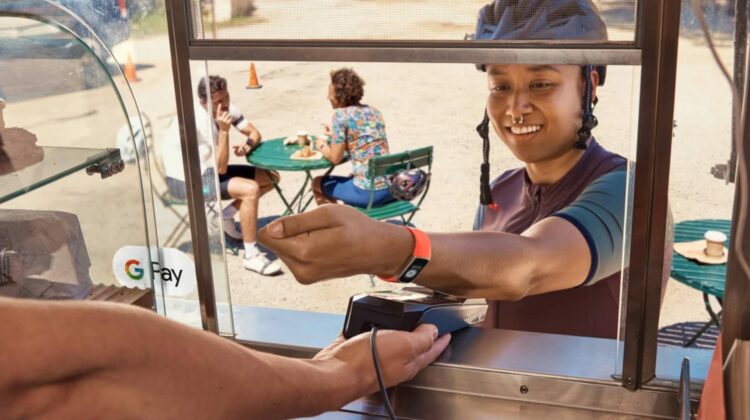
If you’re a Fitbit user who enjoys the convenience of Fitbit Pay for contactless payments, you’ll need to start getting ready for a transition. Google is replacing Fitbit Pay with Google Wallet across the board, and the move will bring a big advantage to the table in the form of a wider array of compatible banks and payment cards.
Fitbit Pay will officially be sunset on July 29, 2024. While you can continue to use your existing cards within Fitbit Pay until then, you won’t be able to add any new ones during this time. The good news is that Google Wallet allows you to connect far more banks and cards for contactless payments on your Fitbit device, offering enhanced flexibility compared to Fitbit Pay. Do keep in mind, however, that you currently cannot add American Express cards to Google Wallet.
How to make the switch
To go ahead and get started with this transition that’s coming in the next couple months, you can simply follow the steps below:
- Update: Make sure you have version 4.14.1 or higher of the Fitbit app (both Android and iOS are supported).
- Find the Wallet Tile: In the Fitbit app, go to the “Today” tab and tap the devices icon for your Fitbit. Tap the “Wallet” tile.
- Switch to Google Wallet: Tap “Update to Google Wallet” and log in to your Google account.
- Add Your Cards: Follow the on-screen prompts to add your payment cards to Google Wallet. Note: Cards won’t automatically transfer from Fitbit Pay, you’ll need to add them manually.
While it might feel like an adjustment, switching to Google Wallet should streamline your Fitbit contactless payment adventures from now on. With more banking partners and compatible cards, you’ll gain greater flexibility when it’s time to pay, and at the end of the day, it doesn’t matter what service you use to do it as long as it all works, right? And from that perspective, Google Wallet is definitely the way to go.
SUBSCRIBE TO UPSTREAM
Get Chrome Unboxed delivered straight to your inbox
Upstream is our flagship, curated newsletter with the top stories, most click-worthy deals, giveaways, and trending articles from Chrome Unboxed sent directly to your inbox a few times a week. Join 31,000+ subscribers.

