

Support our independent tech coverage. Chrome Unboxed is written by real people, for real people—not search algorithms. Join Chrome Unboxed Plus for just $2 a month to get an ad-free experience, access to our private Discord, and more. Learn more about membership here.
START FREE TRIAL (MONTHLY)START FREE TRIAL (ANNUAL)
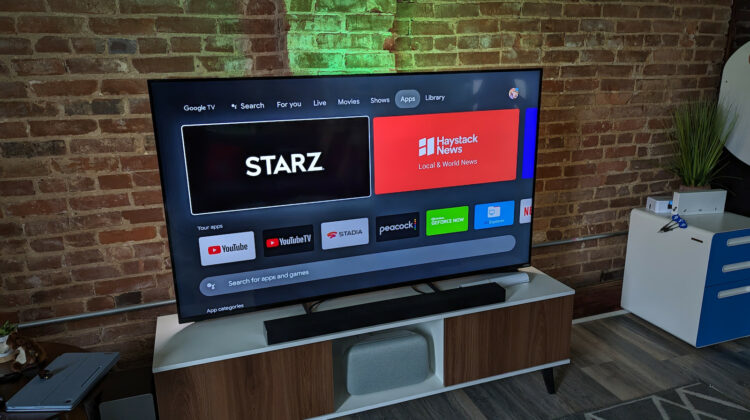
Do you know what I love about Google TV? I’m not talking about the Chromecast. I mean that actual Google TV platform. Even before the Chromecast with Google TV was a thing, the Google TV app and its predecessor Play Movies and TV were my go-to to find not only the content I wanted to watch but where to watch it. If you go to the Google TV app on your phone and look for a movie, it will show you all the options of where you can watch it and all you have to do is click your preferred streaming service on which it is available.
While Google TV isn’t exactly an app store, the unified nature with which you can surface content has rekindled a desire that I have long held for ChromeOS. A UNIFIED APP STORE.
Once upon a time, Chromebooks were little more than hardware portals to the internet but times have changed drastically. Today, a new Chromebook has access to the Google Play Store with countless Android applications. You also have a full-blown developer’s environment with the ability to install and run Linux packages. On top of that, Steam gaming on ChromeOS will soon be a reality. All that combined with the increasing capabilities of progressive web apps has left applications delivery on ChromeOS very segmented and disjointed at best.
If you know where to look, you can find just about any type of application or tool to use on your Chromebook. If you don’t know where to look, using a Chromebook can feel very clumsy and even frustrating. Why? Well, think about your smartphone. When you want a new application, you simply open the Google Play Store, find the app and install it. You never think about what kind of file it is you’re installing. You likely don’t give any thought to how or where that app is being delivered from. You just know that the Play Store is where you find the apps and clicking a button starts the installation flow.
In my opinion, ChromeOS needs to duplicate this method of app installation. I know that it would be a massive undertaking but seriously, consumers aren’t interested in differentiating between APKs, Linux packages, PWAs, or anything else for that matter. They, we, want to search for the app we need, click it, and have it installed without any extra steps. I have no idea what that would look like. Perhaps the Play Store could be a vessel for Linux packages. You can already find PWAs in the Play Store. When you install one, the process looks no different than when you install a traditional Android APK. If Google could deliver any and all ChromeOS-compatible applications via one single delivery system, it would be a huge leap forward for the platform.
Maybe I’m alone here but I really believe that in order for Chromebooks to truly become mainstream consumer devices, app delivery should be completely seamless. Whether you’re grabbing an Android app, installing a Linux package, or downloading a game for Steam, a one-click solution should be the path forward. Again, this is probably a massive lift but I really don’t feel that it is beyond Google’s abilities to make it happen. I don’t know. Maybe I’m dreaming too big. Still, if anyone at Google is listening, could we discuss making this happen? Email me. Seriously.
SUBSCRIBE TO UPSTREAM
Get Chrome Unboxed delivered straight to your inbox
Upstream is our flagship, curated newsletter with the top stories, most click-worthy deals, giveaways, and trending articles from Chrome Unboxed sent directly to your inbox a few times a week. Join 31,000+ subscribers.

