


Support our independent tech coverage. Chrome Unboxed is written by real people, for real people—not search algorithms. Join Chrome Unboxed Plus for just $2 a month to get an ad-free experience, access to our private Discord, and more. Learn more about membership here.
START FREE TRIAL (MONTHLY)START FREE TRIAL (ANNUAL)
Google has been working hard to make all the personal information connected to your Google Account more intuitive to understand and easier to manage. Last week, Google announced three new tools to help you better manage your personal data when using the Google Assistant, Google Maps, and YouTube. Google says they want to make managing your data as easy as making a restaurant reservation or using Maps to find the fastest way back home.
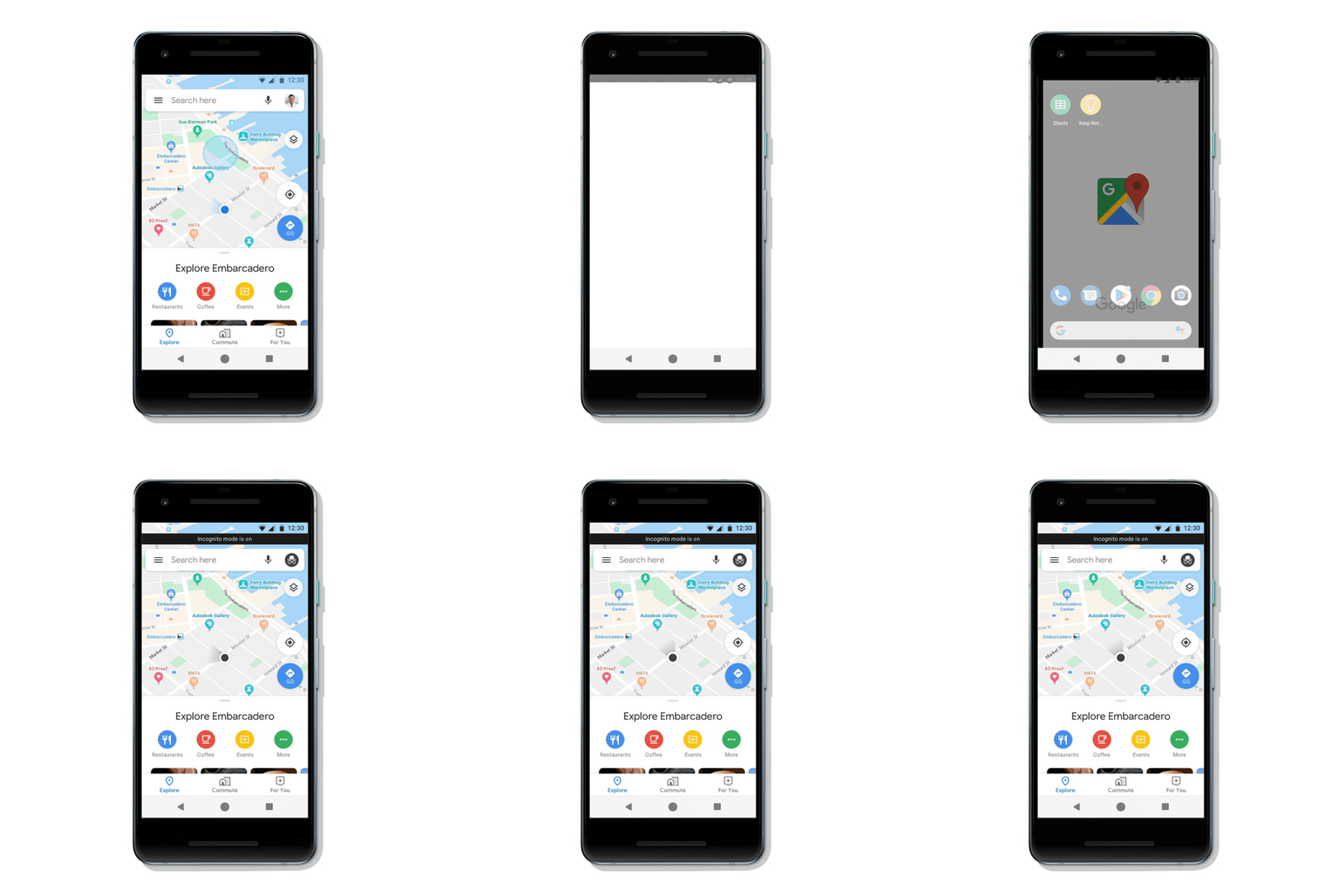
Incognito mode has been a part of Chrome since the beginning and is now rolling out in Google Maps. The feature was added to YouTube earlier this year and basically creates a private session of the app you’re using. In Google Maps this means your activity in that session – like the places you search for – will not be saved to your Google Account, essentially turning off the algorithm used for personalized recommendations. Like in Chrome and YouTube, Incognito mode in Maps can be easily toggled on/off in the menu. Google says this new feature will be rolling out to Android this month, with iOS coming soon.
Speaking of YouTube, Google is bringing the auto-delete feature to your YouTube history. You might remember this feature rolling out to the Location History and Web & App activity in your Google Account back in May and now the same preferences can be used for your video browsing data. You can now set the time period to keep your data – 3 months or 18 months – and then your YouTube history will be automatically deleted or you can select to keep your data until you delete it manually. Just remember, if you delete your history there is a chance YouTube will recommend videos you have already watched since removing the data necessary for Google’s suggestion algorithm will render it useless.
Google has also added new ways to manage your Assistant data with simple voice commands. You can now delete Assistant activity from your Google Account by saying, “Hey Google, delete the last thing I said to you” or “Hey Google, delete everything I said to you last week.” There is no setup required and these features will work automatically when you say the commands. For now, the Assistant can only delete a week’s worth of data but you can always manage your full history in your Assistant settings.
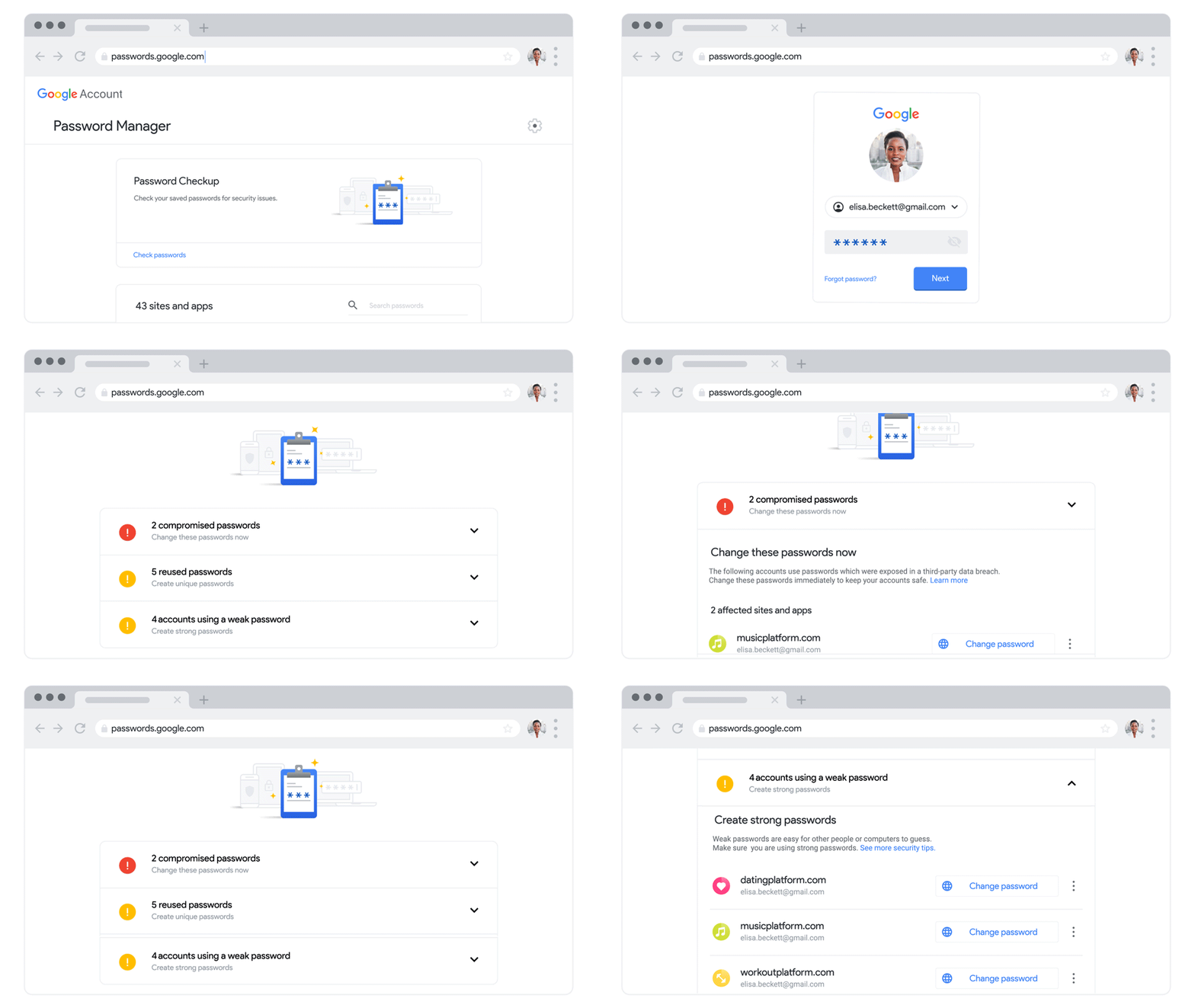
In addition to these great features, Google has also introduced the new Password Checkup tool that is built into the company’s password manager. A quick checkup will tell you if any of your saved passwords have been compromised in a data breach, how many passwords you are reusing on multiple sites, and which passwords are weak. Using the Password Checkup tool was a sobering but valuable experience for me and I recommend that everyone take a couple of minutes to check it out.
If you are an avid Google user who has bought into the Google ecosystem, you need to remember the trade-offs here. I am happy to see Google expand its privacy features but when we delete our data, the algorithm doesn’t work. The real key here is data transparency. When Google uses our data to provide personalized recommendations it can be useful and convenient, but it is vitally important that Google continues to develop new security and privacy features like the ones they have rolled out this month. These new features give users power over their data and let them decide if trade-offs are worth it or not.
SUBSCRIBE TO UPSTREAM
Get Chrome Unboxed delivered straight to your inbox
Upstream is our flagship, curated newsletter with the top stories, most click-worthy deals, giveaways, and trending articles from Chrome Unboxed sent directly to your inbox a few times a week. Join 31,000+ subscribers.

