


Support our independent tech coverage. Chrome Unboxed is written by real people, for real people—not search algorithms. Join Chrome Unboxed Plus for just $2 a month to get an ad-free experience, access to our private Discord, and more. Learn more about membership here.
START FREE TRIAL (MONTHLY)START FREE TRIAL (ANNUAL)
Google Photos is finally rolling out its new web-based editor redesign. This face lift was already a thing on bigger screen Android devices and Chromebooks and was announced earlier this year in June, but now the web browser version is one-to-one with everywhere else you’d modify Google Photos!

Essentially, it’s got a sleek user-friendly interface with a plethora of new features to play with. By clicking on a photo and tapping the new ‘Try the new editor’ option at the top right, you’ll be met with the same UI as you’re accustomed to on your phone. The new Suggestions tab is the first thing you’ll see as it pops up first and offers contextual, intelligent recommendations. Most of you will see ‘Enhance’, ‘Warm’, and ‘Cool’ as shown below. If you’re a Google One subscriber, you should also have ‘Portrait light’, ‘Blur’, ‘Sky’, ‘Color’, and ‘HDR’ to apply to your images.
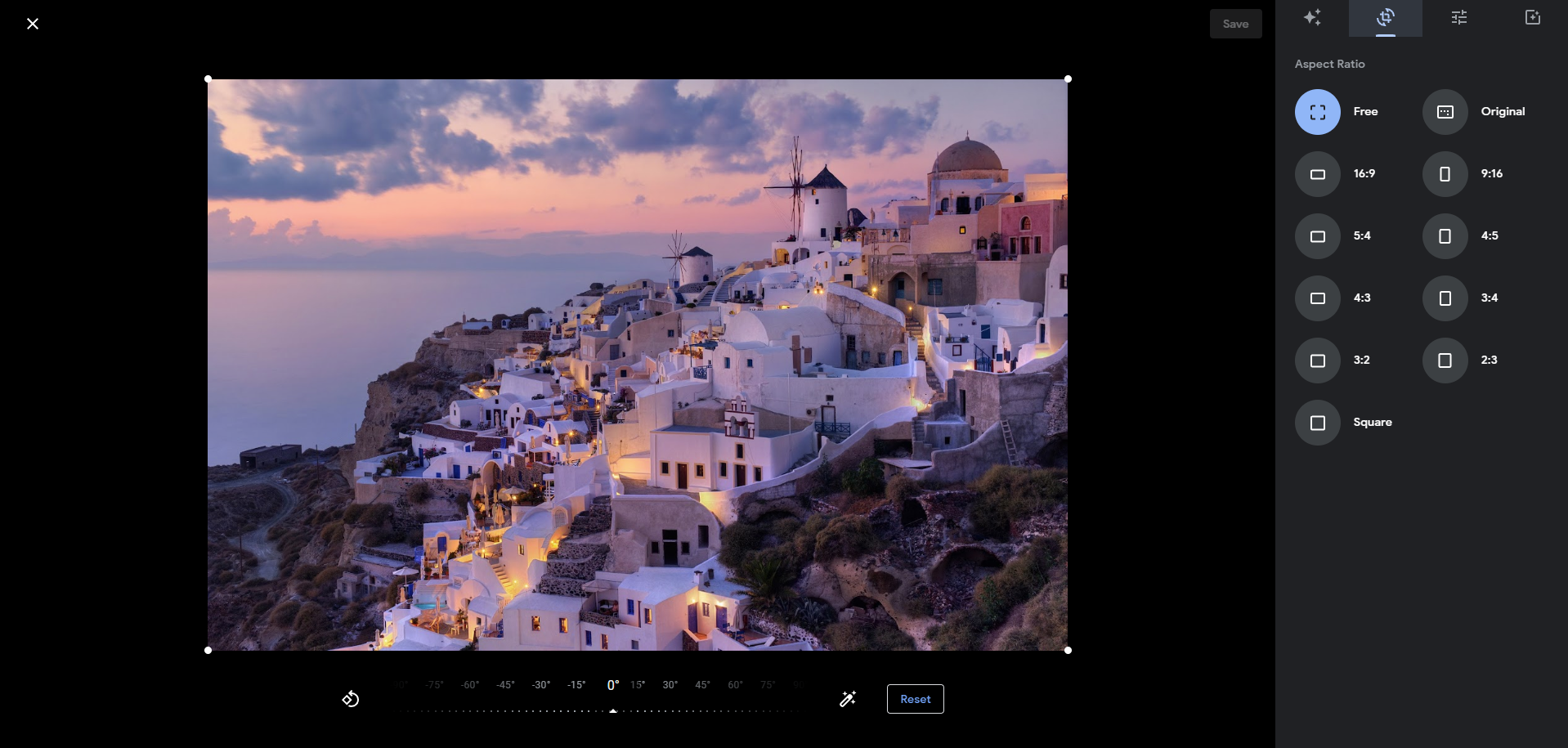
The Aspect Ratio tab is also looking snazzier too. Now, you can pick from an array of preset aspect ratios like Free, Original, Square, you name it. Still want to make some manual tweaks? Simply drag to adjust right under the image. There’s even a handy rotation control and a Reset button to undo any changes you may have accidentally made.
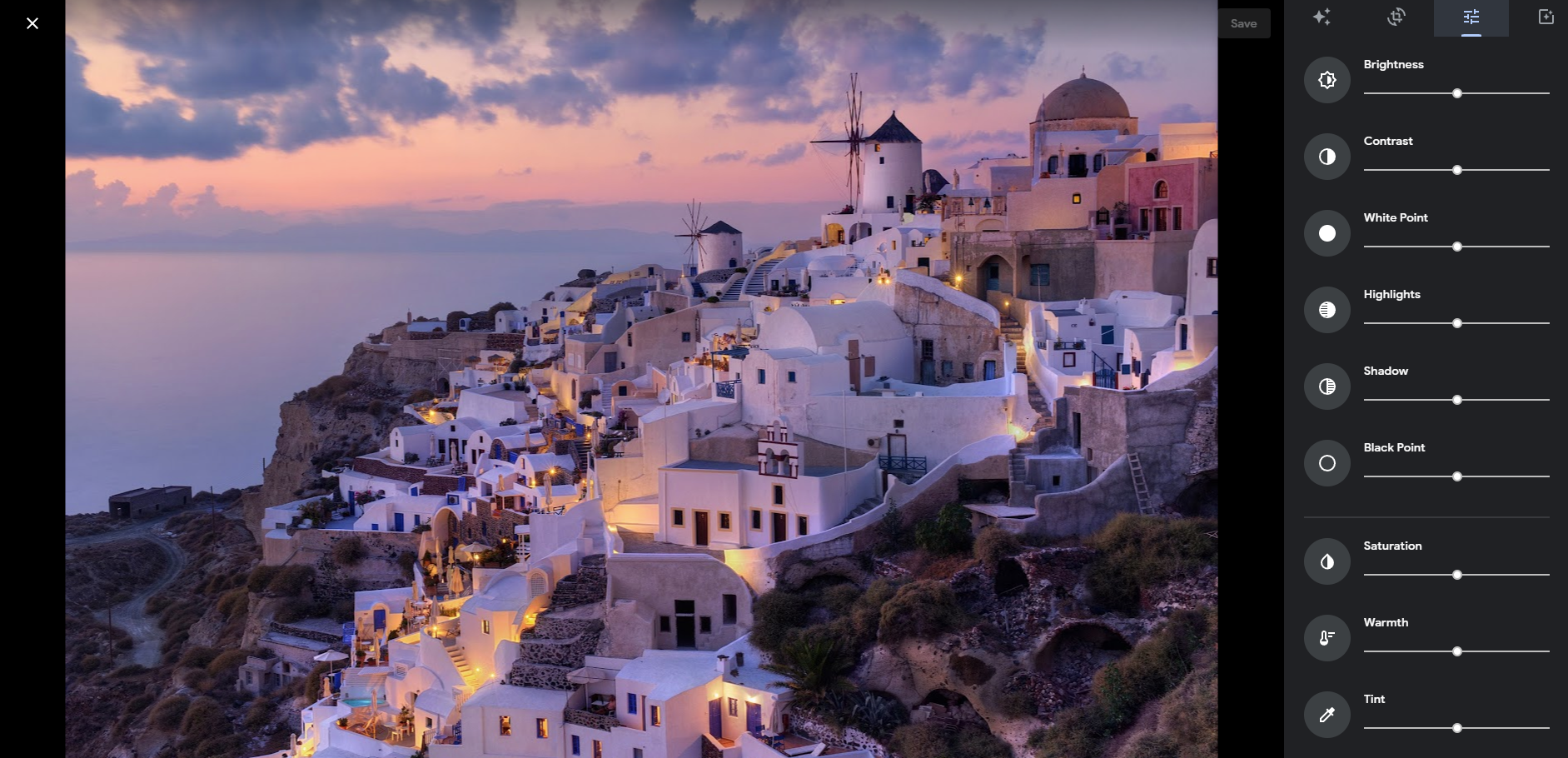
Next up is the Adjust tab. Google has decluttered this space and, honestly, we’re here for it. Gone are the days of fumbling through grouped sliders under Light, Color, and Pop. Now, you can see all the sliders upfront and center, complete with familiar icons straight from the Android/iOS app. If you remember Snapseed, this has strong influence from those days. If you’re a fan of Filters, you might notice they’ve been relocated. The Filters tab used to be front and center, but it’s now been pushed to the back.

So far as I’ve seen, this has rolled out to all of my accounts, so you should also see the new editor if you go and check for yourself. Let me know in the comments how you feel about these changes. Google Photos has changed a lot over the past two years, and it’s a far cry from the Picasa days. I just wish we still had manual tagging in addition to all of the AI, and I truly wish captions would export to Takeout. Regardless, it’s nice to have a unified experience across desktop and mobile now.
SUBSCRIBE TO UPSTREAM
Get Chrome Unboxed delivered straight to your inbox
Upstream is our flagship, curated newsletter with the top stories, most click-worthy deals, giveaways, and trending articles from Chrome Unboxed sent directly to your inbox a few times a week. Join 31,000+ subscribers.

