


Support our independent tech coverage. Chrome Unboxed is written by real people, for real people—not search algorithms. Join Chrome Unboxed Plus for just $2 a month to get an ad-free experience, access to our private Discord, and more. Learn more about membership here.
START FREE TRIAL (MONTHLY)START FREE TRIAL (ANNUAL)
Last week, Google rolled out an incremental update to Chrome OS 91 and it didn’t take long for numerous users to start reporting a serious bug that was crippling the CPU and a number of Chromebooks. The bug report, now triaged, has been updated from priority 3 to priority 1 which is the second-highest level that can be given to a but. Priority 0 is normally reserved for bugs that expose serious security issues or completely bork system functionalities. While the bug has been acknowledged by Google and its developers, it is still unclear as to what is causing the issue or how far out we are from a fix.
Whatever the issue, it is serious enough that Google opted to pause the Chrome OS update server temporarily. If you check out cros.tech, you’ll see that the current version available for Chromebooks is 91.0.4472.114 which isn’t the same version number that contained the CPU-crushing bug. In fact, it is the version of the previous update that rolled out on June 18. If you are on the more recent 91.0.4472.147 version and you aren’t having issues with high CPU usage, you’re good to go. However, if you haven’t updated to the newer version or perhaps you reverted to 91.0.4472.114, you may be in for an unpleasant surprise when you try to install the Linux container.
This afternoon, I swapped Chromebooks with Robby so he can work on his review of the Acer Spin 713 and he handed me a power washed HP Chromebook Elite C1030. When I logged in, I saw that the Chromebook was on the older version of Chrome OS. No big deal until I tried to launch my Linux container. After I set my storage space and the installation process began, I was greeted with a prompt telling me to update Chrome OS to continue. No biggie. I headed to the settings menu and clicked the update button but I was promptly informed that my device was up-to-date.
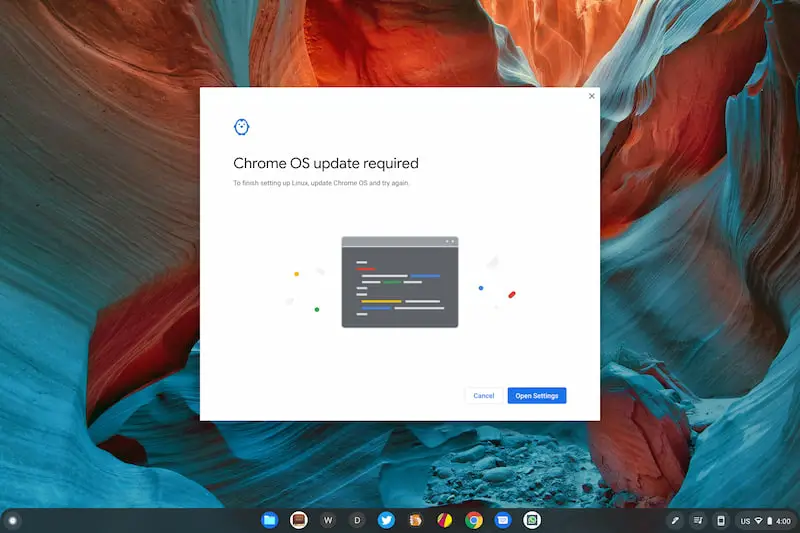
Doing my due diligence, I checked again for an update and went so far as to restart and then powerwash the Chromebook. No dice. The Linux container simply would not launch. I checked again on another device and sure enough, Linux will not install on a Chromebook with version 91.0.4472.114. My guess is that the Linux container is still looking for that latest version of Chrome OS which is resulting in the prompt to update. I’m sure that this is just an unforeseen side effect of the paused Chrome OS update but it could be a serious issue for users needing to utilize Linux applications on their Chromebooks.
I was a good steward of Chrome OS and submitted feedback to the developers and I will be opening a bug report shortly to address the issue. I’m confident that Google’s developers are already privy to the problem and hopefully, an update to the Linux container is in the works while the team works to squash the CPU bug. In the meantime, if you need Linux apps, you’ll need to get yourself on a device that is either on the latest version or already has Linux apps enabled. We’ll update this post as soon as we see some movement on these bugs.
SUBSCRIBE TO UPSTREAM
Get Chrome Unboxed delivered straight to your inbox
Upstream is our flagship, curated newsletter with the top stories, most click-worthy deals, giveaways, and trending articles from Chrome Unboxed sent directly to your inbox a few times a week. Join 31,000+ subscribers.

