


Support our independent tech coverage. Chrome Unboxed is written by real people, for real people—not search algorithms. Join Chrome Unboxed Plus for just $2 a month to get an ad-free experience, access to our private Discord, and more. Learn more about membership here.
START FREE TRIAL (MONTHLY)START FREE TRIAL (ANNUAL)
Now that Black Friday is out of the way, families around the globe are looking forward to the Christmas season. With the global pandemic still posing a constant threat, the holidays are yet again going to be carried out in strange, new ways. Luckily, Google Maps has been there at every turn, providing new and innovative tools for navigating, checking busyness times, and assisting users with picking up groceries with no contact to prevent exposure to COVID-19.
Continuing those trends, Maps is adding several new features to help you get there faster, more efficiently, and with less potential for danger as you and your family wrap up 2021 and look toward the new year. A new Area Busyness indicator will show you hotspots on your map that have high busyness trends so that you can spot when a neighborhood or part of town is at its busiest. This ought to help you avoid crowds just by zooming in on your location in Maps. See this video as an example. You can probably guess what areas are busier than others, like those that are hosting holiday gatherings, for example, but this will be useful if you’re traveling and are less familiar with the area.
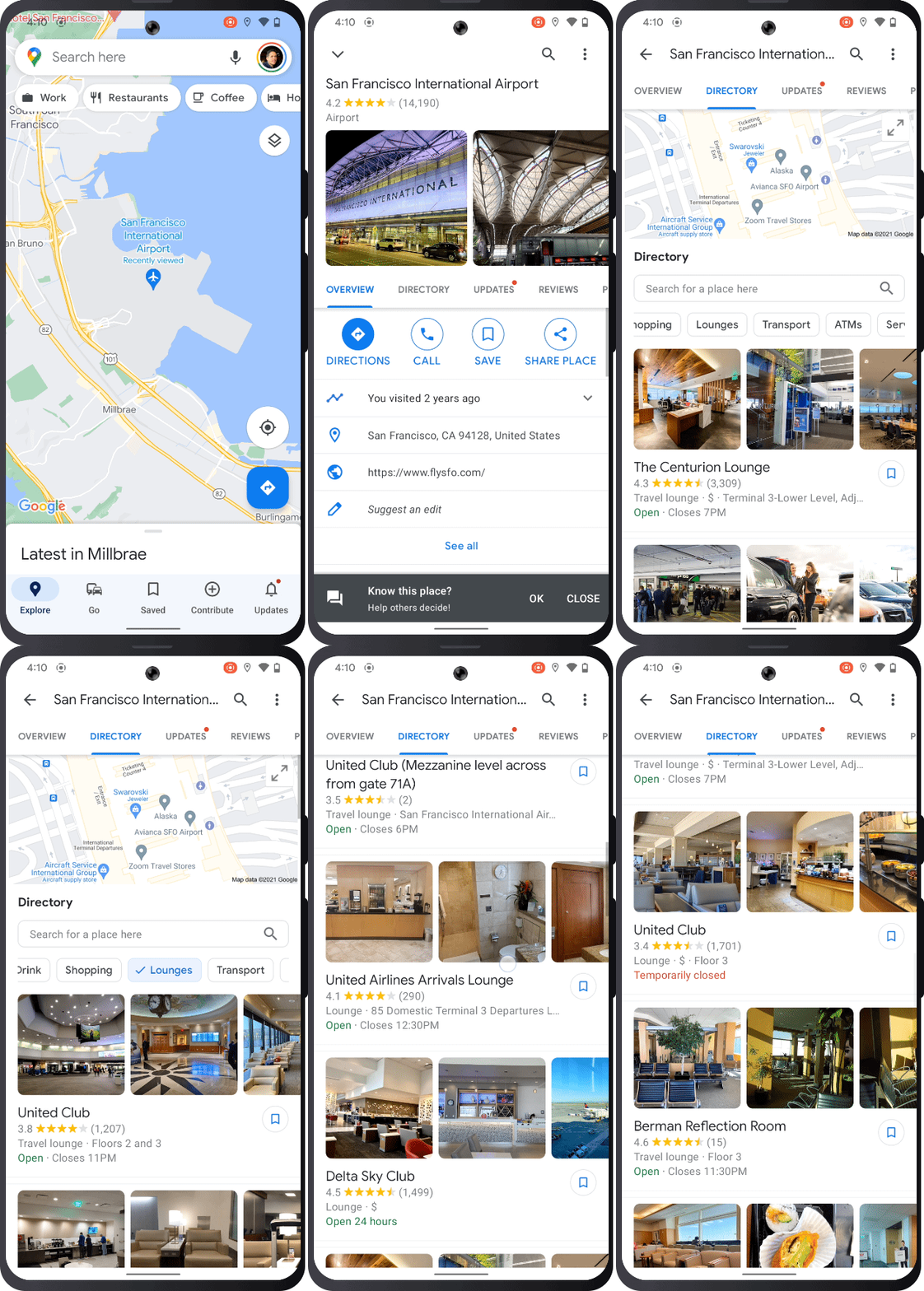
Another great feature that’s being added is the expansion of the Directory tab. Google is rolling this out on a global scale for Android and iOS now, meaning that all airports, malls, and transit stations around the world will now be accessible so that you can easily find the best airport lounges, car rentals, parking lots, and so on during your vacation. As you can see in the example below, the Directory tab reveals many categories including ATMs, Food & Drink, Services, and more – sweet!
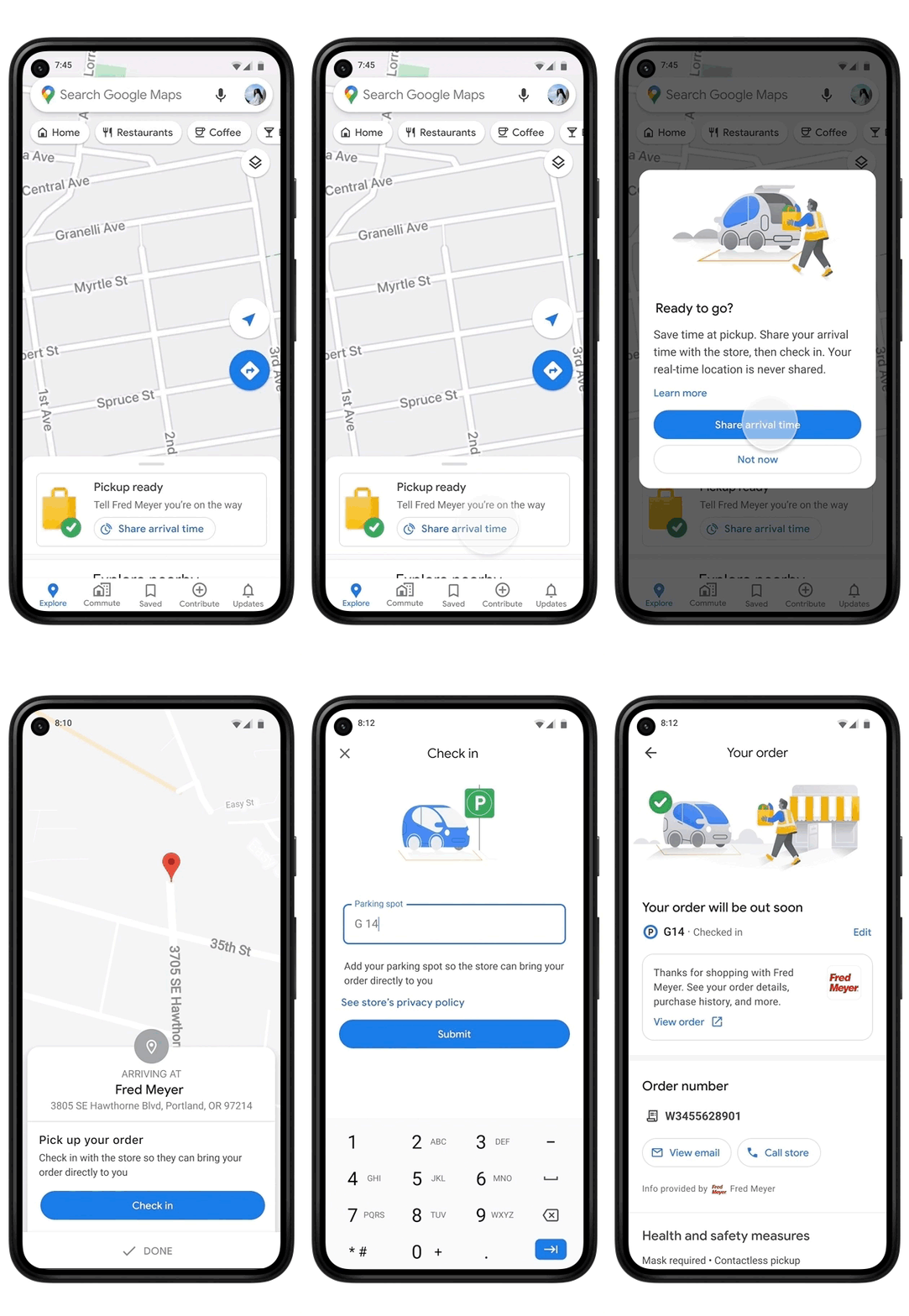
Though it was first launched in a limited capacity at Fred Meyer stores in Portland, OR, the ability to place an order with grocery stores and pick it up using Maps as to track its progress is now available in over 2.000 Kroger, Fry’s, Ralphs, and Marianos stores across 30 states in the U.S. Google says that by going this route and using the “Share arrival time” feature (including your parking spot) many users have received their groceries in as little as five minutes upon arrival! Since it’s already a thing for Kroger, I’d love to see this come to Publix stores near me!
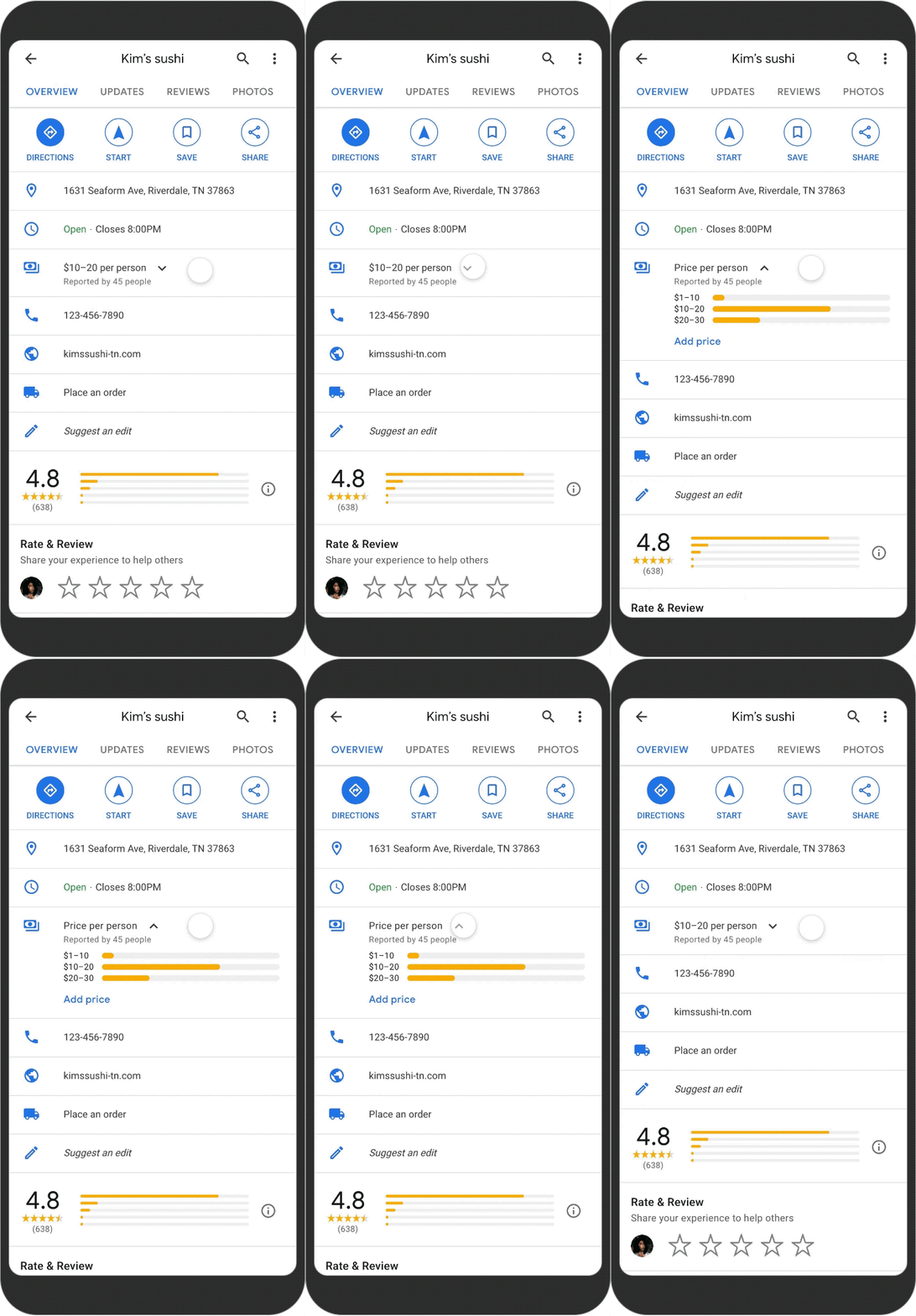
Lastly, Maps is updating its detailed restaurant listings to show price ranges for dining spots in the U.S. based on Local Guide contributors’ efforts. Additionally, a simpler way to view more information on whether a location has outdoor seating, delivery options, curbside pickup, and so on is being rolled out. I really think the highlight here though is the price per plate indicator, which seems to aggregate reports from as many foodies as possible, so you can make a decision on a diner’s cost before heading there!
Do you see yourself using any of these tools this holiday season, or are you just going to wing it when you head to the grocery store or a restaurant? I think the Area Busyness indicator will become second nature to use for most people, but with time. A lot of these tools fit right in with the mission Maps has had for years, which is simplifying access to useful information so that users can make the most of their trips, waste less time, and ultimately, enjoy life a little bit more when they go out. With the pandemic still placing everyone on edge, Google’s tools will go a long way to demystifying the unknown variables, especially as things change so drastically.
SUBSCRIBE TO UPSTREAM
Get Chrome Unboxed delivered straight to your inbox
Upstream is our flagship, curated newsletter with the top stories, most click-worthy deals, giveaways, and trending articles from Chrome Unboxed sent directly to your inbox a few times a week. Join 31,000+ subscribers.

