

Support our independent tech coverage. Chrome Unboxed is written by real people, for real people—not search algorithms. Join Chrome Unboxed Plus for just $2 a month to get an ad-free experience, access to our private Discord, and more. Learn more about membership here.
START FREE TRIAL (MONTHLY)START FREE TRIAL (ANNUAL)
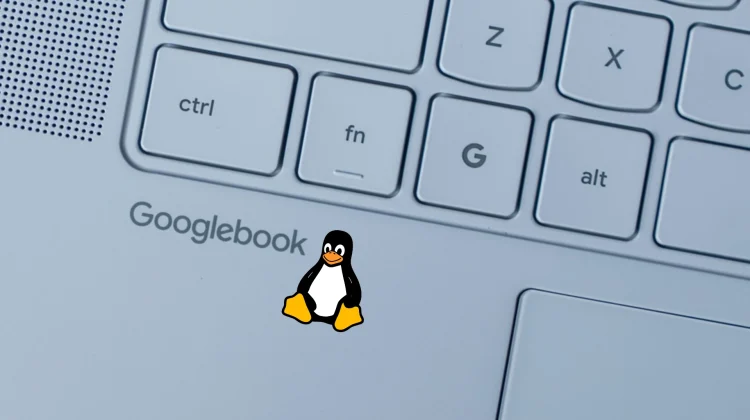
If you have spent any time digging through the app drawer on your new Googlebook, you have likely already spotted the pre-installed Linux Terminal. A robust Linux environment has long been a staple for ChromeOS power users, and Google clearly made it a priority to have that terminal ready on day one for Googlebook OS.
But while the app is already sitting on your device, Google took to the Android Developers Blog yesterday to officially detail exactly how this Debian-backed Virtual Machine (VM) operates under the hood. More importantly, they revealed a massive roadmap of highly anticipated features coming to the terminal in the near future.
What is actually under the hood right now
Google is officially calling the current pre-installed iteration the “Googlebook Linux Terminal Preview.” Because agentic AI workflows (like Google’s own Antigravity tool) often need to install packages, write files, and execute command-line tasks, this terminal runs entirely inside an isolated, defense-in-depth sandbox.
This setup allows you to grant administrator (sudo) privileges to scripts and developer tools without risking your core operating system or private files. Folders are only mounted with explicit permission, and a one-click VM reset lets you wipe the slate clean while retaining your host files.
Out of the box, it is already a highly capable tool. It features automatic localhost port forwarding, integrates your Linux files seamlessly into the native Googlebook Files app, and supports standard developer runtimes like Node.js, Python, Ruby, Go, and Rust.
The roadmap: GUI apps, GPU acceleration, and more
While the current terminal is excellent for the command line and rapid prototyping, Google’s roadmap proves they are building Googlebook OS to be a primary machine for serious development and local AI workloads. Here is what Google confirmed is actively in the works for the Linux VM on Googlebook:
- Linux GUI App Support: You won’t be limited to the command line forever. Google is working on full Linux GUI app support that will integrate directly into the Googlebook app launcher.
- Hardware Acceleration: Support for GPU and NPU hardware acceleration is coming, allowing the Linux environment to leverage dedicated hardware for heavier, more demanding local workloads.
- USB Passthrough & ADB: Support for ADB over USB and USB passthrough will soon enable local device debugging directly from the VM.
- Dynamic Scaling: To make handling complex tasks more seamless, Google is adding dynamic memory and storage scaling for the virtual machine.
- VM Persistence: Google plans to separate the VM from the terminal window, better supporting long-running background processes and demanding agentic workflows.
Having a sandboxed Linux environment pre-installed is a great starting point for Googlebook OS, but this roadmap takes things to an entirely different level. Full GUI app support and dedicated hardware acceleration will completely change what is possible on these laptops, and we will be keeping a close eye on these updates as they begin rolling out to the platform.
SUBSCRIBE TO UPSTREAM
Get Chrome Unboxed delivered straight to your inbox
Upstream is our flagship, curated newsletter with the top stories, most click-worthy deals, giveaways, and trending articles from Chrome Unboxed sent directly to your inbox a few times a week. Join 31,000+ subscribers.

