

Support our independent tech coverage. Chrome Unboxed is written by real people, for real people—not search algorithms. Join Chrome Unboxed Plus for just $2 a month to get an ad-free experience, access to our private Discord, and more. Learn more about membership here.
START FREE TRIAL (MONTHLY)START FREE TRIAL (ANNUAL)
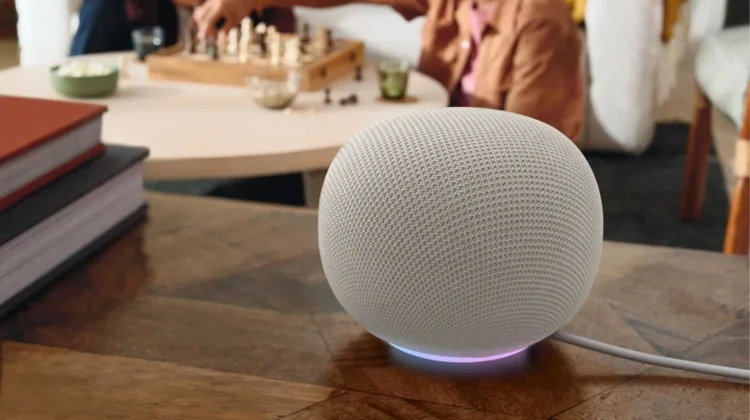
In conjunction with the newly-announced Google Home Speaker, Google’s smart home ecosystem is getting a massive mid-year intelligence boost. While Gemini has been steadily advancing across Google’s broader software landscape, the latest server-side update hitting the Google Home ecosystem proves the company is deeply focused on making the actual hardware around your house noticeably faster, more contextually aware, and more proactive.
According to the newly published Google Home Release Notes, a massive batch of upgrades is officially rolling out across the voice assistant, Nest camera AI arrays, and Nest climate hardware. If you operate a Google-powered smart home, here are the major user-facing changes landing on your devices right now.
A faster, more polite Gemini voice assistant
If you are enrolled in the Gemini for Home Early Access preview, your smart speakers and displays are picking up a collection of crucial conversational performance upgrades designed to cut down on daily friction:
- Fewer Accidental Triggers: Google has deployed improved local filtering to drastically reduce false starts and accidental hotword activations from background noise or television broadcasts.
- Instant Conversational Veto: When utilizing Continued Conversation, the assistant is now much more responsive to exit commands. Saying “Stop” or “No thanks” to a follow-up question will instantly silence the speaker.
- Accelerated Media & Utility Responses: Simple tasks like setting alarms, setting timers, or managing grocery lists have been heavily optimized for speed. Additionally, media handoffs to Spotify and YouTube will launch your liked tracks and playlists noticeably faster.
- Gemini for the Whole Family: The Gemini for Home voice assistant layout is expanding its guardrails, officially opening up availability to child accounts across all supported countries and languages.
Camera AI can now “hear” what is happening
For homes equipped with a Google Home Premium Advanced plan, the local video processing engine is picking up a massive secondary sensory layer.
Historically, Nest cameras generated text-based event descriptions based entirely on visual cues (e.g., “A person was spotted”). The new update introduces advanced audio analysis directly into Event Descriptions. The AI can now identify specific physical sounds such as a dog barking, heavy footsteps, or a home alarm going off and bake those details straight into the activity log, even if the action occurs completely off-camera. This structural change allows you to use the “Ask Home” search tool for highly specific historical queries, like asking your app, “Did the dog bark during the delivery this morning?”
Additionally, Familiar Face Detection is receiving a major consistency overhaul. To reduce missed or incorrect identifications, the system will now automatically curate your library to prioritize the clearest, most recent angles of family members. Even more impressive, the algorithm can now leverage secondary contextual signals, like a person’s clothing, to accurately identify a family member even when their face is temporarily obscured from the lens.
Nest Thermostats pick up HVAC system health checks
Except for the legacy 1st and 2nd generation models, your Google Nest Thermostat can now actively monitor the performance trends of your home’s infrastructure. If the system detects an operational anomaly with your heat pump or air conditioning compressor, it will instantly throw a System Health Alert on the thermostat display, inside the Home app, and via system notifications.
To take the friction out of an emergency breakdown, the alert panel includes a one-tap Nest Pro support button. If an error triggers, you can tap directly on the phone numbers or email addresses embedded within the notification to instantly contact your certified HVAC installer before your living room becomes physically uncomfortable.
Cleaned up Matter controls and faster app response
Rounding out the update is Google Home App version 4.20, which brings a handful of layout optimizations to the mobile dashboard.
For users investing heavily in the Matter smart home standard, multi-button Matter Switches are finally being cleaned up. Instead of cluttering your room view with multiple individual tiles, multi-button layouts are now consolidated into a single, unified device tile. Tapping it opens a clean, centralized workspace to configure actions for every individual physical button.
On the performance front, Android users should notice significantly faster camera event loading times and snappier group color controls for smart lighting. If you are on iPhone or iPad, scrolling through your historical camera timeline is now entirely continuous. This means video clips and historical scrubbing will load seamlessly as you scroll without forcing you to pause and wait for a loading spinner.
According to Google, the whole feature suite is rolling out incrementally over the next couple of weeks. Make sure your Google Home applications are fully updated to the latest builds via the Play Store or App Store to check out the new dashboard utilities as they arrive.
SUBSCRIBE TO UPSTREAM
Get Chrome Unboxed delivered straight to your inbox
Upstream is our flagship, curated newsletter with the top stories, most click-worthy deals, giveaways, and trending articles from Chrome Unboxed sent directly to your inbox a few times a week. Join 31,000+ subscribers.

