

Support our independent tech coverage. Chrome Unboxed is written by real people, for real people—not search algorithms. Join Chrome Unboxed Plus for just $2 a month to get an ad-free experience, access to our private Discord, and more. Learn more about membership here.
START FREE TRIAL (MONTHLY)START FREE TRIAL (ANNUAL)
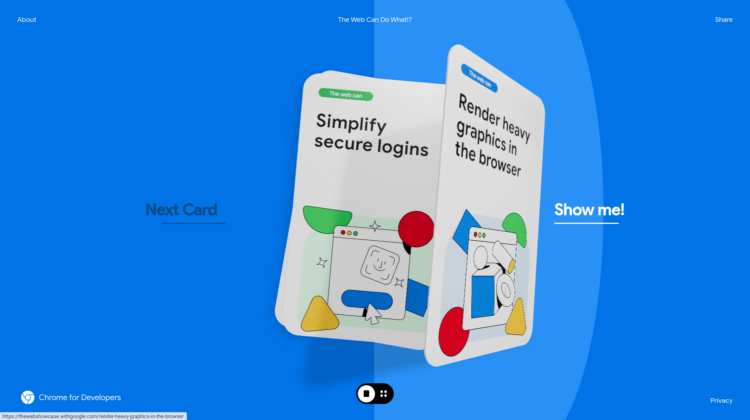
On a new site Google has built to showcase the ever-growing power of the web – playfully titled “The Web Can Do What!?” – Google has assembled a wide variety of explainers and examples of the prowess of the modern web. Not only does the site do a great job explaining why the web has grown in capabilities, it is a beautiful example of these abilities in action as well.
Amazing navigation and transitions
As a front-end web developer, I’m flabbergasted by what Google has created, here. This is no ordinary website and almost cannot be classified as such. Sure, it lives on a URL, but that is about the only thing that makes the entire thing feel like it even belongs in a web browser. Seriously, this site makes my skills look like a kid building a Lego car and comparing that to a full-blown Tesla Model Y production line. Not in the same universe of execution.
With transitions from each section to the next and beautiful navigation options that animate in and out, this website alone is an absolute masterclass in what the modern web is actually capable of. But reading a bit more in the sections of the site, you start to understand a bit more about why this site is so gorgeous and capable: the web has become a robust platform to handle damn near any task at hand that a native app could do.
The latest web capabilities to build dynamic, powerful applications
From WebAssembly’s ability to run languages in the browser other than JavaScript to local file access to app-like navigation, Google uses this new site to make a clear case that developing robust applications for web deployment isn’t just a good idea; it has tons of advantages.
While web-based apps used to be held back by graphic incapability, lack of animations, and file accessibility limitations, none of those things are the case any longer. With the capabilities Google is touting on this new site and WebAssembly’s ability to compile and run non-JS code in the browser, developers can even continue using code they’ve worked on long before the web was a viable place to deploy.
It’s all here, and we’re seeing more and more big companies take advantage. With the launch of Chromebook Plus, Adobe finally got with the times and launched an impressive Photoshop on the web application that – like any web-based app – lives on a URL and performs as if it doesn’t. Other companies like TikTok are building great and powerful tools on the web to complement their businesses, and its more and more clear every day why.
The open web is the best app distribution platform
The web is an open platform that gets around the idea of building the same application multiple times for multiple targets. With the power of what can be done in a modern browser, why wouldn’t developers look to build for this one target that can be utilized everywhere? Why would you spend all the resources to maintain multiple code sets for multiple platforms?
The answer? Old-school thinking. So many people still want and expect to get their apps from a store of some sort. They want to go to Google Play, click install, and have that application locally stored. The thing is, the web can do all of that now, too. There are plenty of apps that install via PWA (progressive web app) on Chromebooks when you get them via the Play Store.
And for a while, maybe that will be necessary. Maybe app developers wanting to leverage the web as their platform will still have to play the game of putting their PWA in a store of some sort, but I’m hopeful that mentality will one day fade away. There are so many great services on the web and so many ways to access them that it is a bit of a travesty that people miss out on them simply because they don’t know better.
Google taking the time to show off what the web can do helps make this reality something we can hopefully look back on with some level of amusement in the future. As it grows in capability, the web could eventually be the place where applications reside and where people go inherently to find them. It will only make for better services with more attention to detail and easier delivery mechanisms, and I think in a world split into blue and green bubbles, we would all like to see more of that.
SUBSCRIBE TO UPSTREAM
Get Chrome Unboxed delivered straight to your inbox
Upstream is our flagship, curated newsletter with the top stories, most click-worthy deals, giveaways, and trending articles from Chrome Unboxed sent directly to your inbox a few times a week. Join 31,000+ subscribers.

