

Support our independent tech coverage. Chrome Unboxed is written by real people, for real people—not search algorithms. Join Chrome Unboxed Plus for just $2 a month to get an ad-free experience, access to our private Discord, and more. Learn more about membership here.
START FREE TRIAL (MONTHLY)START FREE TRIAL (ANNUAL)
Tracking the stock market can often feel like trying to drink from a firehose. Between parsing complex corporate earnings reports, keeping tabs on shifting asset allocations, and monitoring macro economic indicators, managing a personal investment portfolio requires a lot of heavy lifting.
Google has been working to take the friction out of that process, and its financial tracking platform is officially ready for primetime.
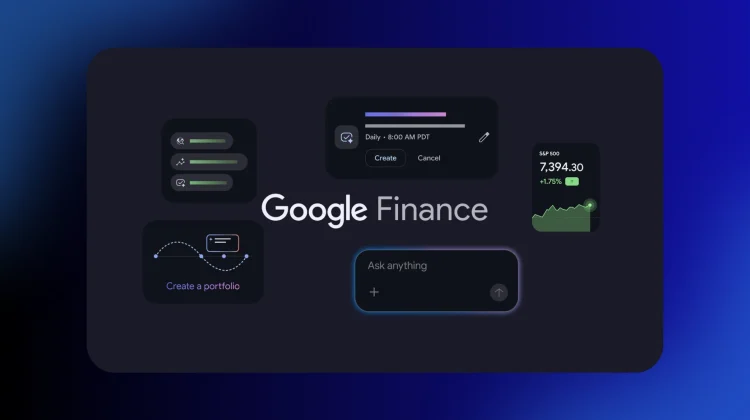
According to a new announcement on The Keyword, Google Finance is officially graduated out of its beta phase, rolling out powerful new AI insights, customizable market intelligence tasks, and a dedicated native app for Android users.
Smarter investment portfolios with document parsing
The most impressive upgrade hitting the desktop experience is a complete overhaul to how you build and analyze your investment portfolios.
Instead of forcing you to manually type in every single historical trade, ticker symbol, and purchase price, the updated platform lets you kick off your setup using local documents. You can now simply upload PDFs, CSV spreadsheets, or even drop in basic screenshots of your existing brokerage holdings, and Google Finance will automatically parse the data to construct your dashboard. You can even just describe your investments in plain English to get the ball rolling.
Once your portfolio is live, Google is embedding a specialized research panel directly into your dashboard. You can treat the interface like a personal financial consultant, asking conversational questions such as:
- What sectors are currently underrepresented in my portfolio?
- How does my fixed income allocation impact my long-term growth potential?
Custom market intelligence tasks running in the background
To help you stay ahead of volatile market shifts without checking your browser every ten minutes, Google Finance is introducing automated, schedule-based briefings.
Users can now instruct the platform to handle specific research workflows on a custom timeline. For example, you can give the system a prompt like, “Send me a daily pre-market briefing analyzing significant overnight moves across major cryptocurrencies,” or tie the briefing parameters directly to your personal watchlist.
Once configured, Google Finance tracks the shifts in the background and pushes a compiled, custom brief straight to your phone via native notifications on the Google app for Android and iOS.
A dedicated home for your pocket viewport
Rounding out the launch is the official debut of the brand-new Google Finance app for Android. While the platform has lived as a web-only experience for years, the new mobile app provides a fast, dedicated space to check your real-time watchlists, stream a live financial news feed, and access AI-powered “key moments” that instantly explain exactly why a specific stock is swinging.
Google notes that over the coming months, the engineering team will be moving the rest of the flagship web features (including live earnings call streams and the new document-parsing portfolio tools) straight into the mobile application. An iOS version of the app is also actively in development and slated to launch later this year.
The upgraded web dashboard and the Android app are officially rolling out globally starting today. If you want to clean up your investment workflow, head over to the Play Store to grab the app or check out the new interface on the web.
SUBSCRIBE TO UPSTREAM
Get Chrome Unboxed delivered straight to your inbox
Upstream is our flagship, curated newsletter with the top stories, most click-worthy deals, giveaways, and trending articles from Chrome Unboxed sent directly to your inbox a few times a week. Join 31,000+ subscribers.

