

Support our independent tech coverage. Chrome Unboxed is written by real people, for real people—not search algorithms. Join Chrome Unboxed Plus for just $2 a month to get an ad-free experience, access to our private Discord, and more. Learn more about membership here.
START FREE TRIAL (MONTHLY)START FREE TRIAL (ANNUAL)
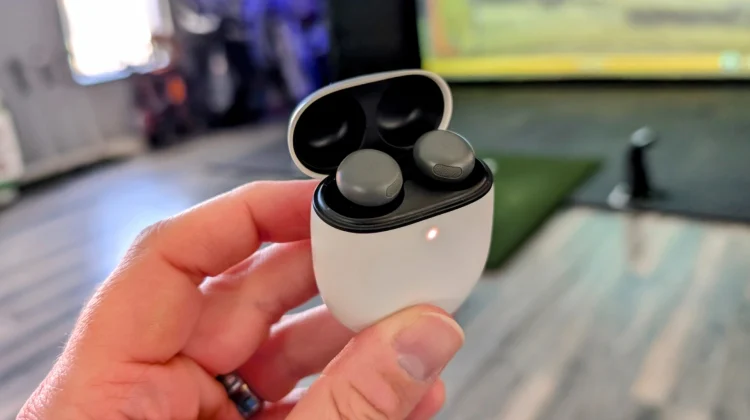
Google has recently provided a pretty thorough breakdown of how to clean a very specific portion of the Pixel Buds Pro 2: the often-overlooked “rear vent mesh.” This isn’t about cleaning the visible mesh around the ‘G’ logo; instead it’s about the mesh located on the top of each earbud near the area that faces inward when worn.
Google says the accumulation of earwax, dirt, dust, and other debris in this area, as well as the small opening on the outer part of each earbud can significantly degrade audio quality. Google’s cleaning guidance should (in theory) address some audio issues and unwanted noise that some users have apparently experienced.
The prescribed cleaning procedure involves a few key items: an extra-soft toothbrush, two separate cups, and micellar water. Micellar water, known for its ability to attract both water and oily substances, is commonly used for makeup removal and is readily available online or at local retailers. Here’s a breakdown of Google’s recommended steps:
- Preparation: Fill one cup with regular water and the other with micellar water, using just enough liquid to dip the toothbrush.
- Micellar Application: Dip the toothbrush into the micellar water, ensuring the bristles are fully saturated.
- Initial Cleaning: Holding an earbud, gently brush the rear vent mesh in a deep, circular motion for approximately 15 seconds.
- Drying: Blot the earbud on a paper towel to remove excess moisture from the mesh. Repeat steps 2 and 3 twice for thorough cleaning.
- Rinsing: Dip the toothbrush in micellar water, then rinse it in the regular water cup. Swirl the brush to remove any residual earwax.
- Final Clean: Brush the mesh once more with deep, circular motions for 15 seconds.
- Final Drying: Blot the earbud on a paper towel and allow it to air dry for up to two hours to ensure complete dryness.
Google emphasizes the importance of avoiding Q-tips, detergents, sprays, or alcohol. These alternatives can leave residue and potentially push debris further into the mesh. Additionally, cleaning should not be performed while the earbuds are charging.
Notably, these instructions are also applicable for deep cleaning the other mesh areas on the outer parts of the Pixel Buds Pro 2 as well as the mesh behind the ear tip as well. So, if you inspect your earbuds and see a bit of build up in any of those areas, follow Google’s steps and you may find a noticeable uptick in your sound quality afterwards.
VIA: 9to5 Google
SUBSCRIBE TO UPSTREAM
Get Chrome Unboxed delivered straight to your inbox
Upstream is our flagship, curated newsletter with the top stories, most click-worthy deals, giveaways, and trending articles from Chrome Unboxed sent directly to your inbox a few times a week. Join 31,000+ subscribers.

