


Support our independent tech coverage. Chrome Unboxed is written by real people, for real people—not search algorithms. Join Chrome Unboxed Plus for just $2 a month to get an ad-free experience, access to our private Discord, and more. Learn more about membership here.
START FREE TRIAL (MONTHLY)START FREE TRIAL (ANNUAL)
While browsing Discover on your Android device, you can tap the heart icon on an article to let Google know you’re interested in receiving similar content in the future based on either the source or the topic contained therein. It’s a welcome feature for anyone who is accustomed to scrolling through Instagram, TikTok, or even Facebook, but something new has been added that potentially points to the company’s future plans for its services.
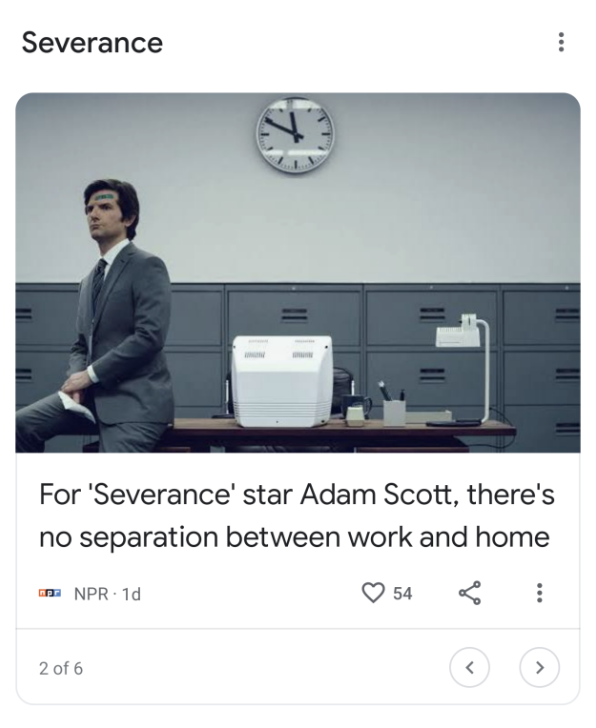
Discovered by Kyle Bradshaw of 9to5Google, a new limited test shows a “like count” next to the heart icon on a Discover article, and this one small change has larger implications than you may initially realize. Most users aren’t really aware that after the downfall of Google+, Google’s social “spine”, the tech giant didn’t actually give up on social. Instead, it took what it learned from Plus and began secretly weaving more social and collaborative features throughout services.
For example, Google Chat Spaces are mini topic-based social spheres within a company, almost like an intranet, Google Photos has photo likes and comments, you can share Google News articles direct with other Google News accounts, and even see your shared activity (no commenting yet), Google Collections are collaborative, Maps has “Updates” which include likes and comments, Stadia has a social wall for in-game screenshots and content, and man, oh, man, I could keep going on.
All of this to say, that one of the reasons Google stopped trying to build up Google+ and instead opted for integrating social aspects into its core services is that the new social media has nothing to do with a “feed”, or a “wall”, so to speak. Such features invite spam and truly, the flood of irrelevant information you get bombarded with is a thing of the past when you consider the tight-knit “circles” of individuals you share things with in your life when you tap the “share” icon on Google services.
Actually, this was the basic idea behind Google+ Circles at their inception. Instead of actively managing circles and who’s in them through the ill-fated social network, you now naturally curate content and collaborate or share with those you care most about, almost by second nature. You know who’s important to you, who in your life will be interested in that specific recipe, image, or video, and you don’t need software to tell you, right?
In this regard, Google’s efforts to subtly infuse all aspects of itself with social features have become a truer social “spine” than Google+ ever could have hoped to be. It’s my opinion that the company has a larger bid to dominate the social space, but not in the traditional sense.
Like counts on Discover articles revitalize my excitement for these efforts, and I hope to see more social features come to Google services we hadn’t yet considered would benefit from them. The best part is that it’s the social network that is ever-present, but that you aren’t required to use, and it can’t die as a result, because the focus is on the content and the people – the “Google”, and not the social identity, or the “Plus”.
SUBSCRIBE TO UPSTREAM
Get Chrome Unboxed delivered straight to your inbox
Upstream is our flagship, curated newsletter with the top stories, most click-worthy deals, giveaways, and trending articles from Chrome Unboxed sent directly to your inbox a few times a week. Join 31,000+ subscribers.

