
• Skip to main content
  • Skip to primary sidebar
  • Deals
  • Features
  • Guides
  • Chromebooks
  • Videos
  • Podcast
  • More +
    • Reviews
    • Unboxing
    • Upcoming Devices
    • Chromebook Plus
    • Chrome
    • ChromeOS
    • Chrome OS Flex
  • Search
  • Sign Up
  • Log In
Chrome Unboxed – The Latest Chrome OS News

Chrome Unboxed - The Latest Chrome OS News

A Space for All Things Chrome, Google, and More!

  • Deals
  • Features
  • Guides
  • Chromebooks
  • Videos
  • Podcast
  • More +
    • Reviews
    • Unboxing
    • Upcoming Devices
    • Chromebook Plus
    • Chrome
    • ChromeOS
    • Chrome OS Flex
  • Search
  • Sign Up
  • Log In

Google removes Chrome’s handy ‘Click to Call’ feature for some reason

September 1, 2023 By Robby Payne View Comments

Support our independent tech coverage. Chrome Unboxed is written by real people, for real people—not search algorithms. Join Chrome Unboxed Plus for just $2 a month to get an ad-free experience, access to our private Discord, and more. Learn more about membership here.
START FREE TRIAL (MONTHLY)START FREE TRIAL (ANNUAL)

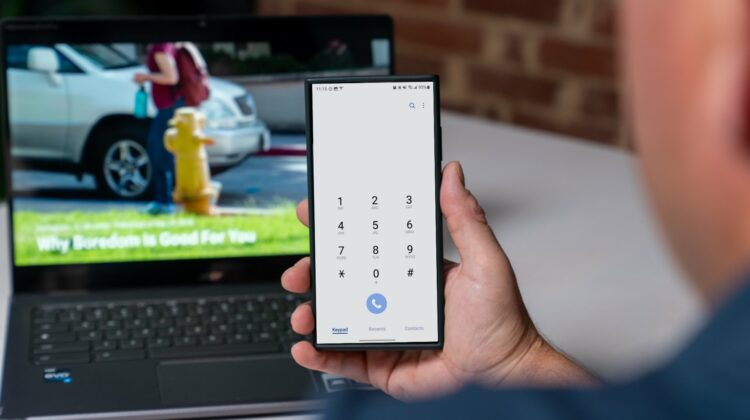
For years, Google Chrome’s Click to Call feature has been a convenient tool for users juggling between their desktop and smartphone. With a simple right-click, the feature allowed users to send a phone number from their desktop browser to their smartphone and quickly place a call. But in a bit of a surprising move, we’ve learned (via 9to5 Google) that Google has now completely removed this feature. While not something I used all the time, it was handy when needed and I think we’re all a bit curious as to why it is now gone.

A slow and quiet exit

Earlier this year, Google began the process of phasing out the Click to Call feature by pushing it behind a flag that had to be manually enabled, as documented on the Chromium bug tracker. No announcements were made and no clarification was given for the move.

Xremove ads

By May, the feature was disabled by default, and now, with the release of Chrome 116, it has been removed entirely. As Artem Russavowski highlighted on X/Twitter, the chrome://flags/#click-to-call flag has been taken away, completely removing the feature in its entirety.

chrome://flags/#click-to-call doesn't exist anymore in Chrome 116 stable, so there's no way to re-enable this feature.

— Artem Russakovskii (@ArtemR) August 30, 2023

The removal of Click to call has caused a bit of a stir within the user community with many asking for it to be reintroduced: prompting a member of the Chromium team to comment that discussions will be had about “whether we can continue to support the feature.”

Featured Videos

Xremove ads
via the Chromium Bug Tracker

Though Google cites “low use” as the apparent reason for the removal, it’s worth noting that even niche features can be indispensable for certain users and certain workflows. Click to Call was especially useful for people who often switch between their desktop and mobile devices and want a seamless way to initiate calls. Its removal, without notice, disrupts this workflow and leaves many users searching for alternative methods.

While it’s unfortunate to see the removal of Click to Call, users aren’t entirely out of options. Third-party applications and browser extensions may provide similar functionality, though they may not offer the same level of integration and ease of use that Click to Call once did. And whether or not it will make a comeback or not is tough to say at this point, but its encouraging to see that Google isn’t 100% saying no for now.

SUBSCRIBE TO UPSTREAM

Get Chrome Unboxed delivered straight to your inbox

Upstream is our flagship, curated newsletter with the top stories, most click-worthy deals, giveaways, and trending articles from Chrome Unboxed sent directly to your inbox a few times a week. Join 31,000+ subscribers.

Xremove ads
SUBSCRIBE HERE!

Filed Under: Chrome

About Robby Payne

As the founder of Chrome Unboxed, Robby has been reviewing Chromebooks for over a decade. His passion for ChromeOS and the devices it runs on drives his relentless pursuit to find the best Chromebooks, best services, and best tips for those looking to adopt ChromeOS and those who've already made the switch.

Primary Sidebar

Xremove ads

Deals

The best Chromebook deals today

By Robby Payne
April 20, 2026

Deal Alert: the excellent Lenovo Chromebook Plus 2-in-1 returns to $429

By Robby Payne
April 20, 2026

Lenovo Legion Tab Gen 3 drops to $399, ahead of the much pricier Gen 5 release

By Joseph Humphrey
April 18, 2026

How to get 50% off YouTube Premium for a full year with Google One

By Robby Payne
April 16, 2026

The Pixel 10a just dropped to $449, but here’s why you should buy the Pixel 10 instead

By Joseph Humphrey
April 13, 2026

More Deals

Xremove ads

Reviews

Acer Chromebook Plus Spin 514 Review: Kompanio Ultra power in a convertible

By Robby Payne
December 24, 2025

My review after 6 weeks with the Lenovo Chromebook Plus 14 [VIDEO]

By Robby Payne
August 11, 2025

One week with the best small Android tablet you can buy, and I’m sold

By Robby Payne
May 9, 2025

Best Chromebooks of 2024 [VIDEO]

By Robby Payne
November 28, 2024

Samsung Galaxy Chromebook Plus Review: Samsung is back! [VIDEO]

By Robby Payne
October 28, 2024

More Reviews

Xremove ads

Guides

This Chromebook trackpad shortcut is definitely not new, but is blowing my mind

By Robby Payne
March 11, 2024

How to reduce broadcast delay on YouTube TV to stop live spoilers

By Robby Payne
December 8, 2023

Windows PC keyboard and Chromebook

How to use a Windows keyboard with a Chromebook

By Joseph Humphrey
December 8, 2023

How reset and revert your Chromebook to the previous version of Chrome OS

By Robby Payne
November 29, 2023

My Chromebook Plus features disappeared: here’s how I fixed it

By Robby Payne
November 24, 2023

More Guides

TWITTER · FACEBOOK · INSTAGRAM · YOUTUBE · EMAIL · ABOUT

Copyright © 2026 · Chrome Unboxed · Chrome is a registered trademark of Google Inc.
We are participants in various affiliate advertising programs designed to provide a means for us to earn fees by linking to affiliated sites.

PRIVACY POLICY