


Support our independent tech coverage. Chrome Unboxed is written by real people, for real people—not search algorithms. Join Chrome Unboxed Plus for just $2 a month to get an ad-free experience, access to our private Discord, and more. Learn more about membership here.
START FREE TRIAL (MONTHLY)START FREE TRIAL (ANNUAL)
Google Chat is introducing a range of new features to enhance you and your organization’s experience. These updates aim to help you reply faster to messages on the go, in meetings or when you’re just super busy and to help you express yourself in new and appropriate ways. To be clear, we’ve already covered many of these in the past as they were first rumored, but it’s great to see they are now “coming soon”.
First up is Smart Compose. Many of you will already be familiar with this thanks to its inclusion in Google Messages and other applications, but it allows you to quickly craft responses with machine learning and AI suggestions (English, Spanish, Portuguese, French, and Italian). This feature saves you time and reduces typing effort by providing relevant phrases and complete sentences as you type. Whether you’re replying to a colleague’s question or engaging in a group discussion, Smart Compose will make responses swift and easy – all you have to do is hit the ‘Tab’ key!
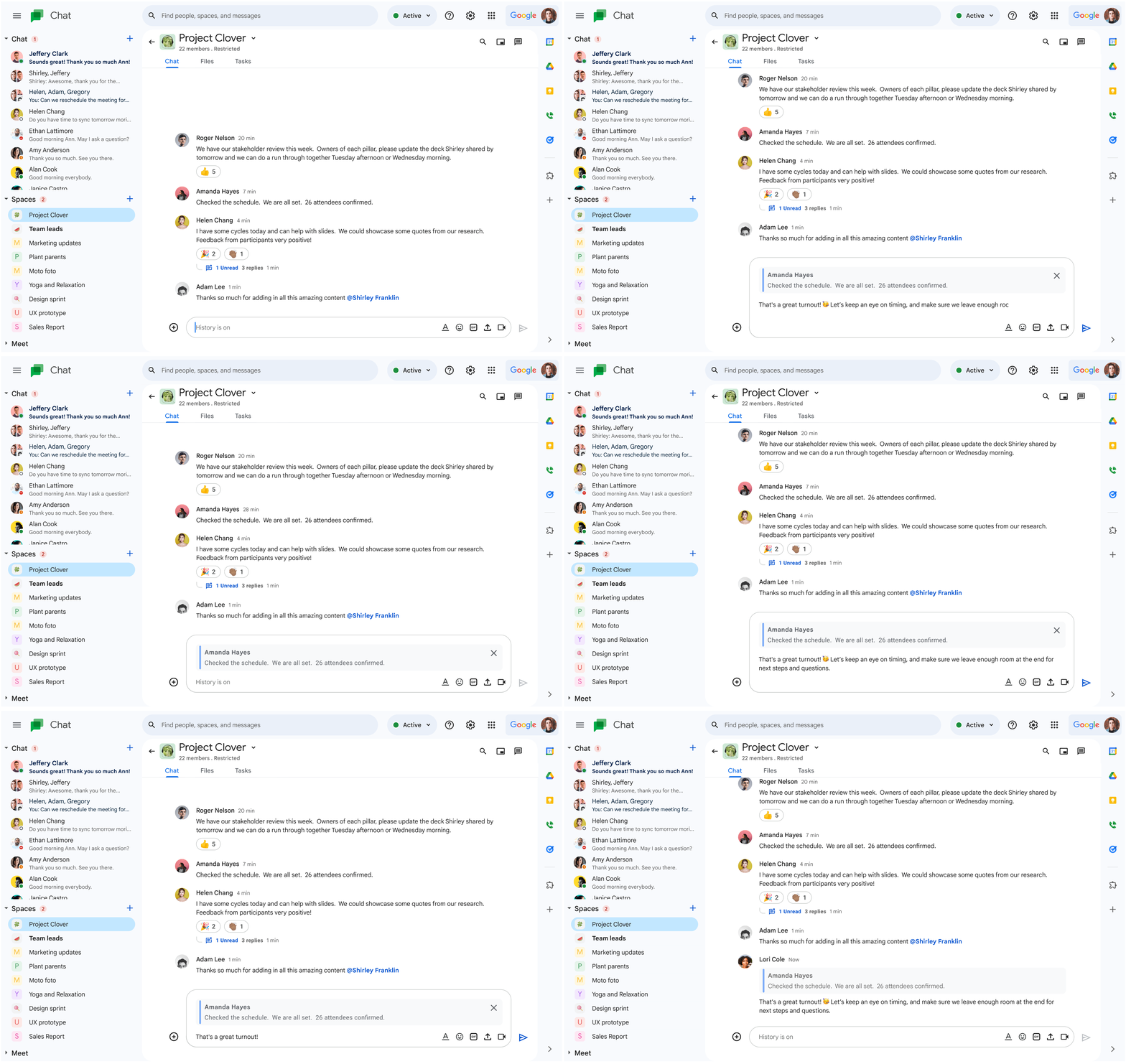
In group chats, it’s often essential to respond to a specific message to provide context or address a particular point. Obviously, Discord and other popular apps have had this since, well, almost forever, but now Google Chat is giving it to free users in group chats. Soon, you’ll be able to respond directly to a specific message to help others with context when conversations get a bit wild and nuanced with Quoted replies.
Keeping track of who has read your messages in a group chat is something most of us have come to accept as a feature that just exists. Since it’s been absent in Chat for so long, it’s felt kind of strange as an outlier. Now, Chat is getting this too, and will show profile pictures of anyone who has seen your message just below it. This can really help you make sure your employees or students are engaging with your messages and are attentive to what you’re saying.
Oh, and my most requested feature – directly linking to any Chat message – is finally coming too! This eliminates the need to scroll through lengthy threads, making information sharing more efficient and enabling focused discussions. It simplifies collaboration and ensures that recipients can access the relevant content without any hassle – something people I’m trying to onboard to Chat often complain about, especially with the Chat thread jumping bug that still exists). Of course, you’ll still need to have appropriate Space or Chat permissions to use the link, and you can’t just send the URL to anyone!
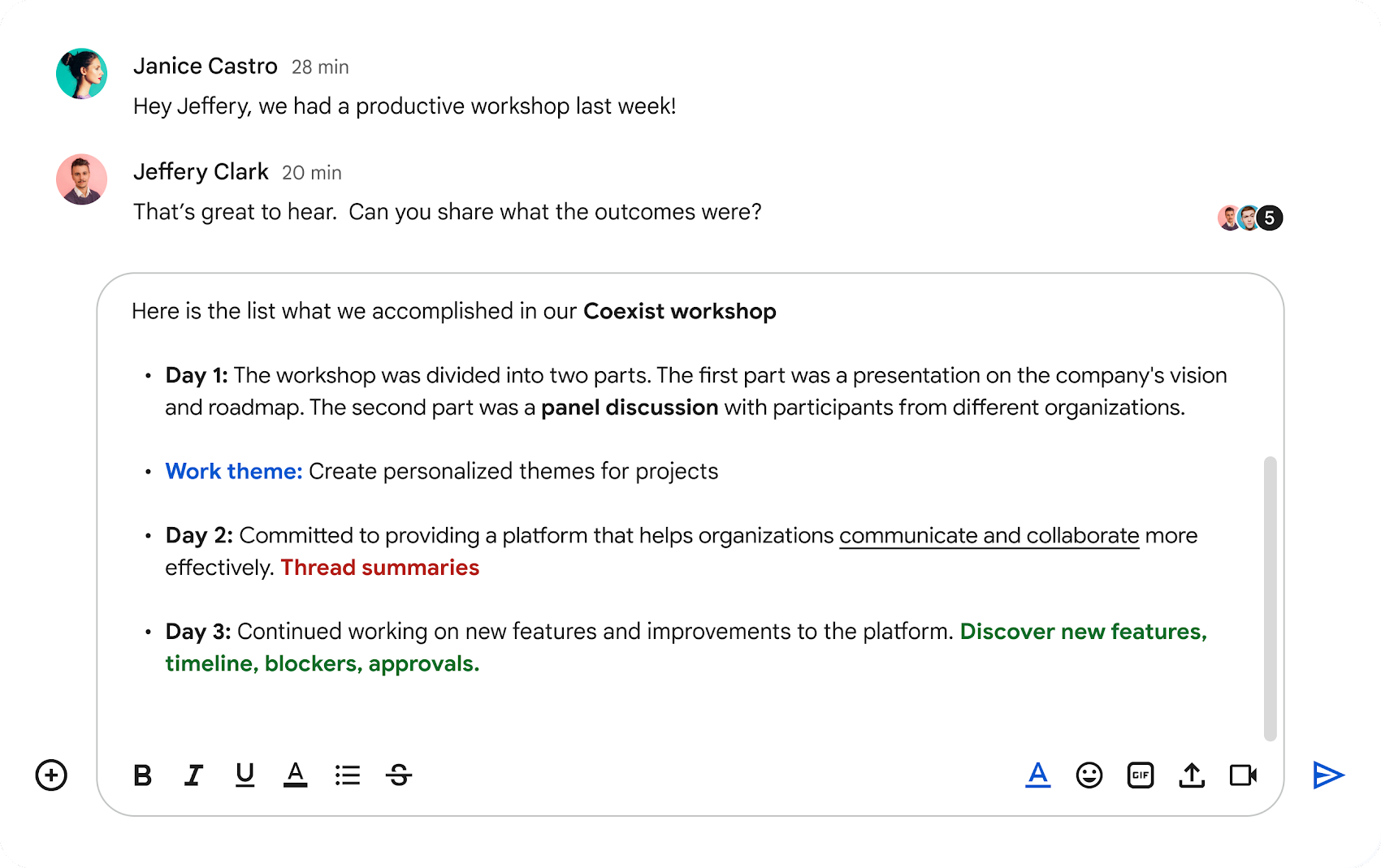
Additionally, Rich text formatting is on its way for messages. You’ll be able to apply bold, italics, underlines, bullet points, and more to your messages right from the compose box. Emphasizing key points, better structuring your messages, and making them more visually appealing and more legible or accessible could even save you from having to use Gmail to send out vital information.
Lastly, as we’ve spoken about in the past, Quick Reply emoji will also be rolling out at long last, giving you a one-tap solution for giving feedback to messages without having to type something out or pop open the emoji picker. Oh, and more GIFs are also becoming available, whether you like it or not. I’ve spoken to many a Chat user who says that if they allow their teams to use GIFs, all hell would break loose, but having them available for more casual interactions seems like a win.
SUBSCRIBE TO UPSTREAM
Get Chrome Unboxed delivered straight to your inbox
Upstream is our flagship, curated newsletter with the top stories, most click-worthy deals, giveaways, and trending articles from Chrome Unboxed sent directly to your inbox a few times a week. Join 31,000+ subscribers.

