

Support our independent tech coverage. Chrome Unboxed is written by real people, for real people—not search algorithms. Join Chrome Unboxed Plus for just $2 a month to get an ad-free experience, access to our private Discord, and more. Learn more about membership here.
START FREE TRIAL (MONTHLY)START FREE TRIAL (ANNUAL)
Google Assistant is becoming increasingly useful in our lives, seemingly by the day. Not only can it book appointments for with through Duplex while sounding completely human, but it can also perform Voice Commands inside of your Android apps and this is a big deal for many reasons. You can now open and search directly within your apps just by saying “Hey Google” on Assistant-enabled Android phones in order to make every day tasks easier.

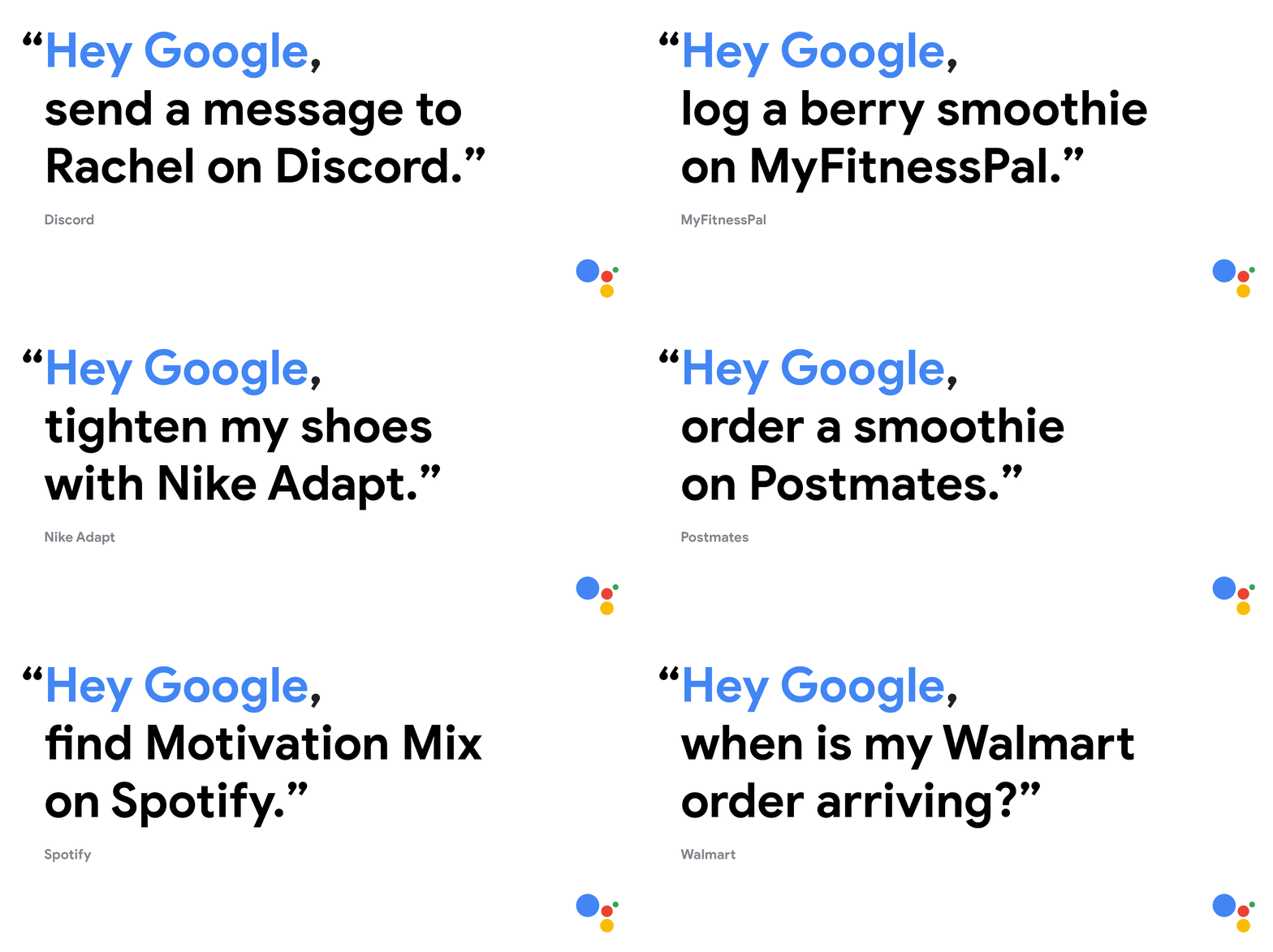
Some examples of voice commands include searching for a specific product inside of the Etsy app or finding a contact on social media – “Hey Google, open Chrome Unboxed on twitter” comes to mind. You can do a lot more than just searching for people and things though – so long as an app developer enables it, you’ll be able to perform common tasks like posting directly to social media, ordering food, summoning an Uber or sending someone that five dollars you owe them using Google Pay, entirely by voice. These are just some things we have in mind for what could be possible, though these were not mentioned specifically. Google did, however, confirm that over 30 (English only) apps would be integrating voice commands immediately with the promise of many more to come. Some of them include Discord, Etsy, Twitter, Walmart, eBay, Nike Run Club, Nike Adapt, Mint, MyFitnessPal, Wayfair, Postmates, Snapchat, and Spotify.
Searching within an app is nothing new as Google Maps has already had this feature for quite some time. Any time you activate the assistant button in Maps, which is a manual process compared to voice commands, any queries you make will be restricted to Google Map’s capabilities – navigating, playing music (shared with Youtube Music), and so on. Expanding voice commands to include tons of other apps really opens up the possibilities here. This leads us to our next bit of exciting news which is something I feel revolutionizes the way we interact with our phones – voice shortcuts.
Voice shortcuts will enable you to create your own phrase or ‘intent’ and tie it to a custom action within an app. You can already sort of do this with Google Assistant Routines, primarily on smart displays, if you create a custom phrase and only tie it to one action. Yes, I know that defeats the purpose of a routine as these are meant to be multi-layered, but it’s clever nonetheless. This is restricted to Assistant apps and does not work with highly specific data within Android Apps, though. Some of my favorite single action routines are “Hey Google, I need to relax” in order to launch Head Space, or “Hey Google, Let’s do this!” to start playing my workout playlist on Youtube Music while I start the treadmill. This new update would allow for vastly expanded functionality similar to this, but with a higher level of specificity using that app’s data stores. Once you create a few shortcuts, you can view and manage them by saying “Hey Google, show my shortcuts”
Using MyFitnessPal by voice to log what I ate is one instance where I can see voice commands bridging that gap between awesome features in apps and our ability to use them quickly and with ease. Another use case is the ability to check orders on the Walmart app by voice instead of having to stop what you’re doing, open the app and navigate to your orders – all of which could cost you a good handful of taps and time. If we one day have the ability to do things like clean up our Gmail inbox by mass deleting all unread emails from a specific spam contact, that would be pretty incredible. One thing is for certain though – as we begin to see more developers implement voice commands and voice shortcuts, the barrier between us and our data can dissipate, allowing us to speak with less mechanical formality in order to get things done.
SUBSCRIBE TO UPSTREAM
Get Chrome Unboxed delivered straight to your inbox
Upstream is our flagship, curated newsletter with the top stories, most click-worthy deals, giveaways, and trending articles from Chrome Unboxed sent directly to your inbox a few times a week. Join 31,000+ subscribers.

