
• Skip to main content
  • Skip to primary sidebar
  • Deals
  • Features
  • Guides
  • Chromebooks
  • Videos
  • Podcast
  • More +
    • Reviews
    • Unboxing
    • Upcoming Devices
    • Chromebook Plus
    • Chrome
    • ChromeOS
    • Chrome OS Flex
  • Search
  • Sign Up
  • Log In
Chrome Unboxed – The Latest Chrome OS News

Chrome Unboxed - The Latest Chrome OS News

A Space for All Things Chrome, Google, and More!

  • Deals
  • Features
  • Guides
  • Chromebooks
  • Videos
  • Podcast
  • More +
    • Reviews
    • Unboxing
    • Upcoming Devices
    • Chromebook Plus
    • Chrome
    • ChromeOS
    • Chrome OS Flex
  • Search
  • Sign Up
  • Log In

“Give A Little” With The Google Assistant’s New Donation Feature For Android And Google Home

January 1, 2019 By Gabriel Brangers View Comments

Support our independent tech coverage. Chrome Unboxed is written by real people, for real people—not search algorithms. Join Chrome Unboxed Plus for just $2 a month to get an ad-free experience, access to our private Discord, and more. Learn more about membership here.
START FREE TRIAL (MONTHLY)START FREE TRIAL (ANNUAL)

2019 has officially arrived. From the team here at Chrome Unboxed, we wish you a Happy New Year and hope that the year ahead will be a great one.

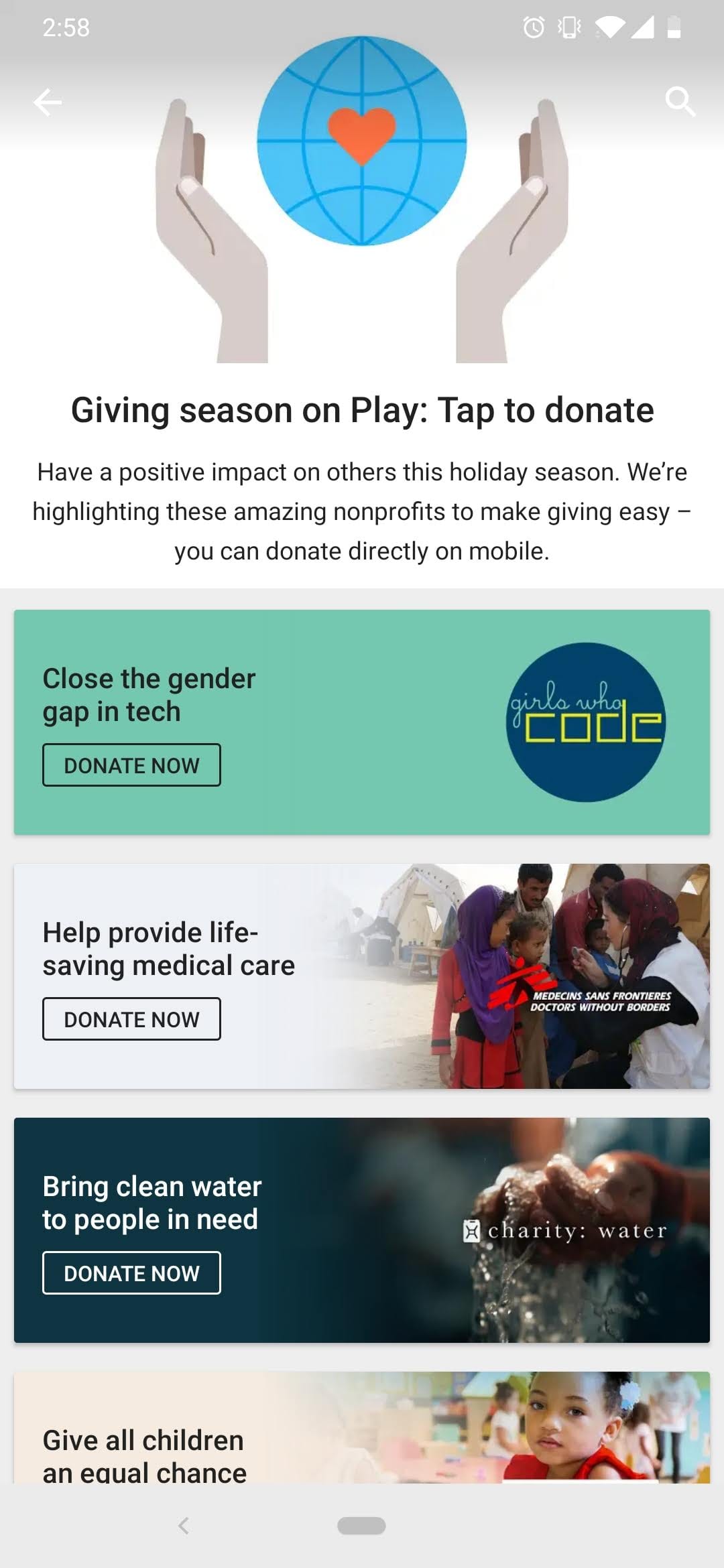
In the spirit of the holiday giving season, Google has made it even easier to donate to your favorite charity. A recent addition to the Google Play Store allows users to donate directly from their Android phone. As noted by 9to5Google, you can point your phone’s browser to play.google.com/donate and you’ll be greeted by a few non-profits that Google has highlighted in the Play Store app for users to give a charitable donation.
Xremove ads

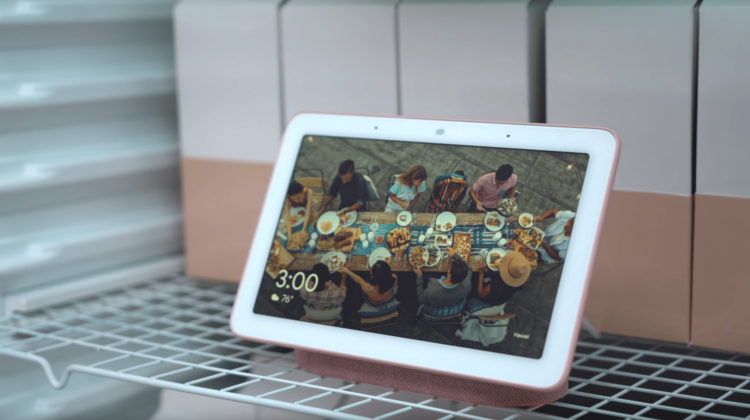
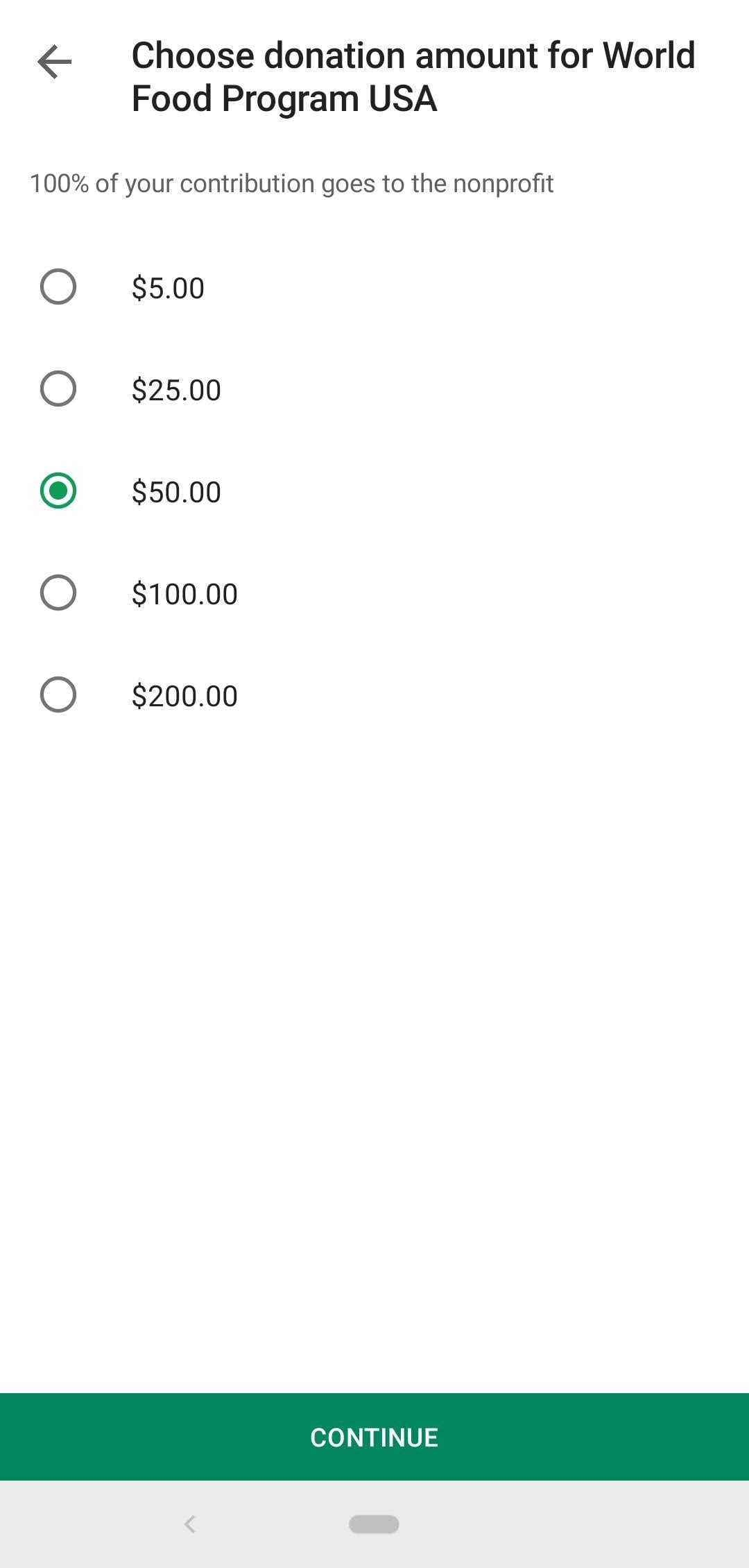
The donations come in set amounts ranging from $5-$200 but thanks to the Google Assistant, you can now make your donation to one of more than a million charities via the Network for Good donor platform. Simply say “Ok, Google. Make a donation” and the Assistant will ask you which non-profit you’d like to send it to.

The Assistant will give you a recommended amount based on other giver’s donations then you will be asked to confirm the amount and payment method that is linked to your Google account. If you do this on a smart display like the Google Home Hub, you have to confirm the payment on your Android device for security reasons.

Featured Videos

Xremove ads

Google isn’t handling the donations themselves. They are simply connecting users with the Network for Good (NFG) donation platform and accordingly, NFG will reflect on your payment and bank statement.

I tried this out a couple of times today and it works fairly well. The only real hiccup is the fact that many national and international non-profit organizations have so many arms around the world, I was asked multiple times to search further for the exact organization I wished to send a donation.

Still, this is a very simple method in which to give to your favorite charity.

Xremove ads

FYI, I tried this with the Assistant on my Acer Chromebook Spin 13 and no luck. Asking to “make a donation” simply directed me to a Google search. Oh, well. Work in progress.

Check Out Chrome Unboxed’s Top Picks On Amazon

Source: 9to5Google

Xremove ads

Filed Under: Apps, Google Assistant

About Gabriel Brangers

Lover of all things coffee. Foodie for life. Passionate drummer, hobby guitar player, Web designer and proud Army Veteran. I have come to drink coffee and tell the world of all things Chrome. "Whatever you do, Carpe the heck out of that Diem" - Roman poet, Horace. Slightly paraphrased.

Primary Sidebar

Xremove ads

Deals

The best Chromebook deals today

By Robby Payne
May 25, 2026

Save $300 as Acer’s Chromebook Plus Spin 714 returns to its all-time low price

By Robby Payne
May 21, 2026

Save $40 on the Google Pixel Watch 4 before the Spring Sale ends

By Joseph Humphrey
April 24, 2026

Deal Alert: the excellent Lenovo Chromebook Plus 2-in-1 returns to $429

By Robby Payne
April 20, 2026

Lenovo Legion Tab Gen 3 drops to $399, ahead of the much pricier Gen 5 release

By Joseph Humphrey
April 18, 2026

More Deals

Xremove ads

Reviews

Lenovo Chromebook Plus 2-in-1 Review: pretty great in a vacuum

By Robby Payne
April 23, 2026

Acer Chromebook Plus Spin 514 Review: Kompanio Ultra power in a convertible

By Robby Payne
December 24, 2025

My review after 6 weeks with the Lenovo Chromebook Plus 14 [VIDEO]

By Robby Payne
August 11, 2025

One week with the best small Android tablet you can buy, and I’m sold

By Robby Payne
May 9, 2025

Best Chromebooks of 2024 [VIDEO]

By Robby Payne
November 28, 2024

More Reviews

Xremove ads

Guides

This Chromebook trackpad shortcut is definitely not new, but is blowing my mind

By Robby Payne
March 11, 2024

How to reduce broadcast delay on YouTube TV to stop live spoilers

By Robby Payne
December 8, 2023

Windows PC keyboard and Chromebook

How to use a Windows keyboard with a Chromebook

By Joseph Humphrey
December 8, 2023

How reset and revert your Chromebook to the previous version of Chrome OS

By Robby Payne
November 29, 2023

My Chromebook Plus features disappeared: here’s how I fixed it

By Robby Payne
November 24, 2023

More Guides

TWITTER · FACEBOOK · INSTAGRAM · YOUTUBE · EMAIL · ABOUT

Copyright © 2026 · Chrome Unboxed · Chrome is a registered trademark of Google Inc.
We are participants in various affiliate advertising programs designed to provide a means for us to earn fees by linking to affiliated sites.

PRIVACY POLICY