

Support our independent tech coverage. Chrome Unboxed is written by real people, for real people—not search algorithms. Join Chrome Unboxed Plus for just $2 a month to get an ad-free experience, access to our private Discord, and more. Learn more about membership here.
START FREE TRIAL (MONTHLY)START FREE TRIAL (ANNUAL)
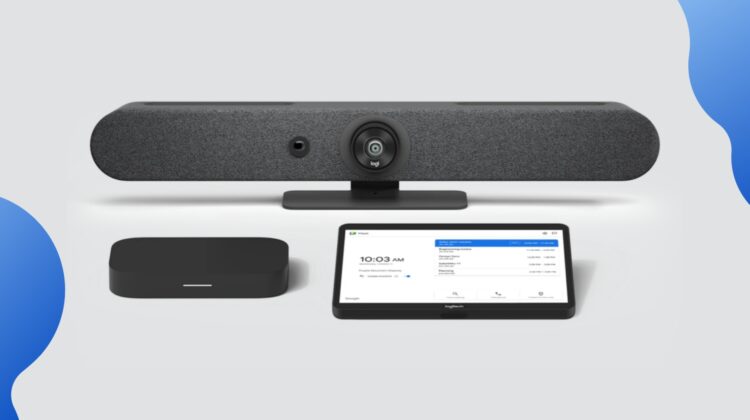
Over the past few years since hybrid work and video conferencing have become the norm, Google and a few select partners have been working to create solutions that make video calls more productive, collaborative, and, dare I say, even enjoyable. CTL has been one of these partners going back to 2020, and they are continuing to improve the computing side of things with a new, revamped Google Meet Compute System – the GQE20C. This device is the computing component for the Google Meet Rooms systems by Logitech and is here to make sure your meetings run smoothly, without technical difficulties.
Although it looks like a Chromebox, the GQE20C is a purpose-built device that runs Google Meet OS so no, you will not be able to go buy this and use it as your home computer. This is a computing device that is made to be easily set up for video conferencing and to power the cameras, controllers, and speakers in your conference room. It is built to run Google Meet flawlessly and based on the internals, it should have no problem doing exactly that.
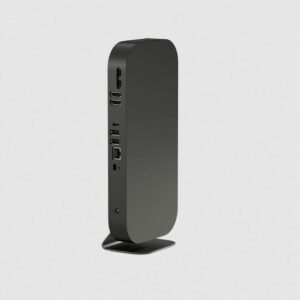


CTL has gone with a 13-gen Intel Core i5 (1335U) 10-core processor with Iris Xe graphics, 16GB of RAM, 256GB of storage, and dual HDMI to easily run multiple displays. The landing page also says this device is built with “rigorously tested, enterprise-grade production materials” and has on-device encryption so it should be both durable and secure. It also has multiple seating and mounting options to ensure versatility in any office setup. The design is simple and clean, with no branding or buttons, just one single LED light bar on the front.
CTL GQE20C Specifications
- Processor: Intel® Core™ i5-1335U Processor (10 Core)
- Frequency: Max Turbo 4.60 GHz
- Cache: 12 MB Intel® Smart Cache
- Memory: 16 GB LPDDR4X
- Storage: 256 GB SDD
- Graphics: Intel® Iris® Xe Graphics
- OS: Google Meet OS
- Dimensions: 11.5” (w) x 5.25” (d) x 1.13” (h)
- Weight: 2.2 lbs.
- Security: Kensington lock
- Rear I/O ports:2x USB-C, 2 HDMI, 2 USB 3.0, 1 Thunderbolt, Barrel Jack (Power)
- Wireless: Wi-Fi 6E (802.11 ax), Bluetooth 5.2
- Model: GQE20C
- SKU: CBXUS190020
- AUE: 2030

Paired with Logitech’s video conferencing hardware, you can take video conferencing to the next level. I was able to see a demo of some Logitech hardware at the MediaTek Executive Summit a few months ago and was impressed by the added features they are building out for video calls. They showed me one particular setup with Logitech Sight where the camera will zoom in on each person in the room so that the remote participants can see and hear everyone more clearly. And with options for multiple room sizes, you should be able to find the right solution for your business. The CTL GQE20C is the brain of these setups, powering the entire operation and allowing for all the peripherals to connect and work seamlessly.

As for pricing, this device is normally sold as part of a Logitech Google Meet Rooms kit, although a CTL representative said they offer standalone devices under certain circumstances. CTL has a sister website that offers Logitech Google Meet Room kits so head over there to find the right Logitech bundle for your business.
SUBSCRIBE TO UPSTREAM
Get Chrome Unboxed delivered straight to your inbox
Upstream is our flagship, curated newsletter with the top stories, most click-worthy deals, giveaways, and trending articles from Chrome Unboxed sent directly to your inbox a few times a week. Join 31,000+ subscribers.

