


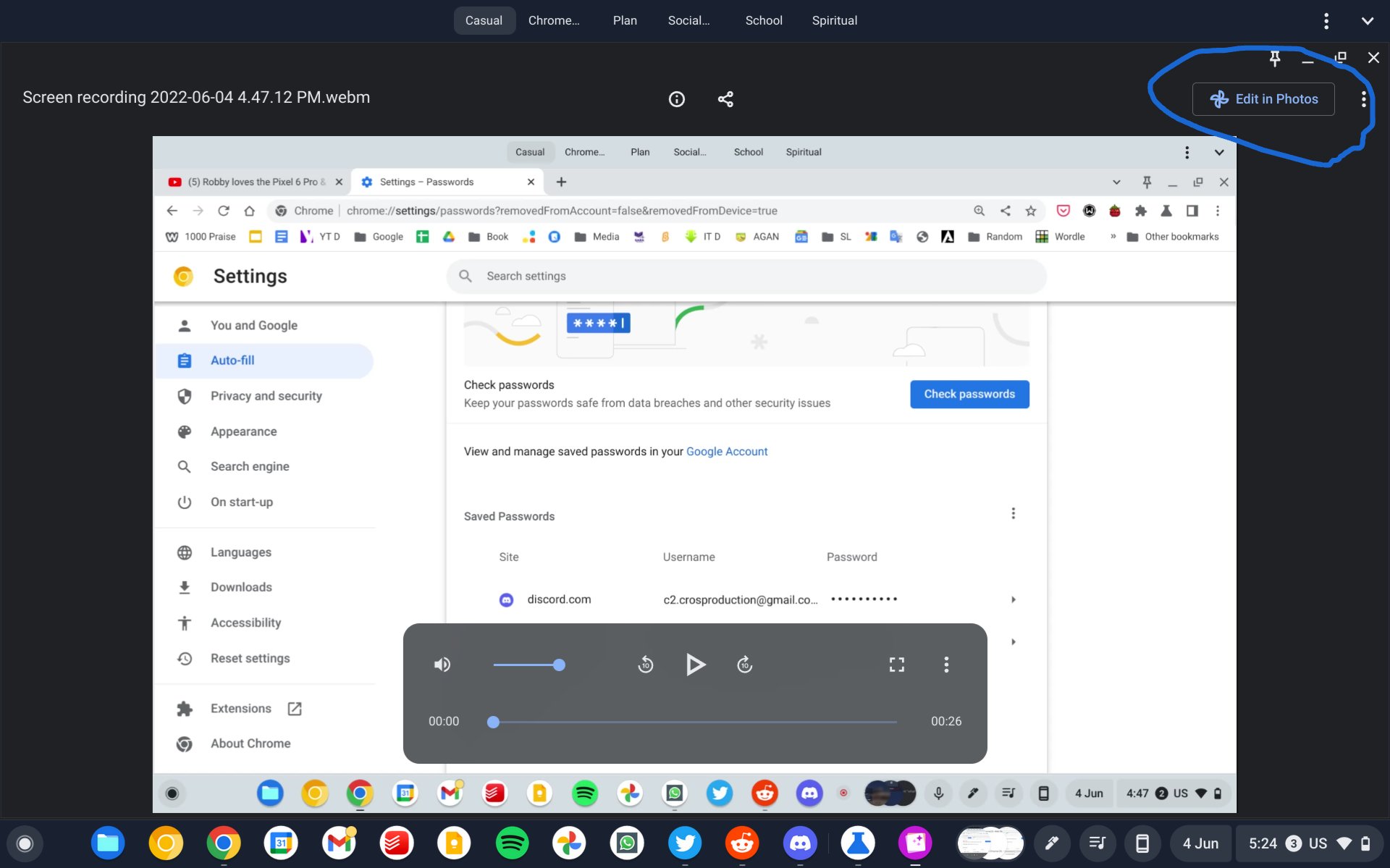
Update, June 7th, 2022 10:45AM EST: C2 Productions on Twitter was able to get a sneak peek of what the “Edit in Photos” button will look like with this change. He was able to get it to appear in Canary when viewing a video. It wasn’t working with images for him.
Support our independent tech coverage. Chrome Unboxed is written by real people, for real people—not search algorithms. Join Chrome Unboxed Plus for just $2 a month to get an ad-free experience, access to our private Discord, and more. Learn more about membership here.
START FREE TRIAL (MONTHLY)START FREE TRIAL (ANNUAL)
Original Post, June 7th, 2022 9:56AM EST: As first reported by 9to5Google, the ChromeOS Gallery app looks to be getting an improvement that will make it significantly easier to edit images. Currently, the Gallery app – internally known as the “Media App” – offers cropping and markup tools and very basic controls to adjust exposure, contrast, and saturation. This means that if you want to make any advanced edits, such as applying filters, you would need to upload the image to Google Photos or your preferred image editor.
It looks like Google wants to get rid of that middle step and, according to a couple of commits, wants to directly tie the Gallery app and the Android version of Google Photos together. Unfortunately, since the commits just appeared last week and the flags are not yet live in Canary, we don’t have any details or visuals on this integration. However, the commits describe the feature as follows:
Media App: Add Chrome flags which link to Media App’s feature flags
Create flags for the Photos integration flags.
Chromium Gerrit Commit
Media App: Create Mojo API to launch current file in Photos
Take the URL of the file currently loaded into Media App, convert it into a valid GURL by setting its origin as Media App’s URL and use that to create an edit intent to be passed into Photos.
Chromium Gerrit Commit
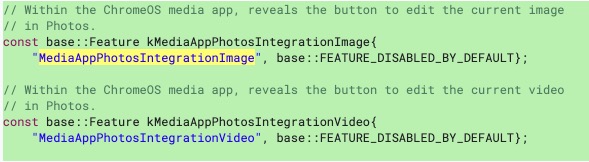
The flags to watch out for will be #media-app-photos-integration-image and #media-app-photos-integration-video, which in the commit are described as “Within the ChromeOS media app, reveals the button to edit the current image (or video) in Photos.” Granted, this won’t be much different from the current method of manually uploading or sharing the image to Google Photos. However, it will provide an easier and more visible way for ChromeOS users to know that this is a feature they can take advantage of.
This isn’t the first time Google has added extended functionality to the Gallery app. Earlier this year, Gallery was given a vibrant new icon and a UI refresh calling out its use cases. Additionally, there is a flag available right now to make the Gallery app the default PDF handler instead of the Chrome PDF Viewer, which provides better markup tools. It’s great to see the core ChromeOS system apps getting more functionality and Google doing more to promote their use. I am very curious about how this new feature will be implemented and will be keeping an eye out for it to go live. Stay tuned to this space for any new developments on this.
SUBSCRIBE TO UPSTREAM
Get Chrome Unboxed delivered straight to your inbox
Upstream is our flagship, curated newsletter with the top stories, most click-worthy deals, giveaways, and trending articles from Chrome Unboxed sent directly to your inbox a few times a week. Join 31,000+ subscribers.
