


Support our independent tech coverage. Chrome Unboxed is written by real people, for real people—not search algorithms. Join Chrome Unboxed Plus for just $2 a month to get an ad-free experience, access to our private Discord, and more. Learn more about membership here.
START FREE TRIAL (MONTHLY)START FREE TRIAL (ANNUAL)
While not precisely when scheduled, Google has officially announced the release of ChromeOS version 102 and it should be rolling out to eligible devices over the next few days. This release is relatively light in the features department but I think that you’ll find the updates are very welcome and quite useful on many fronts. So, with no further ado, here’s what’s new in ChromeOS 102.
Cursive App by default
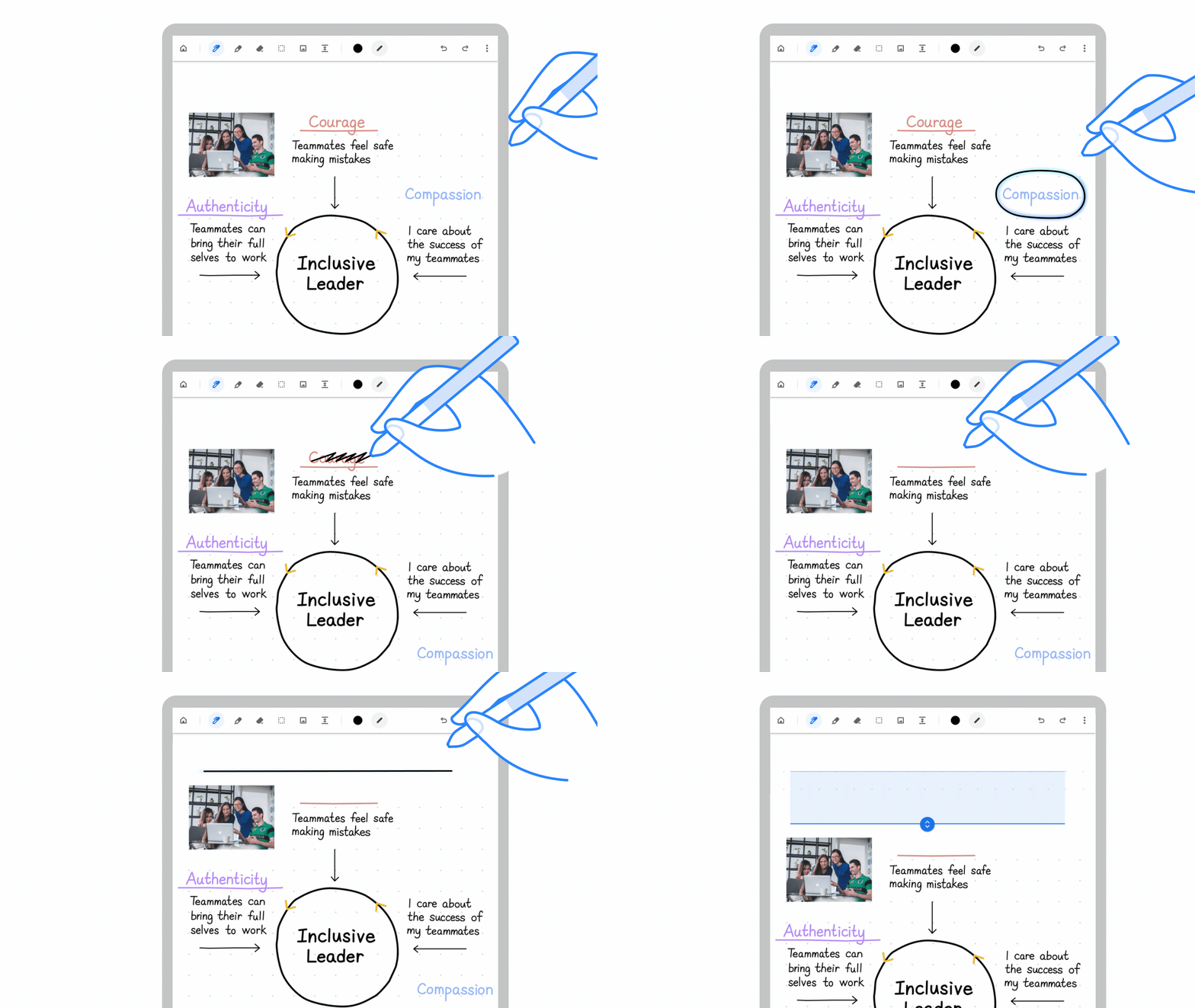
Last year, Google announced its own, in-house handwriting app that debuted with the release of the HP Chromebook x2 11 tablet. The Cursive App was clearly designed to take the place of numerous third-party note-taking applications such as Microsoft’s One Note or the very popular Squid Notes. At launch, Cursive wasn’t quite ready to take on these seasoned alternatives but Google has continued investing time and resources to improve the Chromebook-centric tool, and this week, the Cursive App will now be the default note-taking app for even more Chromebooks.
This update will bring Cursive to eligible USI-compatible Chromebooks as a pre-installed web app with more devices to be added in the future. As far as the user experience goes, Cursive has made some serious headway and Cursive is actually a pleasure to use in conjunction with a good USI stylus. If your device doesn’t get Cursvie by default, you can always install the PWA directly from the URL which you can find here. You can find a list of most USI-enabled Chromebooks here.
Improved screen magnification
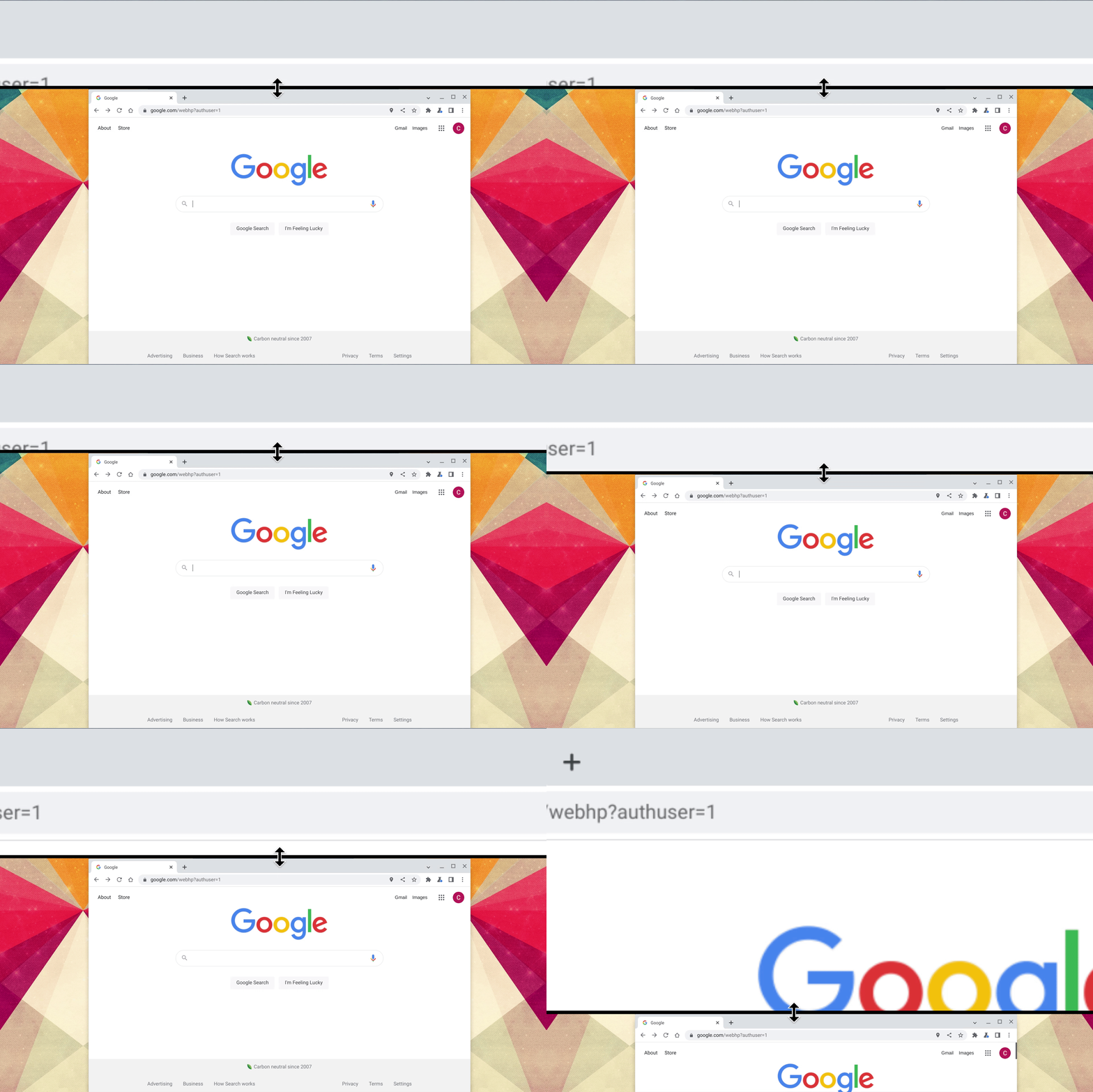
In the accessibility department, the docked magnifier in ChromeOS will now allow you to control the size of the upper, magnified display. This feature will be especially useful if you have a vision impairment but it will also be a productivity booster for those that need to get a close-up look at specific elements on a page. This improvement arrives on the heels of an update to the full-screen magnifier that allows you to pan around your display using Ctrl+Alt and your arrow keys.
USB-C Cable notifications
We’ve all done it. You need a USB-C cable for your phone or Chromebook so you grab whichever one you can find in the nearest drawer just to find that it doesn’t work. Sometimes, the cable is bad but that is not always the case. Not all USB-C cables are the same and limited functionality isn’t uncommon if the cable in third-party models is designed for a specific purpose.
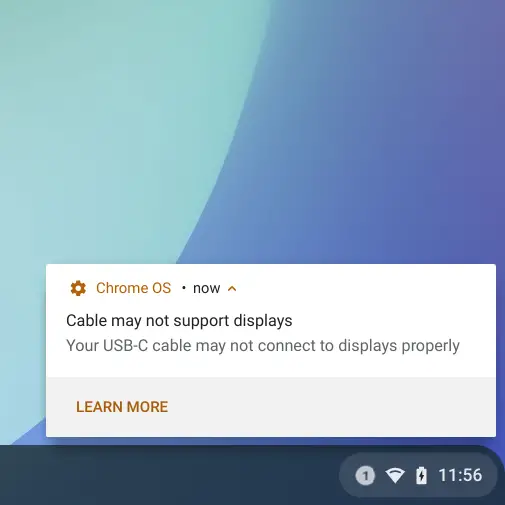
In ChromeOS 102, 11th or 12th generation Intel Core CPUs with USB4 or Thunderbolt will now alert users when your cable may not support properly connecting displays. This can come in the form of a warning that your cable doesn’t fully support the port hardware on your device or simply saying that your cable has limited performance.
That’s about it for ChromeOS 102 but I’m sure that we’ll dig up some extra goodies as the rollout arrives. To see if your Chromebook is ready to take the update, head to the settings menu and click the About ChromeOS tab on the left. Click check for updates and wait for the magic to happen. The rollout should happen over the next few days so don’t panic if you don’t see an update immediately. As always, keep an eye out for our updates on which flags you may want to enable in this latest version of ChromeOS and stay up to date on the latest news from the world of Google by signing up below for our newsletter.
SUBSCRIBE TO UPSTREAM
Get Chrome Unboxed delivered straight to your inbox
Upstream is our flagship, curated newsletter with the top stories, most click-worthy deals, giveaways, and trending articles from Chrome Unboxed sent directly to your inbox a few times a week. Join 31,000+ subscribers.
Source: Google

