

Support our independent tech coverage. Chrome Unboxed is written by real people, for real people—not search algorithms. Join Chrome Unboxed Plus for just $2 a month to get an ad-free experience, access to our private Discord, and more. Learn more about membership here.
START FREE TRIAL (MONTHLY)START FREE TRIAL (ANNUAL)

Last weekend educators and developers around the globe gathered online for the #educationonair event hosted by Google. Their purpose? To inspire, educate and collaborate on innovative ways that technology can enhance the learning environment of our students as well as create a more efficient atmosphere for teachers.
On hand were names like Dr. Jill Biden, Second Lady of the United States and Secretary of Education John King. National Teacher of the Year, Jahana Hayes, spoke of the importance of creating community in the classroom and the impact our teachers have on the crucial growth of our school children.
The two-day conference included keynote speakers and breakout sessions as well as live Q&A roundtables that encouraged users around the world to engage in the conversation.
With an abundance of takeaways, one technological highlight in particular seems to have the education community buzzing with excitement.
Clever
Managing Chromebooks in the classroom can become an overwhelming task for teachers who already have their hands full creating meaningful learning environments for children. Technology in education can most certainly be enriching for students and educators alike, but if it takes away from the continuity of the classroom, the purpose is defeated.
Clever Company has developed a technology suite to integrate apps for educational institutions. At the core, Clever works to streamline classroom applications as well as merge with existing school databases of student information. Teachers and administrators can customize their console with already-in-use applications and add more from over 200 supported educational products.
Students can access their school accounts with one, singular login to use all the educational applications at the institutions disposal. Hence, removing the need for multiple logins and passwords.
Minutes matter in the classroom. Every moment for students and teachers alike can make an immeasurable impact on the learning environment which can carry with a child the rest of their lives. Clever recognized the importance of time and in doing so created the Clever Badge.
Clever Badge
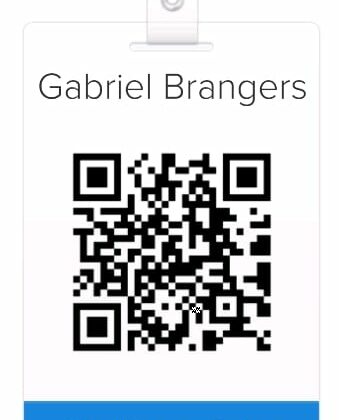
Clever’s latest product, the Clever Badge, aims to alleviate the stress of password management for younger students by equipping youngsters with a QR coded badge that allows them to log in to their own Chromebook account with use of the device’s webcam.

With a Clever equipped Chrome OS device, students need only to place their badge in front of the webcam and Clever will instantly log them in to their personal console with apps available specific to them and their class. For students who are at an age where keeping track of passwords can be troublesome, this will be a huge time-saver for educators.
You can see in the video at top just how easy it is for a student to access their Chromebook and begin work.
What’s equally amazing about Clever and their products is the fact that they are free to schools and educational institutions. Clever offers of free demo of their product on their site. Here you can see the QR code login in action. Check them out at the link below.
Technology in the classroom is a beautiful thing. Today’s students are learning to code, exploring the world in virtual reality and expanding the horizons of traditional classrooms. Companies like Clever are striving to make that environment better every day.
To read more about Clever and the #educationonair event head over to the Google for Education blog.

