

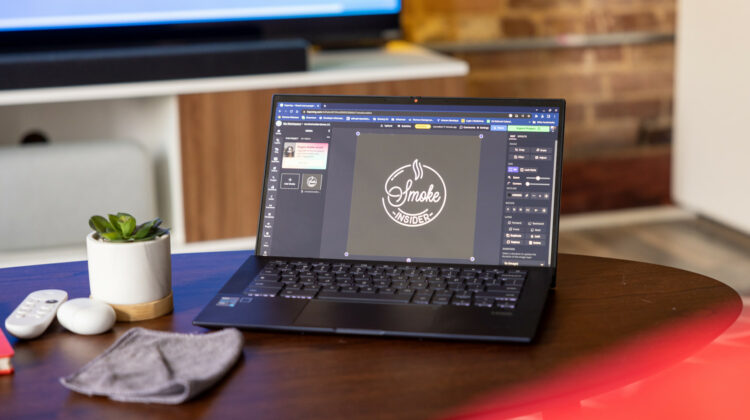
Content is King and creating video content has become the biggest thing on the internet since, well, the internet. Short form video, how-tos, tutorials, ASMR, and the list goes on and on. These days, anyone can pick up a smartphone and start the latest TikTok trend if the algorithm deems it to be. There are dozens, if not hundreds of mobile video editors out there and many social media applications have editors built right in to create your next fan favorite.
Beyond creating the next viral video, creating content without cumbersome video editing software has long been a desire of many educators. More specifically, creating and editing video on a Chromebook has been a discussion around the water cooler for many years now and thankfully, there are a few web-based editors out there that can offer educators and students alike the tools they need to create video content on ChromeOS. Whether you’re creating presentations, lessons for remote learning, or simply helping your students become video creators, there are a lot of good options out there on the web.
Depending on who you ask, you’ll get a wide range of opinions on which online video editor is best but one particular name has always found itself on the short list of most reviewers’ top ten. Founded in 2017 as a meme video generator, Kapwing has evolved into a robust and versatile online video editing platform. One unique feature of Kapwing is the ability to quickly edit existing videos for various social media types. You can take a 16:9 video that you created for YouTube and with a click, change the canvas size to 9:16 so you can upload your video as a reel. Yes, other editors will allow you to do this but Kapwing is actually intuitive about it and gives you some handy tools to make sure your video translates well between aspect ratios.

Anyway, I’ll bring you a full review of Kapwing at a later day Right now, I’m here to tell you about the latest news. Kapwing has announced that eligible educators and students can now access Kapwing Pro absolutely free. This includes K-12 and university educators as well as any eligible students over the age of thirteen. Here’s what Kapwing found Julia Enthoven had to say about video creation in education.
We were inspired by the ingenuity of teachers during the beginning of the pandemic. Many of them jumped into creating video learning materials with no video editing experience to ensure that their students could continue learning from home despite many obstacles.
Julia Enthoven, Kapwing’s cofounder and CEO
Kapwing Pro Features
- No watermarks
- Export projects with files up to 6GB
- Export projects up to 1 hour
- Edit and store unlimited content
- Download SRT / VTT files
- Make content private
- Upload custom fonts
- Export in 1080p resolution
- Unrestricted video transcriptions
- No folder count limit
- Unlimited image background removals
- Ensure visual consistency with Brand Kit
- Access to all tools and premium features
The free Education tier of Kapwing is available now and all you have to do is go through a quick verification process to claim your Pro account. Sign up below and start creating new content today for the absolutely awesome price of zero dollars. Stay tuned as I spend a couple of weeks with Kapwing and give you my thoughts on how it fares against other web-based video editors I have used in the past.
Join Chrome Unboxed Plus
Introducing Chrome Unboxed Plus – our revamped membership community. Join today at just $2 / month to get access to our private Discord, exclusive giveaways, AMAs, an ad-free website, ad-free podcast experience and more.
Plus Monthly
$2/mo. after 7-day free trial
Pay monthly to support our independent coverage and get access to exclusive benefits.
Plus Annual
$20/yr. after 7-day free trial
Pay yearly to support our independent coverage and get access to exclusive benefits.
Our newsletters are also a great way to get connected. Subscribe here!
Click here to learn more and for membership FAQ

