

Support our independent tech coverage. Chrome Unboxed is written by real people, for real people—not search algorithms. Join Chrome Unboxed Plus for just $2 a month to get an ad-free experience, access to our private Discord, and more. Learn more about membership here.
START FREE TRIAL (MONTHLY)START FREE TRIAL (ANNUAL)
Last week, I made a purchase that I think is going to forever change the way I interact with Chromebooks. While I’ve loved my LG Ultrawide QHD display for years, it has caused me a few issues here and there when reviewing certain ChromeOS devices. With a resolution of 3440×1440, my old extended display ended up reporting more closely to a 4K display than a QHD one, and that meant many mid-range Chromebooks I tested couldn’t push that screen as a daily solution.
Over time, that has meant quite a bit of rearranging and reordering on my desk to make way for testing devices on a daily basis that simply wouldn’t work with my monitor. Add to this issue the fact that my ultrawide monitor only supported up to 60hz refresh rates and I felt like it was time for a change; I won’t say ‘upgrade’ in this instance because I really enjoyed my big, curved screen. Instead, this was more of a sidestep into something a tad more standard with some additional perks.
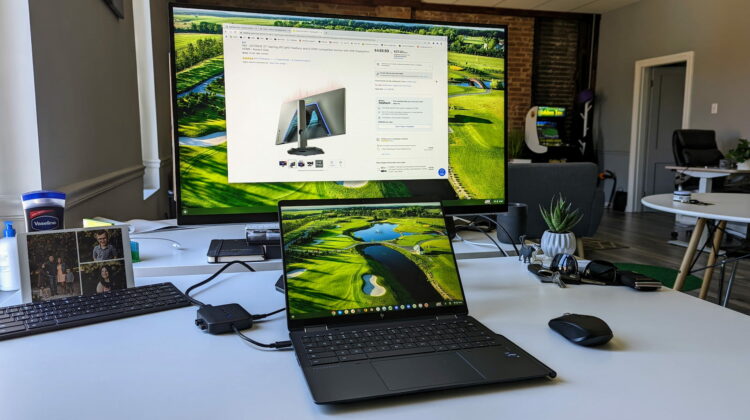
Enter the Dell 27-inch Gaming Monitor
When looking at a replacement, I wanted a few things: at least 27-inches in size, a standard QHD layout (2560×1440), an adjustable stand, plenty of brightness, and a bit higher refresh rate. Luckily for me, the Dell 27-inch Gaming Monitor was on sale at Best Buy and this transition has been very fruitful.
The screen is bright (400 nits), punchy and colorful, but the stand is also just as flexible as my old monitor’s setup. I can adjust height, tilt, and even rotate the display 90 degrees if I need. The standard QHD resolution plays nicely with newer, mid-range Chromebooks like the Lenovo Duet 3 and Duet 5 I’ve been testing, too, so I can drop those types of devices right into my workflow without any interruptions or distractions.
But the real treat that I wasn’t quite ready for is the high refresh rates of this display. The Dell Gaming Monitor can get up to 165hz on the refresh rate, and with the right Chromebook (you’ll need Intel internals for this), you can take advantage of every single frame. While the HP Elite Dragonfly Chromebook gives me the option to push 60zh, 120hz, 144hz and 165hz, I’ve opted for 120hz to put less tax on the processor throughout the day. For the record, though, it handled all of them just fine.
High refresh rates are so pleasing to the eye
It’s hard to show or explain the difference those extra frames make, but rest assured the difference is absolutely tangible. Animations in ChromeOS look more interesting and fluid than I’ve ever seen them before and scrolling content on the web or in applications takes on a whole new life with all these extra frames animating things at least twice as extensively as before.
If you’ve had the opportunity to see a standard iPad next to the iPad Pro or have upgraded your phone to a 90hz or 120hz display, you know exactly what I’m talking about with this. There are simply parts of the user experience that are unquestionably better with higher frame rates, and I’m loving it right now.
There will be Chromebooks I’ll test that can’t push those frame rates for sure, so this won’t be something I get to enjoy all the time, but when I can, I’ll absolutely be taking advantage of this. While it doesn’t really help me do my job any better or make me more productive, it simply adds a touch to the overall user experience that makes everything a bit nicer to look at. I’m officially spoiled, I think, and I’d highly recommend that if you are looking at buying a new monitor and have a Chromebook that can push higher frame rates, get one that can take advantage of it. You won’t regret it.
SUBSCRIBE TO UPSTREAM
Get Chrome Unboxed delivered straight to your inbox
Upstream is our flagship, curated newsletter with the top stories, most click-worthy deals, giveaways, and trending articles from Chrome Unboxed sent directly to your inbox a few times a week. Join 31,000+ subscribers.

