


Support our independent tech coverage. Chrome Unboxed is written by real people, for real people—not search algorithms. Join Chrome Unboxed Plus for just $2 a month to get an ad-free experience, access to our private Discord, and more. Learn more about membership here.
START FREE TRIAL (MONTHLY)START FREE TRIAL (ANNUAL)
It is well known that the YouTube experience on desktop doesn’t give you a ton of flexibility when it comes to playback sizes. You get a choice between the default size, theater and full-screen modes out of the box, but in many scenarios, those sizes aren’t great. The standard size isn’t immersive at all with the comments and recommendations surrounding the screen. The theater mode helps a bit, but still isn’t great as it still forces you to have some of the YouTube interface visible on screen both above and below the playback space. The final option is full-screen, but that takes over every pixel on your screen and makes any semblance of multitasking impossible.
What I’ve wanted for a long time is handled decently by PIP (picture-in-picture), but that feature is still hit-or-miss in a lot of ways and limiting to where you can actually place the floating video container on screen. Ultimately, PIP is the best solution I’ve come across, but not exactly what I’ve really been after. What I’d love is a pseudo-full-screen experience that gives me a window size of my choice without all the junk around it that I can place wherever I’d like.
Thankfully, there’s an extension exactly for this and it works like a charm. It is called YouTube Windowed FullScreen and, as the title states, gives you the ability to go full-screen with a YouTube video while still being able to resize that window. For users like myself who have large, wider-than-standard extended displays, this extension is pretty amazing. While the other viewing modes of YouTube fail in multiple ways on a wide screen, being able to get a full window video that I can place where I like and make the size I like feels pretty awesome.
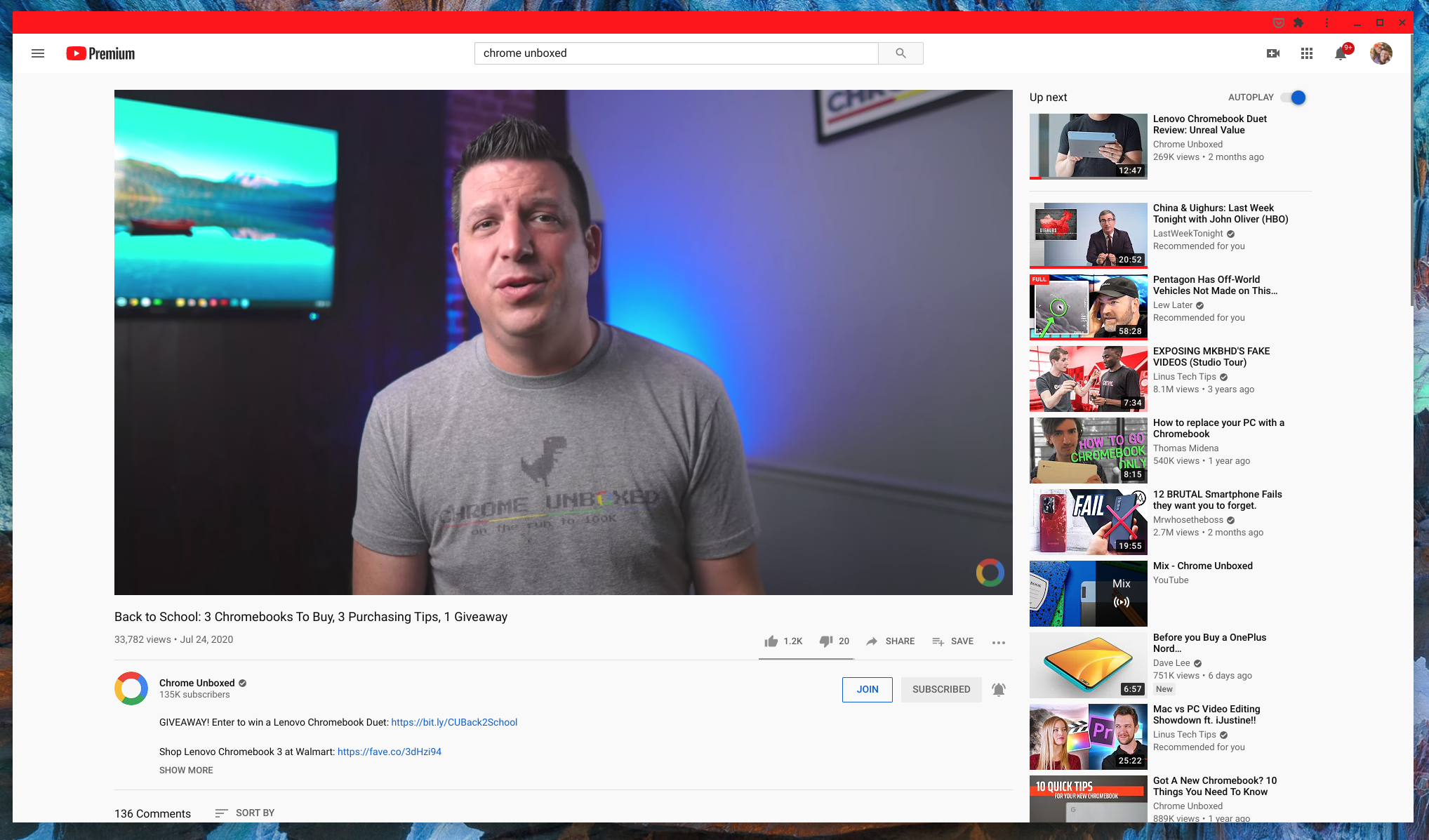
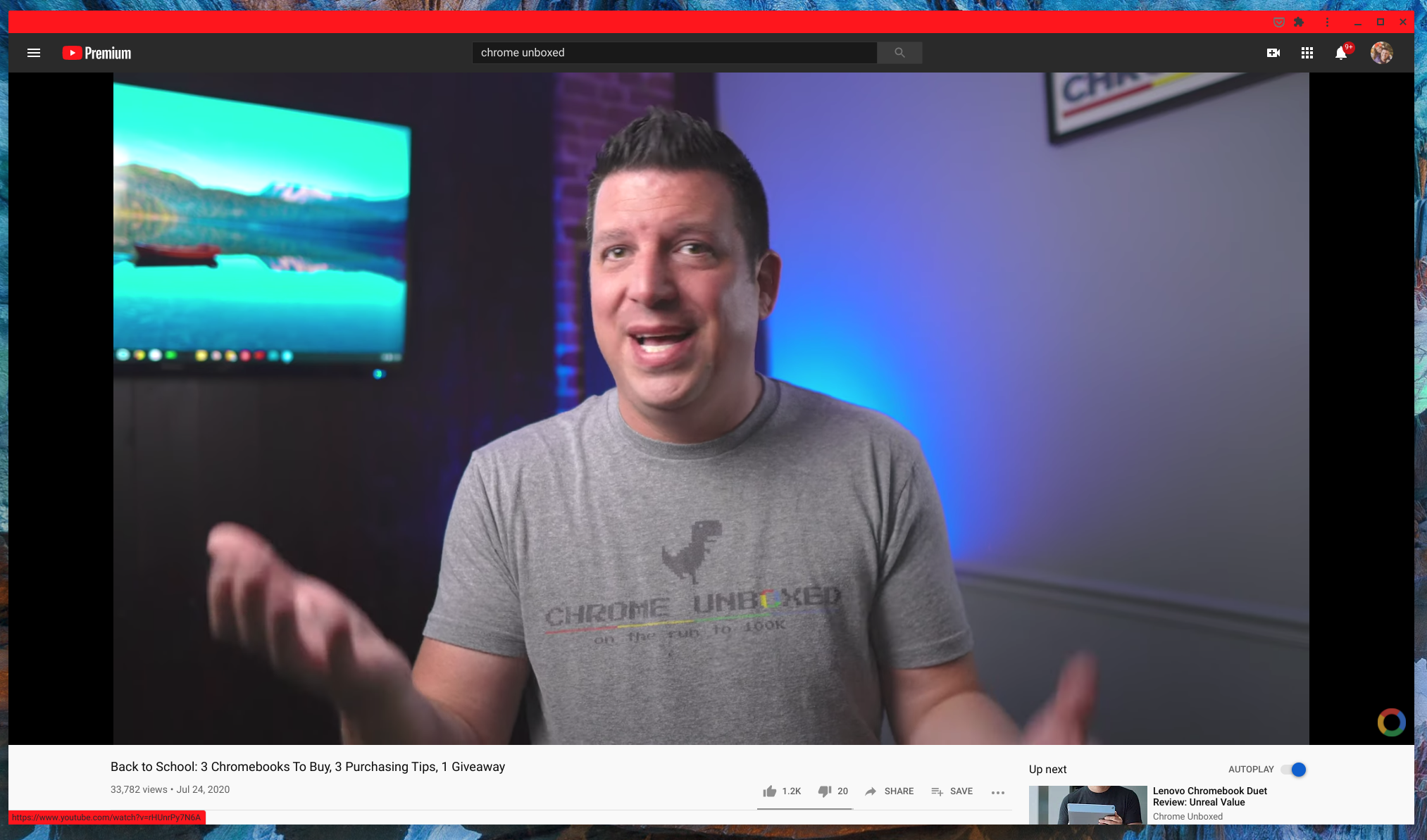
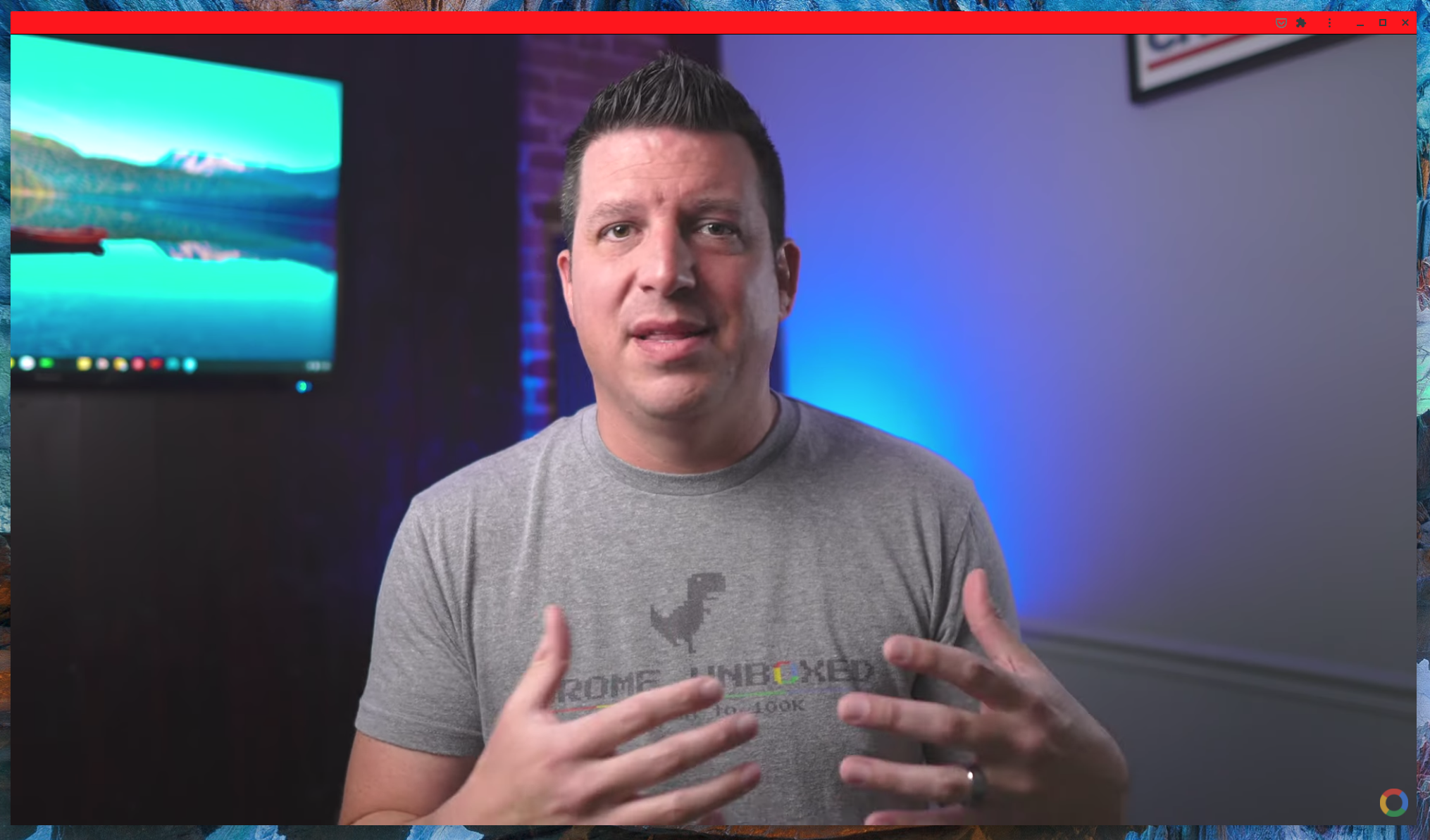
For even more immersion, you can launch YouTube as a Chrome window and remove everything but the top bar, giving you a completely uninhibited window to watch videos in. Even better, after installing the extension, the ability to switch to this view is baked right into the YouTube player next to the theater mode button. It honestly looks like its been there all along and, in some ways, feels like it should have been.
You can snag the extension here and, after you do, if you are after the fully-immersive view I was talking about before, simply go to youtube.com, click your 3-dot menu in Chrome, hover over ‘more tools’, then click ‘create shortcut’. Choose the option to open as a window and you now have a shortcut to YouTube that you can use to watch full-windowed video without any additional cruft in your way. With the way this extension functions, I wouldn’t be surprised if Google eventually adopts a similar feature for general users to enjoy. Whether they do or not, you can take advantage of it right now by simply snagging the extension from the Chrome Web Store.
Shop Best Chromebooks of 2020 So Far on Chrome Shop
SUBSCRIBE TO UPSTREAM
Get Chrome Unboxed delivered straight to your inbox
Upstream is our flagship, curated newsletter with the top stories, most click-worthy deals, giveaways, and trending articles from Chrome Unboxed sent directly to your inbox a few times a week. Join 31,000+ subscribers.
SOURCE: Lifehacker

