


Support our independent tech coverage. Chrome Unboxed is written by real people, for real people—not search algorithms. Join Chrome Unboxed Plus for just $2 a month to get an ad-free experience, access to our private Discord, and more. Learn more about membership here.
START FREE TRIAL (MONTHLY)START FREE TRIAL (ANNUAL)
It’s been a hectic week and we’re a bit behind on the news but we couldn’t overlook the big announcement from Google. The Chrome browser for Desktop has officially hit the version 100 milestone. Launching earlier this week, the triple-digit version of Chrome is trickling down to desktop users on Windows, Linux, and macOS as we speak. While there isn’t a ton of new stuff in this update, it marks a major milestone for the world’s most widely used browser and Google has decided to take a stroll down memory lane to celebrate the launch of Chrome 100.
Before we get all nostalgic, let’s take a quick look at what arrived with the latest release of Chrome for Desktop. As we covered back in February, Google has been working on a refreshed version of the browser’s logo which would be the first update in eight years. The changes are subtle but they do include OS-specific icons that differ between Windows, macOS and ChromeOS.

Web Apps and multiple screens
Chrome 100 includes the Multi-Screen Window Placement API which allows progressive web apps to detect when a user is using multiple displays. This will allow PWAs to display various windows and tools across multiple screens. Here are some use case examples from web.dev.
- Multi-window graphics editors à la Gimp can place various editing tools in accurately positioned windows.
- Virtual trading desks can show market trends in multiple windows any of which can be viewed in fullscreen mode.
- Slideshow apps can show speaker notes on the internal primary screen and the presentation on an external projector.
User-agent sunsetted
User-agents have long been used to tell a browser what type device and OS is being used. While this can be a useful tool for compatibility, it has often been frowned upon as being somewhat intrusive. With Chrome 100, the new User-Agent Client Hints API is being implemented which will provide less-specific information and a more-secure application. The new API shoul also result in less compatibily issues between websites and the browser.
Tab Muting
Chrome pioneered tab muting in the Chrome browser but just as everyone else came aboard, Google scrapped the feature. Clearly, the pushback from users was heard and Chrome will once again give you the ability to mute a tab with a single click. For now, the feature is disabled by defualt. You’ll need to enable it by heading to chrome://flags/#enable-tab-audio-muting and enabling the flag.
Chrome for Android and iPhone
Google cited the reduced cost of mobile data in major markets when they announced that Chrome’s mobile browser would no longer support Lite Mode. Data compression for Lite Mode happened on Google’s servers and as these servers are shutting down, Lite Mode will no longer work even if you see the setting in the Chrome app.
Here’s a quick rundown video of Chrome 100 from Chrome Developers.
Reminisce with us
To celebrate 100 releases of the Chrome Browser, Google has set up a web page that highlights some of the coolest web moments from the past fourteen years. These aren’t just Chrome-related moments either. The story starts with the initial launch of Chrome in 2008 and then weaves its way through memorable web moments such as the expansion of HTTPS to the birth of Progressive Web Apps.

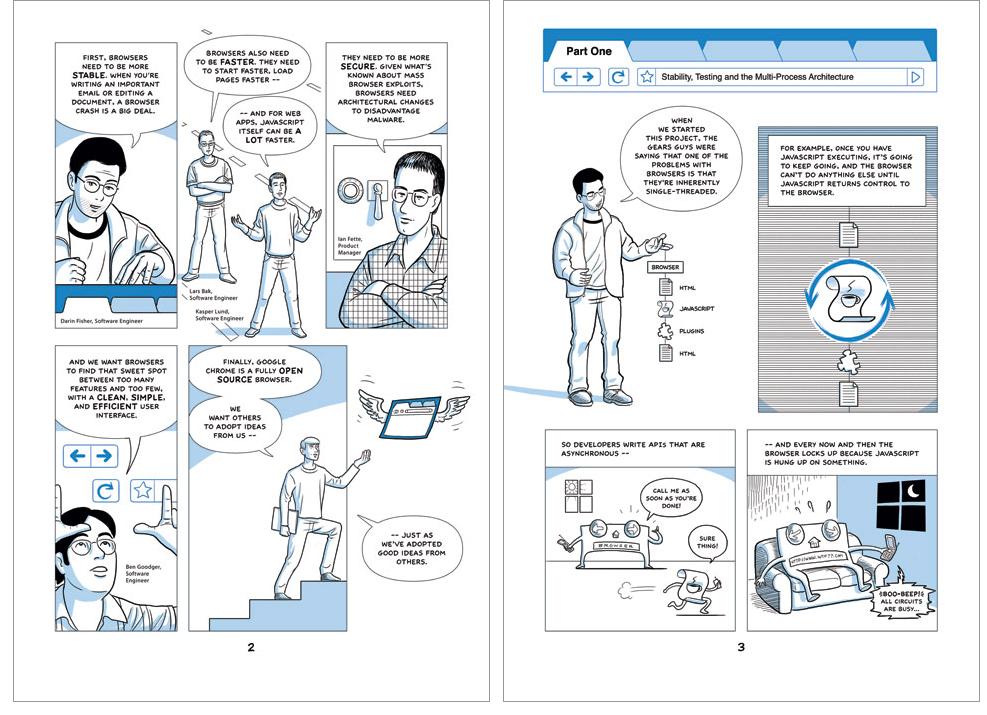
Along the way, you’ll see the luanch of ChromeOS, the Chrome Dino Game, and other cool things that make Chrome and Chrome OS great. There’s even a hat-tip to the online craze Wordle and our original mobile operating system addiction, WebOS. It’s a very cool look through the Internet Halls of Time and it’s really great to see how Chrome play such an intrical part in evolving the web. You can find the #100CoolWebMoments on the Chrome Devlepor Site here. We’re looking forward to the next 100 versions of Chrome and where the web will go next.
SUBSCRIBE TO UPSTREAM
Get Chrome Unboxed delivered straight to your inbox
Upstream is our flagship, curated newsletter with the top stories, most click-worthy deals, giveaways, and trending articles from Chrome Unboxed sent directly to your inbox a few times a week. Join 31,000+ subscribers.

