


Support our independent tech coverage. Chrome Unboxed is written by real people, for real people—not search algorithms. Join Chrome Unboxed Plus for just $2 a month to get an ad-free experience, access to our private Discord, and more. Learn more about membership here.
START FREE TRIAL (MONTHLY)START FREE TRIAL (ANNUAL)
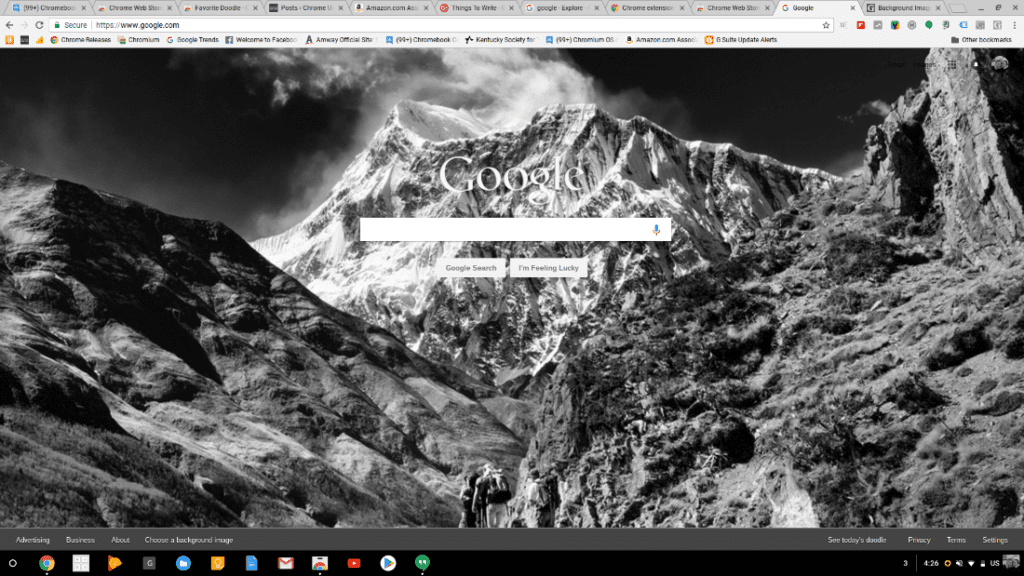
Robby recently covered how to spruce up your desktop and today we will take it one step further. Customizing your Google homepage is a simple process with a few different options available from the Chrome Web Store.
Today’s feature extension for this task is Background Image for Google Homepage. The extension does exactly what its name implies by allowing you to add a custom background image to Google.com when using the Chrome browser.
The extension lets you chose from a multitude of high-quality images as well as find photos on Flickr or even upload your own via Imgur. The interface is extremely simple and adding or changing a background image literally takes only a few seconds.
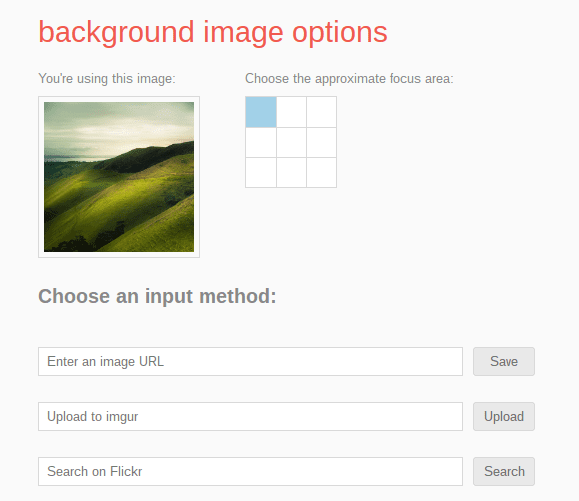
Background Image for Google Hompage is another great way to personalize your Chrome experience and make your Chromebook as unique as you are. You can grab this extension by heading to the Chrome Web Store.

