
• Skip to main content
  • Skip to primary sidebar
  • Deals
  • Features
  • Guides
  • Chromebooks
  • Videos
  • Podcast
  • More +
    • Reviews
    • Unboxing
    • Upcoming Devices
    • Chromebook Plus
    • Chrome
    • ChromeOS
    • Chrome OS Flex
  • Search
  • Sign Up
  • Log In
Chrome Unboxed – The Latest Chrome OS News

Chrome Unboxed - The Latest Chrome OS News

A Space for All Things Chrome, Google, and More!

  • Deals
  • Features
  • Guides
  • Chromebooks
  • Videos
  • Podcast
  • More +
    • Reviews
    • Unboxing
    • Upcoming Devices
    • Chromebook Plus
    • Chrome
    • ChromeOS
    • Chrome OS Flex
  • Search
  • Sign Up
  • Log In

Chrome 104 to bring “Region Capture” for better tab sharing over video meetings

June 30, 2022 By Johanna Romero View Comments

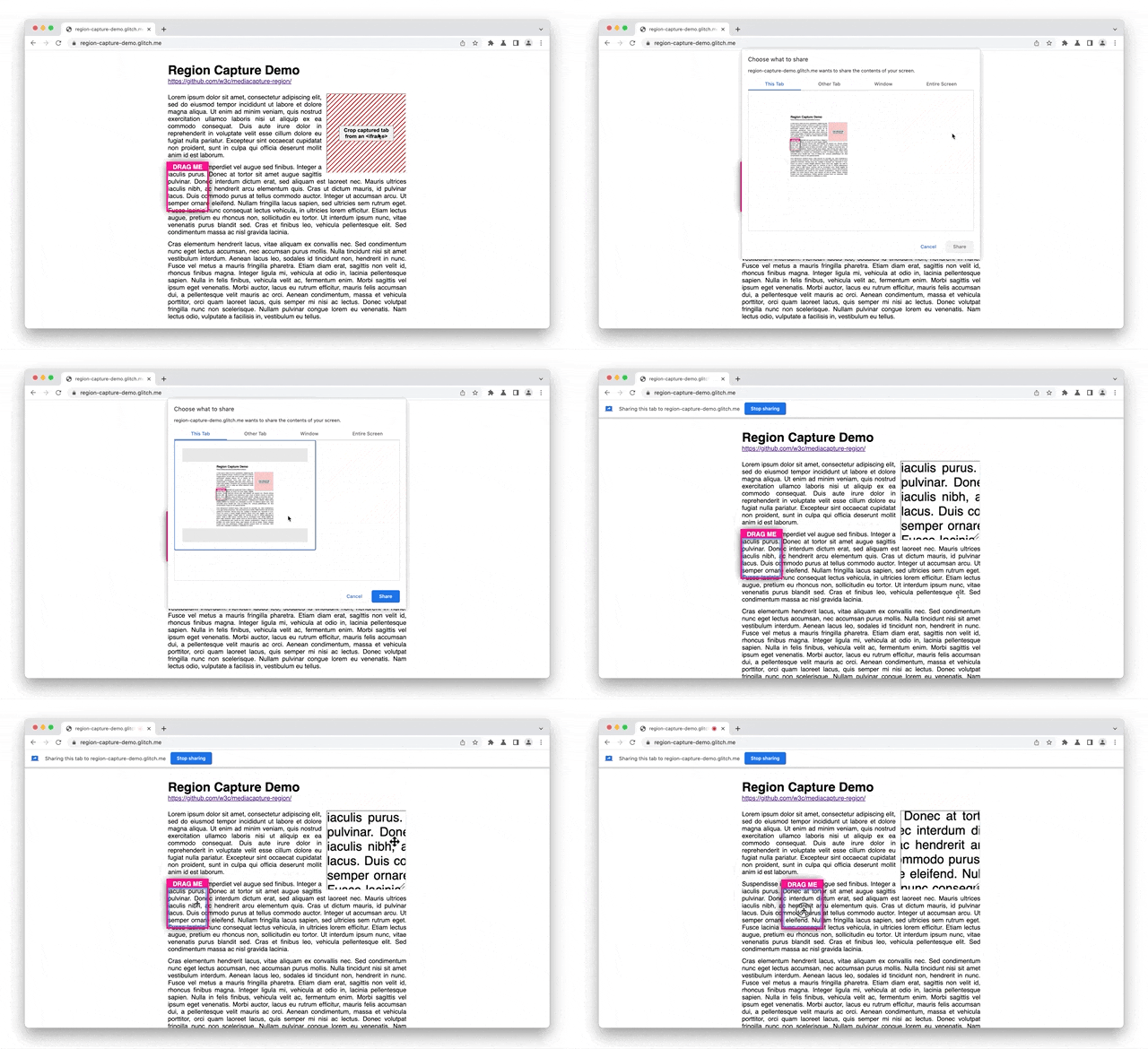
We’ve all been there. Someone shares their screen over a Meet or Zoom meeting, and suddenly, you have an endless hall-of-mirrors effect. Usually, that results in that someone having to either quickly stop sharing or disconnect from the meeting altogether. Thankfully, the most recent beta version of Google Chrome, version 104, has provided a sneak peek at a new feature that will help with this issue.

This feature, called “Region Capture,” will allow web-based video conferencing apps to crop the video track and remove content from it before sharing it remotely. Web apps can already capture video in a tab using getDisplayMedia (). However, Region Capture can do this with a new produceCropId() API that can exclude a portion of the screen, such as the portion that shows everyone connected to the meeting.
Xremove ads

This feature has been in development since Chrome 98 but is expected to ship in Chrome 104 and is already working in Beta. This will be perfect for applications that combine content and a live video feed in one tab, as you can now do on Docs, Sheets, and Slides. Hopefully, this will help with those awkward video meetings and eliminate disruptions due to “technical difficulties.”

Join Chrome Unboxed Plus

Introducing Chrome Unboxed Plus – our revamped membership community. Join today at just $2 / month to get access to our private Discord, exclusive giveaways, AMAs, an ad-free website, ad-free podcast experience and more.

Featured Videos

Xremove ads

Plus Monthly

$2/mo. after 7-day free trial

Pay monthly to support our independent coverage and get access to exclusive benefits.

Start free trial

Plus Annual

$20/yr. after 7-day free trial

Xremove ads

Pay yearly to support our independent coverage and get access to exclusive benefits.

Start free trial

Our newsletters are also a great way to get connected. Subscribe here!

Click here to learn more and for membership FAQ

Filed Under: Chrome, New & Upcoming Features, Updates Tagged With: chrome, chrome 104, Google Meet, video conferencing, workspace, zoom

Primary Sidebar

Xremove ads

Deals

The Acer Chromebook Plus Spin 514 hits an all-time low price of $499

By Robby Payne
December 23, 2025

The best Chromebook deals today

By Robby Payne
December 22, 2025

Save $220 on the powerful, versatile Acer Chromebook Plus Spin 714

By Robby Payne
December 10, 2025

The Google Pixel 9a just hit its lowest price ever at $150 off

By Joseph Humphrey
December 8, 2025

At $349, this Lenovo Chromebook Plus is one of the best value laptops you can buy

By Joseph Humphrey
December 3, 2025

More Deals

Xremove ads

Reviews

My review after 6 weeks with the Lenovo Chromebook Plus 14 [VIDEO]

By Robby Payne
August 11, 2025

One week with the best small Android tablet you can buy, and I’m sold

By Robby Payne
May 9, 2025

Best Chromebooks of 2024 [VIDEO]

By Robby Payne
November 28, 2024

Samsung Galaxy Chromebook Plus Review: Samsung is back! [VIDEO]

By Robby Payne
October 28, 2024

Lenovo Chromebook Duet 11″ Review [VIDEO]

By Robby Payne
October 19, 2024

More Reviews

Xremove ads

Guides

This Chromebook trackpad shortcut is definitely not new, but is blowing my mind

By Robby Payne
March 11, 2024

How to reduce broadcast delay on YouTube TV to stop live spoilers

By Robby Payne
December 8, 2023

Windows PC keyboard and Chromebook

How to use a Windows keyboard with a Chromebook

By Joseph Humphrey
December 8, 2023

How reset and revert your Chromebook to the previous version of Chrome OS

By Robby Payne
November 29, 2023

My Chromebook Plus features disappeared: here’s how I fixed it

By Robby Payne
November 24, 2023

More Guides

TWITTER · FACEBOOK · INSTAGRAM · YOUTUBE · EMAIL · ABOUT

Copyright © 2025 · Chrome Unboxed · Chrome is a registered trademark of Google Inc.
We are participants in various affiliate advertising programs designed to provide a means for us to earn fees by linking to affiliated sites.

PRIVACY POLICY