

Support our independent tech coverage. Chrome Unboxed is written by real people, for real people—not search algorithms. Join Chrome Unboxed Plus for just $2 a month to get an ad-free experience, access to our private Discord, and more. Learn more about membership here.
START FREE TRIAL (MONTHLY)START FREE TRIAL (ANNUAL)
Chrome OS is updated roughly every six weeks when we’re not in the middle of something like a pandemic, and it is always lovely to see that update prompt when it hits. Diving into the latest version of the OS is fun and usually filled with all sorts of updates and surprises both on a functional and interface front. Whereas you get much larger, much more robust updates for other operating systems once a year or so (Android, iOS, Windows, etc.), these regular updates for Chrome OS keep it feeling fresh and fun. They might come with issues from time to time, but one thing is clear: the Chrome OS team hears your pleas and is always working to make Chrome OS smoother and better over time.
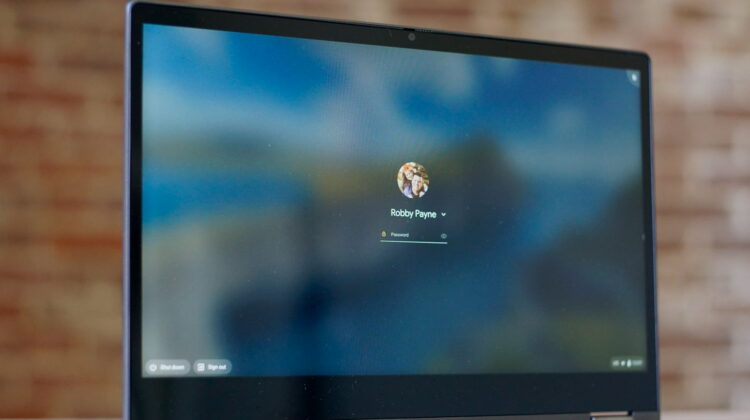
Take this latest update tweak, for instance. With Chrome OS 83, the lock screen changed a small thing that removed the ‘submit’ symbol and replaced it with an ‘eyeball’ symbol that allows users to quickly look at their typed password and check for accuracy. We’ve talked about this small, meaningful change for quite some time and knew it was coming, but what we failed to see is how confusing this would be for a sizable portion of the user base.
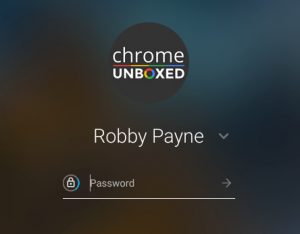

You see, with the inclusion of the ‘view password’ icon, the small ‘submit’ symbol was removed. I, for one, never click on that button. Instead, I type my password and hit the enter key. As it turns out, that isn’t the behavior across the board. When this symbol was removed, apparently many users weren’t exactly sure how to go about submitting their password on the lock screen and, subsequently, weren’t sure how to proceed.
If this affected you, know that you can simply hit the enter key on your keyboard – both physical and/or virtual – and your password will be submitted. Also know that the Chrome OS team has heard the complaints and are currently working to not revert the change, but complement it by putting both the ‘submit’ icon and the ‘eyeball’ icon side-by-side for expanded functionality.
This is one of those small tweaks that we could all shrug off and just not worry about, but it is clearly confusing users and I’m glad to see Google quickly moving to correct the misstep. It is proof that the Chrome OS team is listening to user feedback and it further emphasizes the importance of submitting feedback in Chrome OS when you see an issue or run into a problem that others may be having. Seeing Google quickly move to address this relatively-small issue gives me continued hope that Chrome OS is always improving, getting better, and becoming more user friendly than before. If Google is willing to listen and move on an issue as minor as this, it should give the user base firm footing to stand on knowing that complaints are not falling on deaf ears.
Shop All The Latest Chromebook Deals
SUBSCRIBE TO UPSTREAM
Get Chrome Unboxed delivered straight to your inbox
Upstream is our flagship, curated newsletter with the top stories, most click-worthy deals, giveaways, and trending articles from Chrome Unboxed sent directly to your inbox a few times a week. Join 31,000+ subscribers.

