


Support our independent tech coverage. Chrome Unboxed is written by real people, for real people—not search algorithms. Join Chrome Unboxed Plus for just $2 a month to get an ad-free experience, access to our private Discord, and more. Learn more about membership here.
START FREE TRIAL (MONTHLY)START FREE TRIAL (ANNUAL)
AOPEN may not be a household name but chances are you’ve crossed paths with their technology and never even knew it. From digital signage and point-of-sale to desktop solutions and kiosks, AOPEN has been a mainstay in the commercial Chrome OS ecosystem. If you have ever interacted with a digital sign, or had your order taken via a touchscreen kiosk, chances are good it was an AOPEN device.
In 2015 AOPEN began collaboration with Google to produce commercial-grade products geared towards low cost, rapid deployment and security. Not only do they offer hardware in the form of their Chromebox and Commercial Chromebases, AOPEN offers a number of software solutions for companies to create personalized products as well as integration with legacy software.
AOPEN designed its new Chrome OS device line to empower the customer by servicing a wide range of verticals and needs. They are fully enterprise-ready in terms of product longevity and reliability, ease of large deployment, remote access, and service.
Stephen Borg, Global Chief Digital Officer AOPEN
 This week AOPEN announced the release of two new Chrome OS products to their line-up of digital solutions. The first of which we are actually familiar with and didn’t even know it. In October of last year we reported on a new RockChip-based Chromebox codenamed ‘Fievel’ and it appears that AOPEN’s newest addition is, in fact, that device. The Chromebox Mini, is now the smallest enterprise-ready Chromebox available.
Chromebox Mini Fievel – key features:
- Fanless/non venting hole design
- CPU:Quad-Core Cortex-A17, up to 1.8GHz
- DRAM: LPDDR3 Dual Channel 4GB
- Storage: EMMC 5.0 16GB
- WIFI+ BT4.0: 802.11 b/g/n/ac + BT4.0 x 1
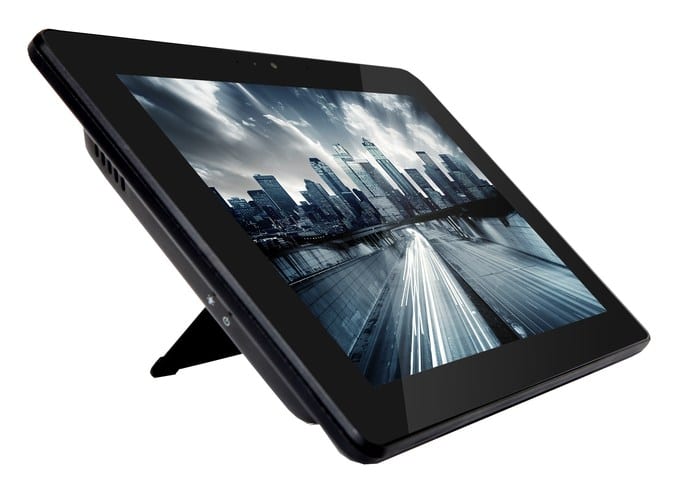
Along with the Chromebox Mini, AOPEN has released a new, tablet-sized Chromebase. Developed along side ‘Fievel’, the we found this device in the repositories under the codename ‘Tiger’. At 10.1 inches, the Chromebase Mini alludes to what a Chrome OS tablet could be. While the functionality is the same as its larger 22″ brother, the versatility of a 10″ device changes the landscape of it use-case dramatically. I imagine, much as I’m sure AOPEN did, walking into a retail store and interacting with a representative as they navigate their Chromebase Mini to assist me in my purchase. Much like millions of retailers do with iPads and Android tablets now only with a device designed specifically for the task and most likely much more cost-effective.
Chromebase Mini – key features:
- Panel: 10.1” 1280 x 800 250nits AHVA
- Touch: 10 point multi-touch; pinch to zoom
- CPU: Quad-Core Cortex-A17, up to 1.8GHz
- DRAM: LPDDR3 Dual Channel 4GB
- Storage: EMMC 5.0 16GB
- FHD Webcam (2M)
- Built-in Dual Digital MIC and Stereo Speaker
- WIFI+ BT4.0: 802.11 b/g/n/ac + BT4.0 x 1
You can see from the video below that a lot of time and marketing dollars are being poured into these new devices. Much like the Samsung Chromebook Plus/Pro, these new products from AOPEN mark a turning point in the world of Chrome OS.
Both the Chromebox and Chromebase Mini are designed for commercial use meaning non-stop 365, 24/7 use. The Chromebase Mini is also water-resistant, tamper-proof and designed to be used as a tablet or alternatively as a mounted kiosk.
Find out more about AOPEN’s newest devices at AOPEN.

