

• Skip to main content
  • Skip to primary sidebar
  • Deals
  • Features
  • Guides
  • Chromebooks
  • Videos
  • Podcast
  • More +
    • Reviews
    • Unboxing
    • Upcoming Devices
    • Chromebook Plus
    • Chrome
    • ChromeOS
    • Chrome OS Flex
  • Search
  • Sign Up
  • Log In
Chrome Unboxed – The Latest Chrome OS News

Chrome Unboxed - The Latest Chrome OS News

A Space for All Things Chrome, Google, and More!

  • Deals
  • Features
  • Guides
  • Chromebooks
  • Videos
  • Podcast
  • More +
    • Reviews
    • Unboxing
    • Upcoming Devices
    • Chromebook Plus
    • Chrome
    • ChromeOS
    • Chrome OS Flex
  • Search
  • Sign Up
  • Log In

YouTube Music gets another fresh UI update on the web

June 21, 2024 By Robby Payne View Comments

Support our independent tech coverage. Chrome Unboxed is written by real people, for real people—not search algorithms. Join Chrome Unboxed Plus for just $2 a month to get an ad-free experience, access to our private Discord, and more. Learn more about membership here.
START FREE TRIAL (MONTHLY)START FREE TRIAL (ANNUAL)

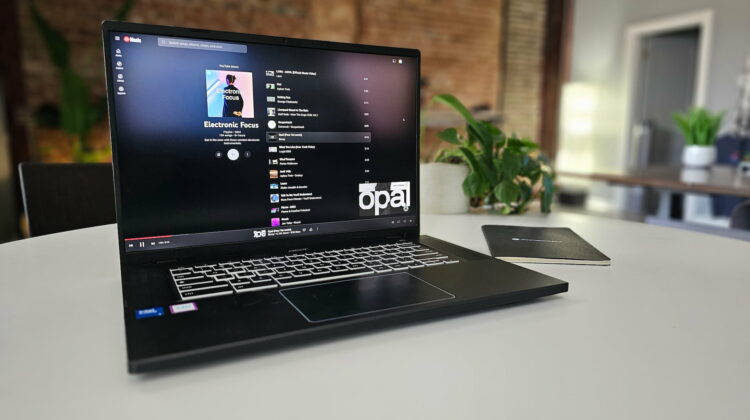
YouTube Music has been on a roll lately, steadily improving its features and user interface. After making the miniplayer a permanent fixture, the web version of YouTube Music has just gotten a significant facelift for how it displays albums and playlists that looks far more like the tablet app version than before.

If you fire up music.youtube.com today, you’ll notice a much cleaner and more organized layout for albums and playlists. It now mirrors the elegant dual-column design that was first introduced for YouTube Music’s Android tablet app.

Xremove ads

Now on the left, you get all the essential album details like artist, release date, track count, total duration, and even a snippet from Wikipedia (which you can expand for more info). You’ll also find the play/pause button, along with options to download, save to your library, share, and access an overflow menu. And now the right side is where your tracklist lives, presented in a clean, easy-to-read format.

old layout versus new layout

The whole experience feels a bit more vibrant as well, thanks to a blurred background that adds a touch of visual interest. It’s a small detail, but it goes a long way in making YouTube Music feel more modern and polished on the web.

Featured Videos

Xremove ads

This redesign really does maximize your screen space on the desktop, and the dual-column layout is perfect for larger screens, giving you a lot of information at a glance without feeling overwhelming or cramped.

This redesign is the latest in a string of welcome additions to YouTube Music. In recent updates, we’ve seen the Progressive Web App (PWA) gain offline download support, and the Now Playing UI was overhauled to match its mobile counterpart. Overall, the web version of YouTube Music is really taking shape these days, and we love it!

The updated layout should be rolling out today, but it seems like an account-level swap. While our main Chrome Unboxed account has the new setup, my personal account does not yet. If you haven’t received the new look, just be patient. It should arrive shortly.

Xremove ads

SUBSCRIBE TO UPSTREAM

Get Chrome Unboxed delivered straight to your inbox

Upstream is our flagship, curated newsletter with the top stories, most click-worthy deals, giveaways, and trending articles from Chrome Unboxed sent directly to your inbox a few times a week. Join 31,000+ subscribers.

SUBSCRIBE HERE!

Filed Under: Apps, New & Upcoming Features, YouTube

About Robby Payne

As the founder of Chrome Unboxed, Robby has been reviewing Chromebooks for over a decade. His passion for ChromeOS and the devices it runs on drives his relentless pursuit to find the best Chromebooks, best services, and best tips for those looking to adopt ChromeOS and those who've already made the switch.

Primary Sidebar

Googlebook

Google is updating the Device Recovery Utility for Googlebooks, but it needs work

By Robby Payne
October 8, 2026

How Google is silently fixing early Chrome bugs on Googlebook without any updates

By Robby Payne
October 8, 2026

Googlebook’s ‘Rambler’ feature is the biggest speech-to-text upgrade I’ve ever used

By Robby Payne
October 7, 2026

Will Android apps struggle on Intel Googlebooks? Google and Intel offer different answers

By Robby Payne
October 7, 2026

Luminar and Fantastical bring premium, desktop-class apps to Googlebook

By Robby Payne
October 6, 2026

More Googlebook

Xremove ads

Deals

My favorite convertible Chromebook is $150 off right now and primed for Googlebook OS

By Robby Payne
September 29, 2026

Google Pixel Buds 2a in Hazel bundled with a new Googlebook laptop at Best Buy

Score a free $129 pair of Pixel Buds 2a with any Googlebook pre-order at Best Buy

By Robby Payne
September 28, 2026

The best Chromebook deals today

By Robby Payne
September 2, 2026

The best Chromebook ever made is $350 off at Best Buy right now

By Robby Payne
August 21, 2026

The excellent, powerful Acer Chromebook Plus Spin 514 is $150 off right now

By Robby Payne
August 12, 2026

More Deals

Xremove ads

Reviews

Acer Chromebook Plus Spin 514 Review: the best convertible you can buy [VIDEO]

By Robby Payne
July 1, 2026

Lenovo Chromebook Plus 2-in-1 Review: pretty great in a vacuum

By Robby Payne
April 23, 2026

My review after 6 weeks with the Lenovo Chromebook Plus 14 [VIDEO]

By Robby Payne
August 11, 2025

One week with the best small Android tablet you can buy, and I’m sold

By Robby Payne
May 9, 2025

Best Chromebooks of 2024 [VIDEO]

By Robby Payne
November 28, 2024

More Reviews

Xremove ads

TWITTER · FACEBOOK · INSTAGRAM · YOUTUBE · EMAIL · ABOUT

Copyright © 2026 · Chrome Unboxed · Chrome is a registered trademark of Google Inc.
We are participants in various affiliate advertising programs designed to provide a means for us to earn fees by linking to affiliated sites.

PRIVACY POLICY