


“After putting it in the bag and having it by my side for real-world work, I have no issue saying that this is my favorite Chromebook ever made.”
Pros
- Solid build quality
- OLED screen is gorgeous
- 5MP camera
- Excellent keyboard/trackpad
- Super-fast Kompanio Ultra processor
- 17-hour battery claims actually deliver
- Fanless design and just 2.5 pounds
- Dolby Atmos and fantastic speakers
Cons
- Limited I/O
I’ve had the Lenovo Chromebook Plus 14 in my bag for a bit over 6 weeks at this point, and I have to be honest with you: I knew it was my favorite Chromebook ever after just a few hours of use. Seeing it at the Chromebook Showcase in New York back in June was only a small taste of what makes this device so special, and like many others, I wasn’t 100% sold on its awesomeness right away. However, after putting it in the bag and having it by my side for real-world work in my new reality that has me working directly from my laptop in all sorts of settings these days, I have no issue saying that this is my favorite Chromebook ever made.
A quick note on my new working reality
Before we get into this, I think it is a relevant detail to share that over the past few months, our lives have been turned upside down. We’ve opened a new business in our home town that is a completely different project than Chrome Unboxed, and it has completely dominated our time for a solid 3 months.
Right smack-dab in the middle of that project, we also moved out of our offices and studio, so that makes my time spent with this particular Chromebook far more intimate, hands-on and real-world than any review I’ve ever done in the past out of sheer necessity.
I’ve worked on couches, at my home, at Joe’s home, in coffee shops, on bar tops, in restaurants – you name it. The Lenovo Chromebook Plus 14 has been my only work device in every imaginable setting over the past 6 weeks, and it has held up incredibly in that time.
The combination of a killer screen, portability, battery life, speed, standout speakers, device size, and excellent build quality in this device have been absolute life savers for me. I’m beyond grateful that this particular Chromebook exists precisely at this time for all the things I’ve used it for in the past 6 weeks. So let’s talk about all those things now, shall we?
Build quality
We’ll start as we normally do on the outside. Made of mostly powdered aluminum, the Lenovo Chromebook Plus 14 is not what you’d call striking. It looks nice, but when its lid is shut, you’d pass it by on a shelf pretty quickly; and that would be a massive mistake.
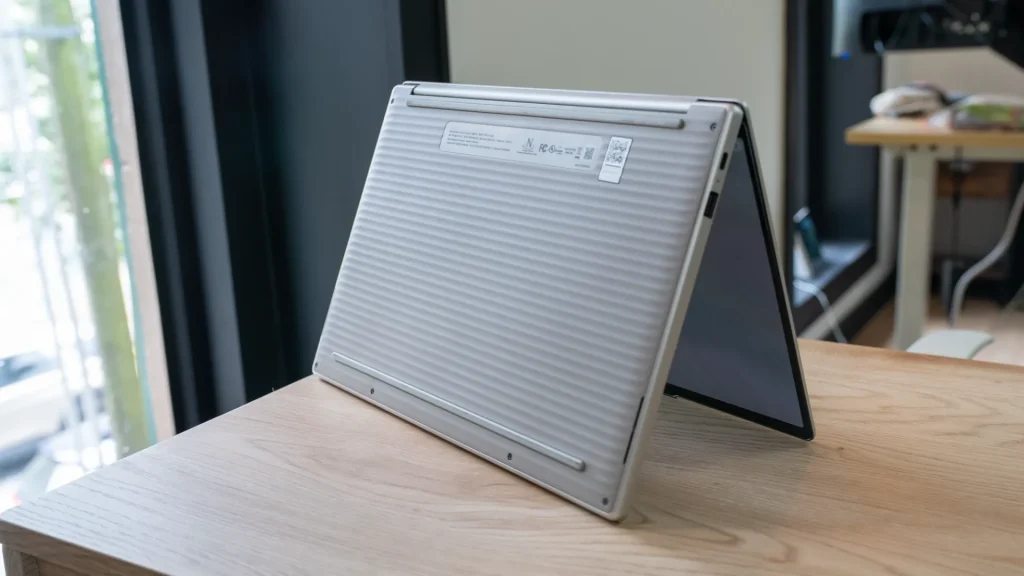
Closed up, the device is tidy and without a ton of sloping lines to create a slimmer-than-actual look. Instead, it picks up a decidedly Pixelbook Go vibe – pill shaped but square front-to-back – complete with a ridged bottom section that only solidifies Google’s DNA in this one. Lenovo said as much on stage, and there’s no question that Google was heavily vested in the creation and execution of the Lenovo Chromebook Plus 14.
There’s little to no flex in the chassis, and it’s 2.5-pound weight makes it feel easy to carry around on the go. Don’t get me wrong; it doesn’t feel cheap or flimsy at that weight, but instead reminds me a bit of the feeling I get from the wildly thin and light Galaxy Chromebook Plus from Samsung. That’s a very good thing.
A stunning display
Crack open the lid and you are met with a 14-inch 16:10 1920×1200 OLED panel that would be the absolute star of the show if the rest of this Chromebook wasn’t so incredible. Still, it’s a big highlight, and one I have absolutely loved working from. The subtle curves of the corners of the screen give it an extra nudge of Google-y vibe and the contrast, brightness (400 nits) and responsiveness of this screen are absolutely top-tier.

The model we’re testing comes with touch and it’s the one I’d definitely recommend. It feels so akin to a big tablet that it invites touch interactions. Having them available has been very nice when using this Chromebook at home and on the couch, leaned back and in consumption mode – another spot this Chromebook shines.
The camera nestled in the top bezel is 5MP and very solid in terms of dynamic range and clarity, and it’ll serve you well for video calls, document scanning, and even a quick selfie if you need it. And that 5MP resolution means you can push up to QHD in your video captures and calls if allowed, too.
Additionally, while the screen isn’t 120Hz, the response time of this screen showcases animations without any ghosting at all, and that had me wondering if it was a higher refresh rate for a few minutes. Testing it out, it is indeed a 60Hz panel, but it tends to feel like it’s a step up from that. Regardless, everything you do, watch, read, or create on this screen looks amazing, and I have no notes for it. Absolute home run.
Keyboard, trackpad, and fingerprint scanner
You probably got it from the opening, but there’s little I have to complain about on any front with this Chromebook; and that holds true for the bottom half of this device for sure. The keyboard, trackpad and speakers are superlative, and I again have no real notes, here. The keyboard is backlit, accurate, clicky, and easily one of the best I’ve used in a Chromebook. Lenovo makes some great keyboards, but this one is the best I’ve used from them.

Similarly, the glass trackpad is large, smooth, well-seated, and accurate. All my gestures work with great ease, and apart from wishing it was of the haptic variety, there is once again nothing to criticize. Hearkening back to the Pixelbook Go, this trackpad is similarly sized and has a similar click mechanism. I loved that trackpad and I love this one equally.
Adjacent sits a perfectly good fingerprint scanner, and like many others we’ve had on Chromebooks, it works reliably and quickly. While it isn’t doing anything wildly different, it is just another piece of the puzzle that just works on this device.
Lovely speakers
While I won’t tell you these are the best speakers to ever grace a Chromebook – that superlative still stays with the HP Dragonfly Pro Chromebook with the Pixelbook Go coming in second – these speakers are up there for sure. As the first Chromebook with Dolby Atmos, the quad-speaker setup in the Lenovo Chromebook Plus 14 is impressive. They are loud, full, and rich in a way that most Chromebooks don’t come close to.

With grills up top and along the side/bottom, you get big sound for anything you want to listen to, and they are definitely good enough to enjoy a movie or show on without needing to reach for headphones. While they might not take the top spot on my list, I really enjoy listening to music, watching YouTube videos and playing games with these speakers in the mix. They are an absolute pleasure to listen to.
The real star of the show: Kompanio Ultra
As good as everything on the outside is, the real star of the show here is what’s going on under the hood. The Lenovo Chromebook Plus 14 is the first Chromebook to debut the new MediaTek Kompanio Ultra SoC, and this chip is everything I’ve hoped for in a high-end ARM processor in a Chromebook.
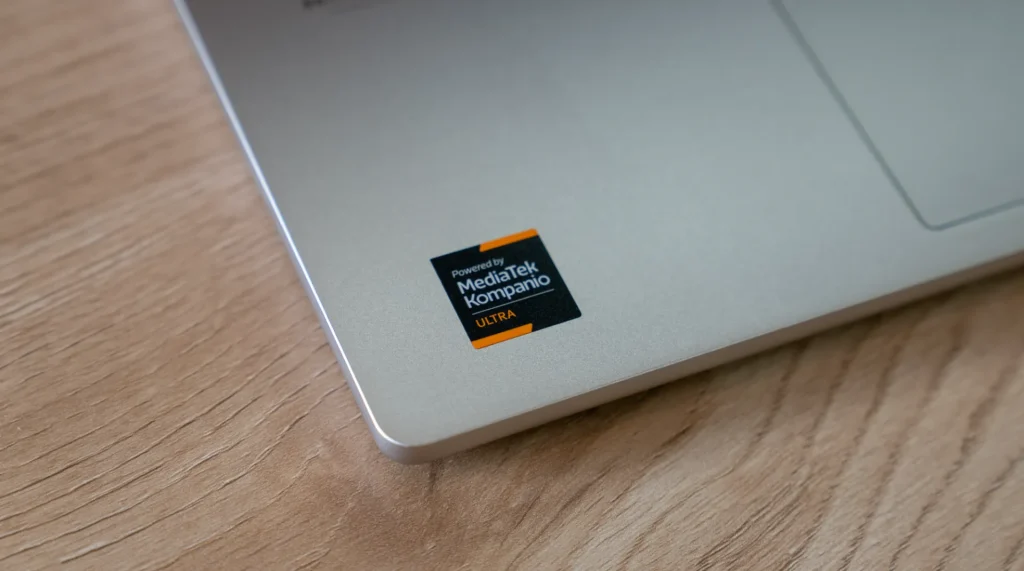
Benchmarks place it as the fastest Chromebook ever, and that feels right. At no time has this Chromebook even thought about stuttering. Even with dozens of tabs, multiple virtual desks, and silly amounts of open windows and apps, this Chromebook and it’s 12GB or 16GB of RAM and 128GB or 256GB of storage never breaks a sweat. And it is doing all of this with no fans!
That has long been the hope and promise of ARM in laptops, and the Lenovo Chromebook Plus 14 absolutely delivers fantastic performance across the board in a silent, thin, light chassis. But that performance isn’t just boosted for web applications: Android apps have been so much more stable on this device than I’ve ever experienced in a Chromebook.
As an example, on this particular Chromebook, I’ve opted to go with the Android versions of both WhatsApp and YouTube Music because of how stable they both feel. Having the Android version of WhatsApp means I can take and make calls and video chats right from my desktop and leveraging the Android YouTube Music app means I don’t run into issue when trying to use one account for music and another for watching videos or editing things for Chrome Unboxed. It’s been so good!
And on that front, while I wouldn’t play the same games on my Chromebook that I would on my phone, I installed and ran Call of Duty: Mobile and PUBG Mobile at maxed-out settings with no issues at all on this device. And playing Golden Tee Mobile has been nothing short of amazing on this massive OLED screen. Simply put, Android apps feel so much more native on this device, and I’ve leaned in way more than I have in the past.
Big power, big battery life
But all that power, speed, and capability would be wasted if it smashed the battery. Thankfully, we get that side of the ARM equation as well, and the Lenovo Chromebook Plus 14’s claimed 17-hour battery has absolutely delivered for me. I’ve regularly used this device for two full days before requiring a charge, and I’ve not been shy about keeping the screen brightness up near 65-70% or so on a regular basis.
Sure, pushing the OLED panel to 100% would hurt those numbers, but you also don’t have to squint at a 30% brightness screen all day to make it to 17 hours of battery, either; and in a device that weighs just 2.5 pounds and has no fans, that feels like a bit of a miracle. As I’m sitting here working right now, my battery is at roughly 80%, and at about 70% screen brightness, my battery says I have 14 hours left. That will of course fluctuate, but I know I’ve gone 2 days at a time between charges while using this as my primary device, and that’s pretty amazing.
A small gripe
The only thing I think I could ask for on this device that it doesn’t deliver on is in the port selection. A single USB Type C adorns both sides with one USB Type A. The headphone/mic jack made the cut, but that is all. There’s room here for an HDMI port, and I think they missed by not including one. While an SD card slot is also nice, with an option to have 256GB of storage inside, it’s not needed quite as much.
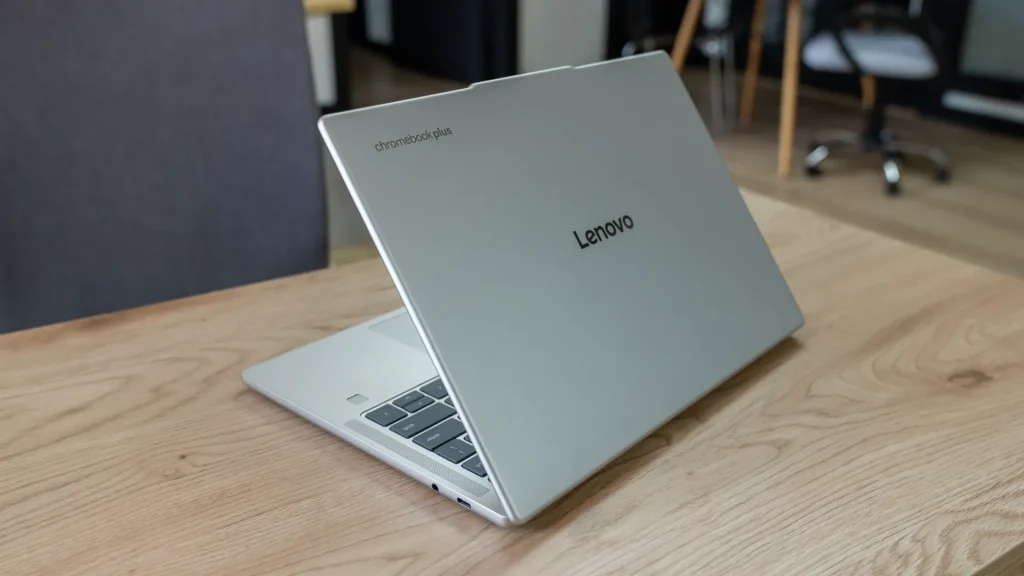
But that’s it! That’s all I have to really correct on this device, and I’m honestly fine with pulling my USB-C dock out of the bag when needed. And I suppose that highlights the best overall part of this Chromebook experience for me. When I reach for the Lenovo Chromebook Plus 14, I’m never let down. The entire experience is so well crafted, refined, and enjoyable that I have no problem calling this the best overall Chromebook ever made.
Starting at $649 (128GB of storage, 12GB of RAM, and no touch input), it’s also incredibly priced as well. For just $100 more, you upgrade to double the storage, 16GB of RAM and add a touchscreen. At $749, I can easily recommend the upgrade if you can swing it, and with the experience I’ve had over the past week or so with this device, this Chromebook has become the de facto recommendation from me for anyone looking for the best possible Chromebook you can buy.
SUBSCRIBE TO UPSTREAM
Get Chrome Unboxed delivered straight to your inbox
Upstream is our flagship, curated newsletter with the top stories, most click-worthy deals, giveaways, and trending articles from Chrome Unboxed sent directly to your inbox a few times a week. Join 31,000+ subscribers.

