

Support our independent tech coverage. Chrome Unboxed is written by real people, for real people—not search algorithms. Join Chrome Unboxed Plus for just $2 a month to get an ad-free experience, access to our private Discord, and more. Learn more about membership here.
START FREE TRIAL (MONTHLY)START FREE TRIAL (ANNUAL)
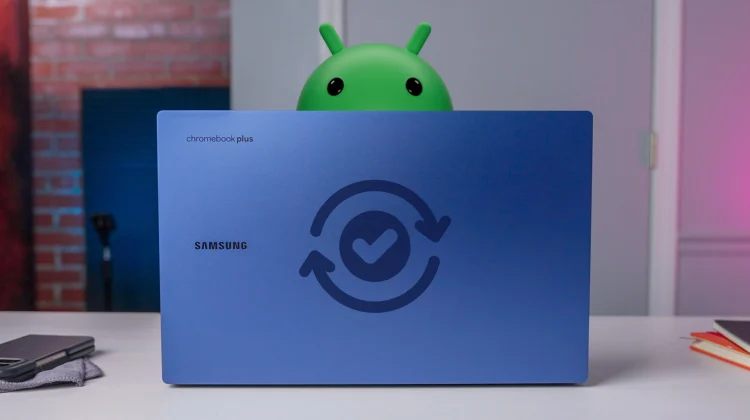
If you have updated your Chromebook recently, you have probably noticed a trend. As Robby recently pointed out regarding the recent rollout of ChromeOS 146, our system updates have been incredibly quiet lately. We are seeing a string of maintenance releases practically devoid of any major, user-facing features (with the one exception of Gemini in Chrome).
But this recent slump isn’t a sign of neglect. It is a clear indicator that Google is pouring all of its developmental resources into a much bigger prize: the impending migration of ChromeOS to an Android foundation, codenamed ‘Aluminium’.
This realization brings me back to an interesting thought I’ve had regarding our standard update schedule. We already know that due to hardware limitations, not every existing Chromebook will be able to make the jump to this new Android foundation. Because Google has promised 10 years of software support for these devices, legacy ChromeOS isn’t going to just disappear overnight.
This means we could be looking at a future where Google maintains two completely separate update schedules for Chromebooks and ‘Aluminium’ devices.
It is entirely possible that older devices, which are unable to migrate to the new OS, will maintain the rapid, four-week update cycle the ChromeOS team established back in 2021. Meanwhile, the newer Project ‘Aluminium’ devices could branch off into their own distinct cadence. Because the underlying architecture for those newer devices is shifting toward Android, it makes perfect sense for ‘Aluminium’ updates to align with the broader Android ecosystem.
Android updates are frequent, too
Fortunately, the Android operating system no longer relies on a single, monolithic annual update. In recent years, Google has transitioned to a much more agile release model. Alongside the major annual version upgrades and monthly security patches, Android now utilizes Quarterly Platform Releases. If you use a Pixel phone, you likely know these as “Pixel Feature Drops,” which consistently introduce meaningful, user-facing features throughout the year.
If Google does split the update tracks, adopting a quarterly “Feature Drop” approach for Aluminium devices might actually be the perfect fit. I feel a quarterly schedule could provide substantial, highly polished feature updates for the new OS while still seamlessly delivering necessary security patches in the interim.
Ultimately, managing two different update tracks could be a massive undertaking for Google. I could see legacy ChromeOS continuing to get standard security updates and bug patches, just like we’ve seen for a while now. Then, the new ‘Aluminium’ update track is where the team will push and innovate, bringing all the exciting new features to these Android-based laptops.
How do you feel about this potential split? Would you prefer your next device to stay on a four-week cycle, or does a quarterly “Feature Drop” sound like a better approach? Let me know in the comments below!
SUBSCRIBE TO UPSTREAM
Get Chrome Unboxed delivered straight to your inbox
Upstream is our flagship, curated newsletter with the top stories, most click-worthy deals, giveaways, and trending articles from Chrome Unboxed sent directly to your inbox a few times a week. Join 31,000+ subscribers.

