


Support our independent tech coverage. Chrome Unboxed is written by real people, for real people—not search algorithms. Join Chrome Unboxed Plus for just $2 a month to get an ad-free experience, access to our private Discord, and more. Learn more about membership here.
START FREE TRIAL (MONTHLY)START FREE TRIAL (ANNUAL)
As we begin leaning into more short-form video here at Chrome Unboxed, we’ve started utilizing apps like Instagram, YouTube and TikTok on Chromebooks a bit more often than we did prior. With TikTok specifically, there was something just today I wanted to check out with the web version of the app. It has been quite some time since I last used TikTok on the web, so I took a bit of time to look around and I was blown away by how good this interface has become.
First up, TikTok on ChromeOS is a PWA that is installed via the Play Store or right from the URL. It’s been this way for quite some time, so that’s not really the news, here. Instead, what I noticed as I navigated the UI was the polish and attention to detail that TikTok has provided in the web-based interface for their previously mobile-app-only experience.
There are some of these features that could have been around for a while, but I’m going to talk about them anyway. To be clear, I’m not saying all of this UX is brand new; I’m just saying the cohesion of what TikTok has built for the web is a great blueprint for others to follow (yeah, I’m looking at you Instagram).
Desktop interface
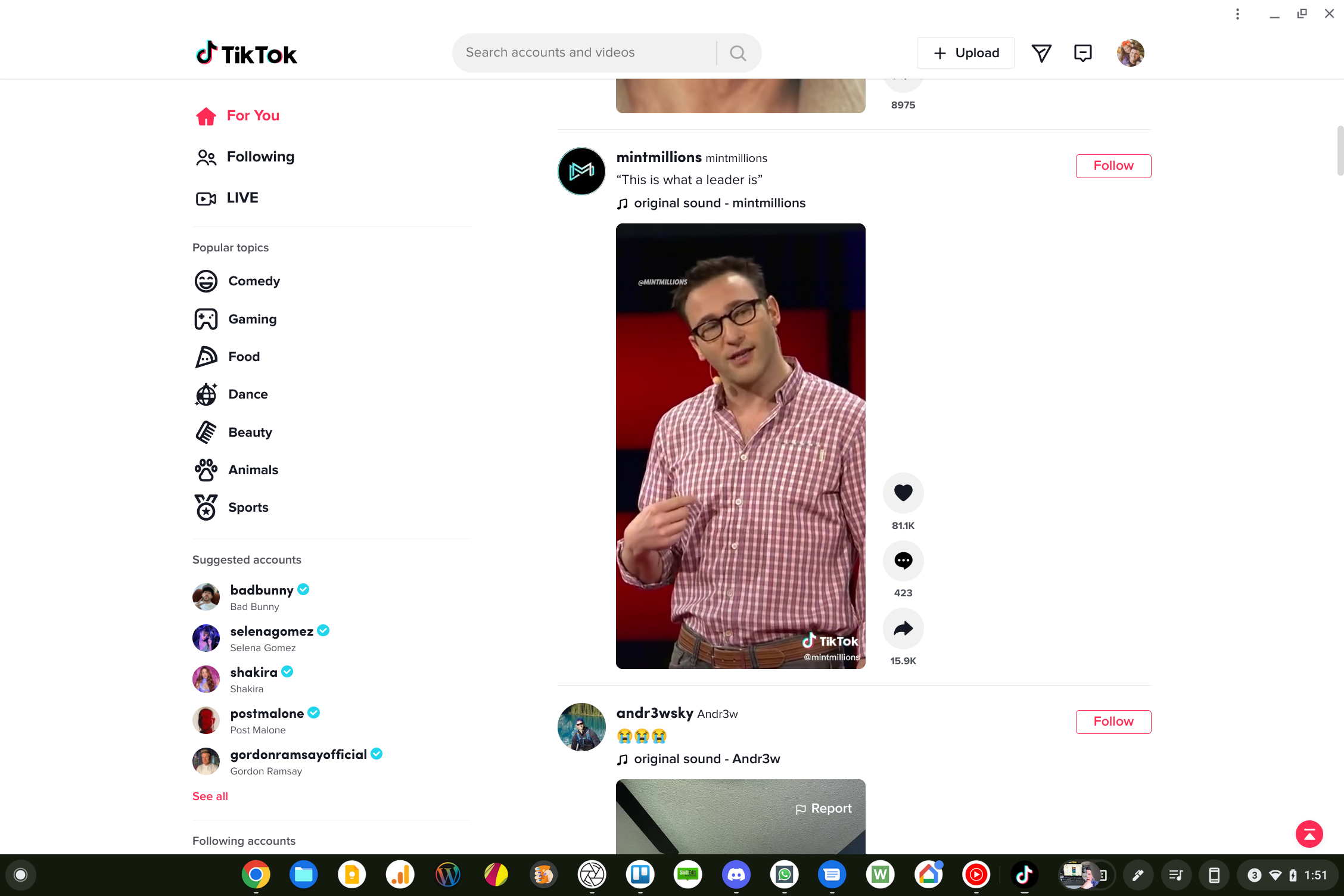
First up, TikTok has a proper desktop interface built for larger screens. The UI isn’t trying to look like the phone app or regurgitating the design that was made for scrolling vertically on a narrow display. Instead, the PWA takes advantage of the extra real estate, with popular topics in a sidebar along with suggested accounts and accounts of those you follow. The right side is the main attraction, with your standard “For You” feed prominently displayed for your TikTok binging delight.
Clicking on the video itself or on the comments, you are brought into a larger player with the comments displayed on the right side of the screen. From this view, you can add a comment, like, follow and navigate to the next video in your feed as well. It’s a more immersive way to consume TikTok content for sure.
Keyboard shortcuts
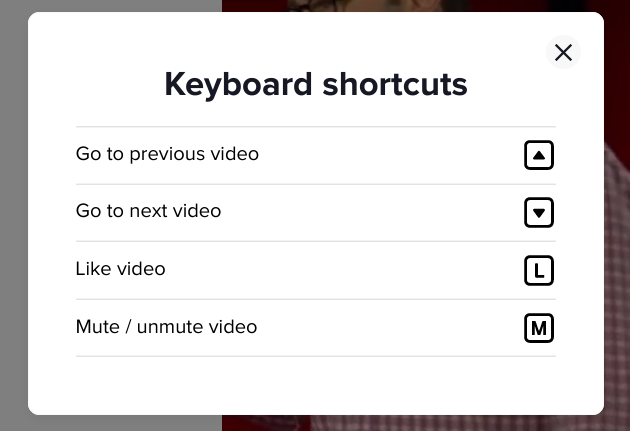
To make the navigation of either version of the feed view simpler, there are keyboard shortcuts built right in that allow you to move up and down your feed (up and down arrows), like videos (L key) and mute/unmute your videos (M key). They are simple additions to the experience, but it makes moving around the app a bit more smooth for those on a desktop interface, and I love it.
Post creation tools
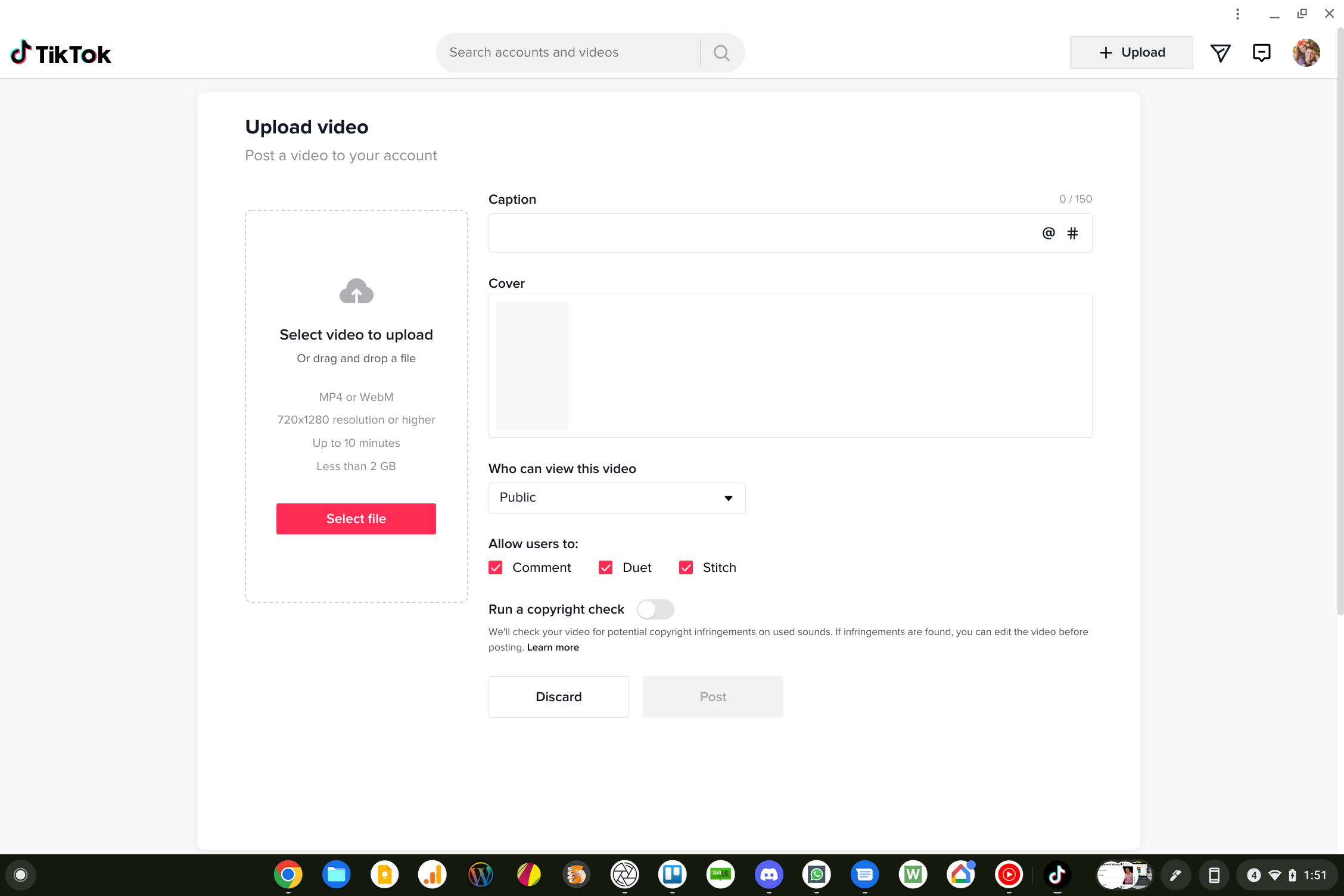
Another part of the equation TikTok on the web gets right is the post creation flow. While not as fully-featured as the Android or iOS app, this tool will allow for quick uploads of multiple file types and will allow for those to be quickly posted to your TikTok profile. While there are workarounds for posting videos on services like Instagram, TikTok feels purpose-built for this on the web, and I hope more of the mobile app features show up in this part of the interface down the road. With the PWA, you can upload, caption, control comments, run a copyright check, and select things like visibility and the cover photo for your post. Again, not a full replacement for the TikTok app, but a solid way to post simpler videos for sure.
Messaging and Sharing tools
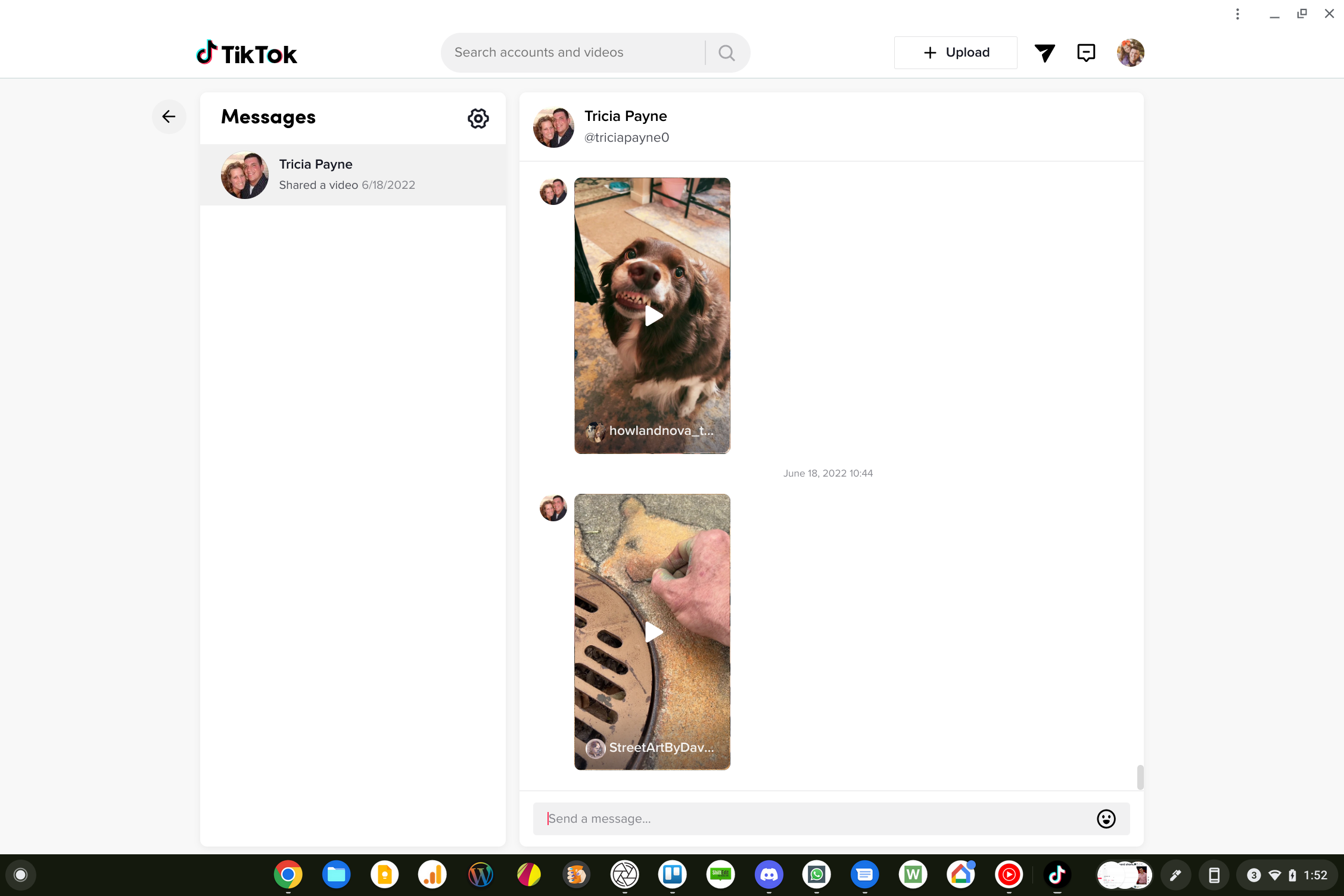
Finally, TikTok has built in messaging and sharing tools that feel completely at home here as well. Hover the share icon next to any video and you get the option to share to Facebook, Twitter, or WhatsApp, along with a direct message, embed or link option.
That direct message option connects directly with the messages portion of the interface, allowing you to send videos to friends on TikTok in a feed while simultaneously chatting with text. It works the same way as it does in the app, but it is nice to see TikTok make the interface work the way it should instead of adding this method of sharing at some point down the road.
Along with the dedicated Android TV app, TikTok is doing a great job of being fun to use on multiple screens at this point. What once was a simple video sharing app has truly grown to be a force in the short-form video space, and as more and more creators flock to the platform, these multiple ways of interacting will only strengthen TikTok’s place in the wider social media landscape. While it would be simple for TikTok to ignore the web at this point, it is great to see examples like this of great applications being leveraged in ways that make them infinitely more accessible.
SUBSCRIBE TO UPSTREAM
Get Chrome Unboxed delivered straight to your inbox
Upstream is our flagship, curated newsletter with the top stories, most click-worthy deals, giveaways, and trending articles from Chrome Unboxed sent directly to your inbox a few times a week. Join 31,000+ subscribers.

