

Support our independent tech coverage. Chrome Unboxed is written by real people, for real people—not search algorithms. Join Chrome Unboxed Plus for just $2 a month to get an ad-free experience, access to our private Discord, and more. Learn more about membership here.
START FREE TRIAL (MONTHLY)START FREE TRIAL (ANNUAL)
If you’ve ever used an AI avatar generator, you know the drill: you pick a generic-looking digital person from a list, type in your script, and watch as a stiff, static talking head reads your text from the center of the screen. It works, but it feels incredibly robotic.
With their latest upgrades to Google Vids Avatars, Google is completely rewriting the rules for AI video hosts. In a pair of massive Workspace updates, Google has rolled out the ability to not only design your own hyper-customized avatars but to actually direct them like actors on a movie set.
Build your ideal digital host
The first major upgrade comes courtesy of Google’s new “Nano Banana 2” model, which allows for complete creative control over how your avatar looks. Instead of picking from a preset list, you can use a simple text prompt to generate a speaker that perfectly matches your brand.

Want an avatar wearing a specific company uniform? Done. Need them in a tuxedo for a formal presentation or stylized for a specific global region? You can do that, too. You can even use simple refinement prompts to add specific accessories like glasses or hats, and then pair your custom look with one of seven distinct, high-quality voices.
Step into the director’s chair
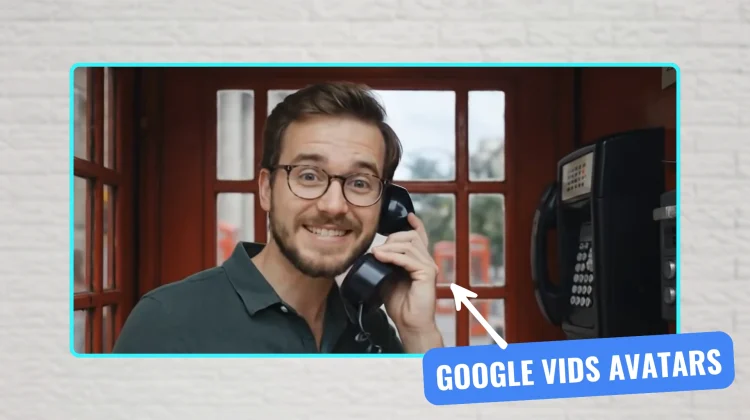
Having a custom-dressed avatar is great, but the second update – powered by Veo 3.1 – is where the real magic happens. Google is now allowing you to direct your avatar’s actions and environment.
Instead of a static talking head, you can instruct your digital host to walk around, use objects, and interact with their surroundings. Here’s what makes this so incredibly powerful for creators and businesses:
- Custom Backgrounds: You can upload an image of your actual office lobby, and Veo 3.1 will seamlessly place your avatar directly into that space for a company announcement.
- Prop Interaction: Doing a sales pitch? You can upload up to two reference images of a product or piece of equipment. You can then prompt the avatar to actually pick up your product and showcase it to the camera while delivering the script.
Google’s systems ensure that no matter what scene you generate or what props you introduce, the avatar’s face and voice remain perfectly consistent throughout the entire video.
A massive win for web-based creation
Tools like this are exactly why the cloud-first nature of the web is so exciting. A few years ago, rendering a photorealistic avatar walking around a custom 3D space would require a massive, expensive desktop rig. Now, all of that heavy lifting is happening on Google’s servers, meaning you can direct a full-blown commercial from the browser. We live in some pretty wild times.
SUBSCRIBE TO UPSTREAM
Get Chrome Unboxed delivered straight to your inbox
Upstream is our flagship, curated newsletter with the top stories, most click-worthy deals, giveaways, and trending articles from Chrome Unboxed sent directly to your inbox a few times a week. Join 31,000+ subscribers.

